starting a mision

Good morning, I don't know if I'm doing something wrong but the truth is that what's happening to me is very frustrating, my equipment is: DJI AIR 2S with a Smartcontroller, all up to day in terms of updates, my operating protocol is as follows: I load the mission in smartcontroller, I start the drone and once the mission is loaded I take off the drone and press to start the mission, here the problems begin, you have to reload the mission. which leads to a consumption of battery and a totally unnecessary warming of the drone, it has even happened to me that I have to recharge the mission more than three times, the mission is usually taken to start with the drone battery at 75% which gives us to have to change the battery and start over with the problems of recharging the mission, any solution?
Comments
31 comments
If you are talking about the original smart controller, the solution is to not use that device as it is too slow: https://support.dronelink.com/hc/en-us/community/posts/1500000601682-Question-Installing-Dronelink-on-DJI-Smart-Controller
Ok, but will the RC Pro work?
The RC Pro is a much better device and works great.
Hello again Jim, I'm a little angry with the application, I received my new RC PRO, I spent €999 just to be able to use Dronelink, but there is no way to use it, it gives me completely absurd errors, like the signal It is weak and I am less than half a meter from the drone, the drone is not connected when it is, in short, strange problems, I have screen recordings where everything is seen, what solution is there? Both the controller and the drone and Dronelink are all updated, in fact the APP before the last update with the old controller worked fine for me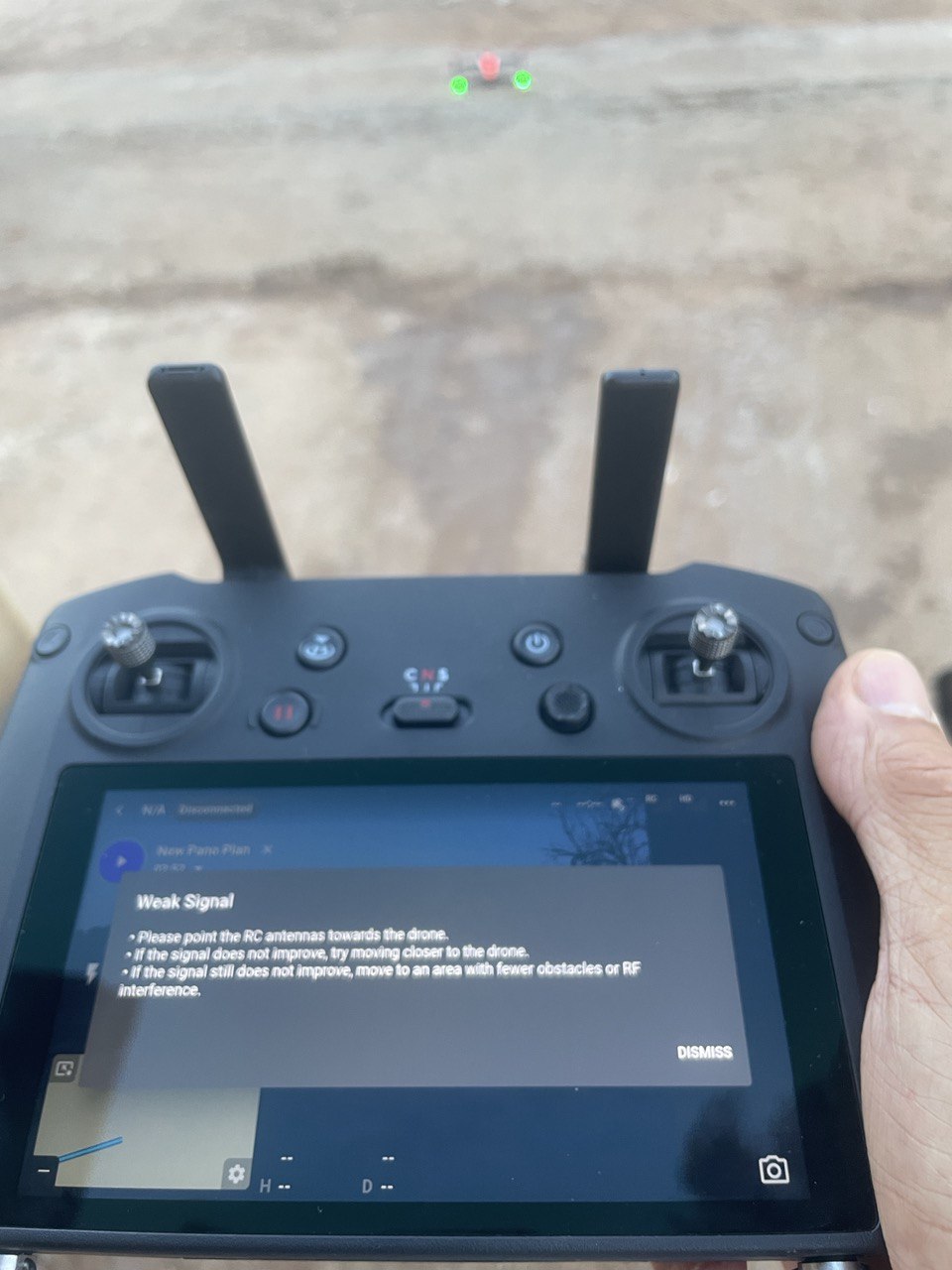
Have you terminated DJI Fly correctly as discussed in 3.2 here? https://support.dronelink.com/hc/en-us/articles/360052025194-Why-is-Dronelink-unable-to-connect-to-my-drone-
Hello Jim, yes, even so it keeps giving me errors, such as unable to take off Undefined error, Aircraft Encoder Error and yes, I have started the drone again, another error is Insufficient SD Card Capacity Remaining with an empty 128 Mbs SD card.
And the strangest thing is, as you can see in the photo above, that it says it has no signal or very bad signal being 3 meters away from the drone, by the way, the only application that I have installed apart from DJI Fly is Dronelink
on that photo it shows that it isn't connected to the drone, have you paired the drone and controller in DJI fly as explained in this video https://www.youtube.com/watch?v=nf3UhJxeBH4
That's strange Patrick only comment I see from you is this one https://support.dronelink.com/hc/en-us/community/posts/19293960692243/comments/19672845794067
Which app did you install (Dronelink or Dronelink DJI)?
Hi Jim, the application is Dronelink and it is downloaded directly from the page https://www.dronelink.com/download, Dji Fly works correctly with the RC Pro, I fly without any problem, Martin one of the problems is that it connects and disconnects several times on its own times and the drone is perfectly paired with the controller
christian llull
Just to be fully clear, you have followed all the instructions in the link that Jim sent, including:
Yes Barry, I did, all the above
You beat me to a couple of those ideas Barry. I’m thinking either not “force stopped”, not just closed as explained which I’ve seen others have issues with until they double checked. Not logged in which must be done when on Wi-FI at least once. It is one of the few drones which the RC Pro works with and it was stated it is working with the DJI Fly app. I always say double or triple check everything in the list and if still not working delete and re-install the app and try again. Also all permissions which I believe there are still 11 of them.
Look Mike, I'm not a newbie in the world of drones and I've been using dronelink for a few years now, I've never had any problems with it only since the last update
Ok. I’m not a newbie as well but I wasn’t being rude so not sure why your assuming I was. People just trying to help and the vast majority problems are usually an installation issue. Good luck.
No one is trying to be rude. But, as Mike said (and you can check the forums) there have been several people that said they have stopped the app without realizing that, in this case, you must use the force stop option. So we are trying to help, just clarify that all options have been explored.
I'm sorry Mike if my words sound offensive, it's not my intention, I just wanted to express that the problem is not due to not installing or opening the program correctly, and yes, I've checked the forums, thanks anyway
If this is the behavior you are seeing, 99% of the time other users reported this it was because they hadn't terminated DJI Fly correctly (steps linked previously).
What is the drone firmware?
The firmware is V02.04.2500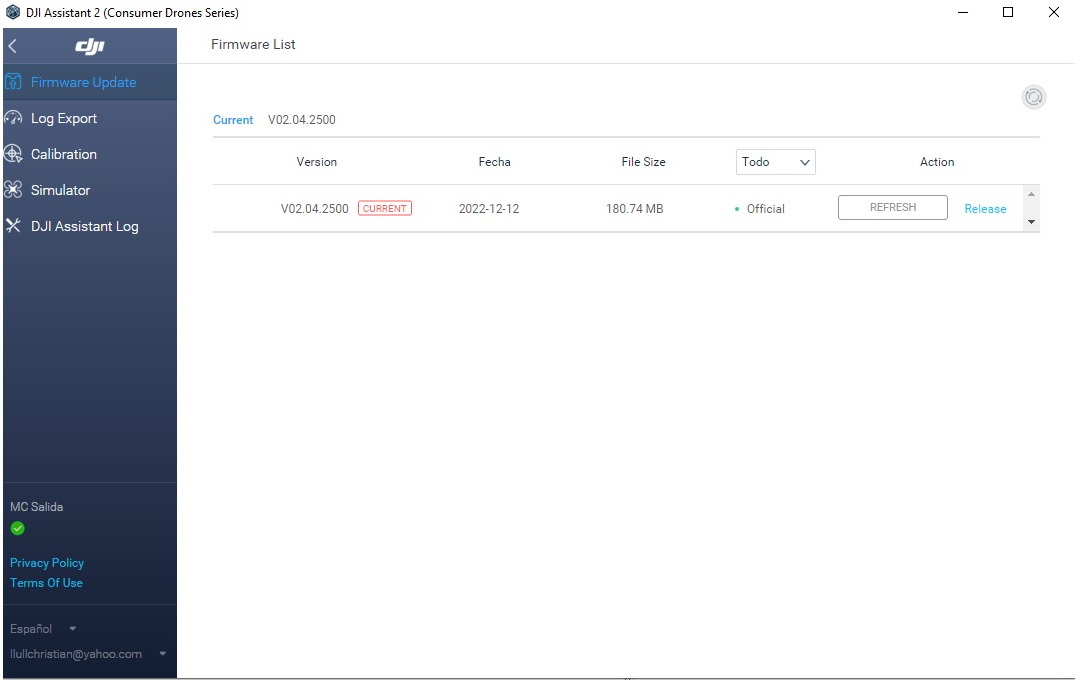
That is the correct firmware. Not sure what else to suggest as we cannot reproduce the issue with our hardware and no other users are reporting any issues. As I stated previously:
For refunds: https://www.dronelink.com/refund
Salve, vorrei segnalare la mia situazione.
L'app che ho installato è Dronelink DJI, drone DJI mini 3 pro, radiocomando RC N-1, smartphone Xiaomi 12.
Dopo aver avviato il drone, dopo che si connette al radiocomando e all'app, vado per avviare la missione e mi dice che non è possibile prendere il controllo.
Anche un'altra volta l'ha fatto e avevo risolto portando prima il drone all'altezza della missione, poi avviando la missione e funzionava regolarmente.
Oggi invece non c'è stato verso
Ho impostato inizialmente il bypassa ostacoli.
Successivamente il frena ma nulla di fatto.
Ho impostato su nessuna limitazione al decollo ma nulla da fare.
Mi potreste indicare gentilmente una soluzione?
Ho anche eseguito una registrazione dello schermo per poter meglio farvi comprendere gli errori ma non credo qui si possa allegare.
Two suggestions
Cosa intende per interruttore nella modalità corretta?
Quale sarebbe la modalità corretta?
Inglese Mauro. The Controller speed selector switch needs to be in Normal “P” mode which is the middle one. Not tripod/cine or Sport. And as Barry mentioned turn off obstacle avoidance as well. Also you can add a screen shot or a short video on this forum. I don’t know why but more recently when I went I try to attach anything the menu bar does not appear at the top. So I first send the post then go to Edit and the menu bar will come up. If it still doesn’t work after going through the list of possible fixes then you can send screen shots or video of issue.
Automatic Control Interrupted then check this link.
https://support.dronelink.com/hc/en-us/articles/360056104694-Why-do-I-see-Unable-to-Take-Control-or-Automatic-Control-Interrupted-during-missions-
Salve
ho cambiato le impostazioni e il drone avvia regolarmente la missione.
C'è però un problema, anzi due.
Il primo è che mi compare il messaggio di errore acquisizione fotocamera.
Il secondo, molto più grave è che l'app va in crash continuamente.
A distanza di pochissimi minuti (2 max 3).
Come faccio a concludere una missione in queste condizioni.
Vi allego il piano di volo.
https://app.dronelink.com/mauro-inglese/my-first-project/plan/QNdkC56kFI6VV3qWvN9D/Ez6SFgqox68iP3jLHgMZ
Inglese Mauro, take a read of this post by Jim re crashes https://support.dronelink.com/hc/en-us/community/posts/16409496589331/comments/20019915555219
l'ho letto.
Quindi?
There are still major problems with the SDK for the mini3 pro thus Dronelink have to pull a whole load of stuff out of it so they can let DJI take a look and try and sort it all out, this is going to take a lot of time, don't forget the version of Dronelink DJI is beta software, so you are going to have major problems along the way
Certo, ma il fatto che non si possa concludere una missione dopo aver un account elite da 99 euro, la vedo una cosa insensata.
Please sign in to leave a comment.