
Popular Resources
-
<% blocks.forEach(function(block, index) { %>
-
<% if (imageHeight) { %>
<% } %>
<% if (block.name) { %><% if (block.html_url) { %> <%= block.name %> <% } else { %> <%= block.name %> <% } %>
<% } %> <% if (block.description) { %><%= block.description %>
<% } %>
<% }) %>
Comments
10 comments
The original Smart Controller was and is a very an underpowered old device. Have you tried just using a browser like Firefox which will work the best overall to see if it works. It may use less resources without the app open and running. I’d suggest using a PC anyways since the screen is so small on the controller it’s difficult to create and edit plans. Even an iPad or Tablet with a bigger screen would be better and they are much more powerful.
Thank you for the response Mike. So do planning on a pc and run the app on Firefox in the smart controller?
James Perkins, deffo plan on the PC, then fly using the smart controller, out of curiosity what drone are you flying
That will work as long as Firefox will run on that device so I’d try it to make sure. Obviously a PC with a larger screen makes it much easier to create or edit missions and the mission preview will be much easier to see. The creating or editing of any plan can be done with any supported browser on any PC or Device. Once you open the DL app you can download for off-line usage before leaving any Wi-Fi or if there will be no cellular service where your going. This way you can run them without worrying whether or not you will have any service. You don’t even need to connect your drone to download the plan. Just open DL Native app at any time once the plans are ready to fly and click on the three dots and select to download for off-line. My suggestion once you’re ready to go flying a mission is to always open the DL App just before going out to the location so all the new or edited plans are uploaded from the cloud/ server so everything is available and current. Then download any plans you want to fly for off-line. You may want to bookmark the main DL help section which has a ton of other info as well. As always there are many pilots on this forum which can help if additional assistance is needed so feel fire to ask. DL has amazing support. Good luck James and enjoy. Curious which drone your using as well.
https://support.dronelink.com/hc/en-us/articles/4406012655763-Offline-Support-Download-Missions-for-Offline-Use-in-Dronelink-Mobile-App
Martin and Mike, thank you both for the good information. I have a mini3 pro , an air2S and a mavic3 classic. The air 2S has linked to the pgm. Would like to use the other two drones if I could.
The Mavic 3 Classic won’t work, only the Mavic 3E, T & M. The Mini 3 will work but must use an Android OS device as explained in the link. I Don’t believe the Smart Controller will work but other newer controllers with a screen or another Android OS phone or tablet will. Make sure you download the correct APK for the device you want to use.
Check this link for further assistance. Make sure you read the entire article especially the bottom area where it explains which devices will not work or may have issues.
https://support.dronelink.com/hc/en-us/articles/15304402363411-Mini-3-Mini-3-Pro-Support-Overview
DL just put out this list of devices recently and it may help. Just way too many manufactures of devices which use Android OS to test them all. Obviously stay away from any on the list which indicates low performance. DL recommends any device which has been released in the last year, maybe two should work. App crashes will continue when using the Mini 3 until DJI updates the SDK which is supposed to be sometime this month. Hopefully. A lot to digest but hopefully it helps
https://docs.google.com/spreadsheets/d/1JPhn9yKVaKiyd_k0JP8ZI7_fMJjjJcE8ybcCW93SCYw/edit?pli=1#gid=0
As Mike says, hopefully DJI will get the SDK sorted shortly for the mini3 pro and normal Android devices, other than the so called smart controllers. believe me flying with a decent size tablet is a great experience, I fly mini 2 and use a Galaxy Tab 7FE as my favourite go too flying device
I have now tried to create a mission plan on both my ipad mini6 and my ipad 11 and on my mac. None of these give me the create button at the bottom of the mission planning screen.what am I doing wrong?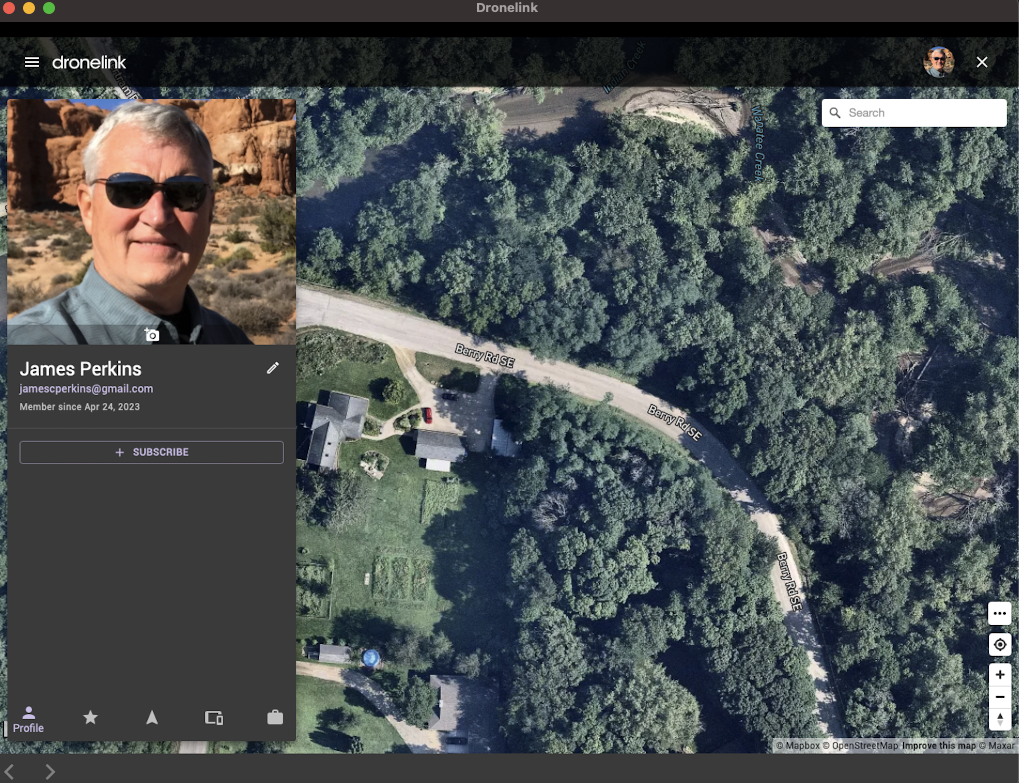
just tried to plan a mission on my PC laptop and get the same problem, no create button
Have you purchased an account? https://app.dronelink.com/pricing
Please sign in to leave a comment.