Drone camera start & stops in between components, possible to film the entire time?

I have a mission with 2 components:
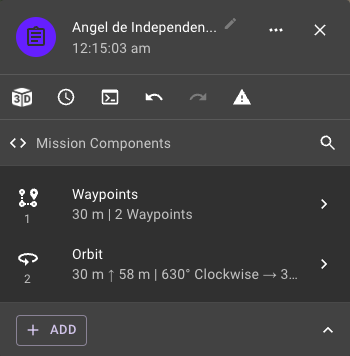
Between components (and even between waypoints) the camera stops and restarts again. I would like to have the camera recording a video the entire time, how can I make sure there is no breaks in the video in between components?
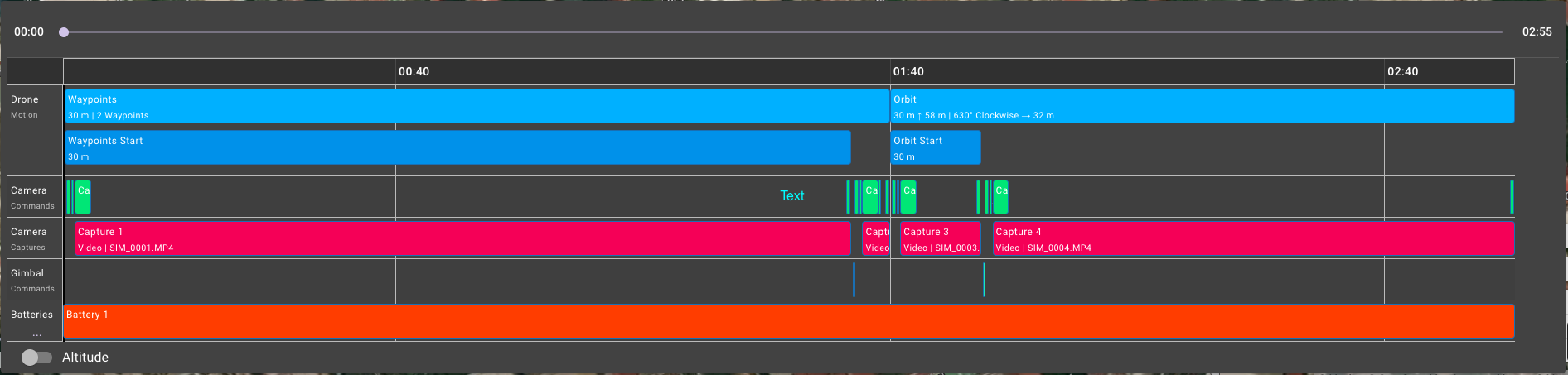
(note the camera captures row above)
Comments
9 comments
yep this is easy to do:
This will then make your project look like this
Project list
Preview
If your plan does not include commands, then you will need to use list + automatic capture as described here:
https://support.dronelink.com/hc/en-us/community/posts/1500000154102-Continuous-Video-Capture-Through-Multiple-Components
Martin Reading Thank you for the response. Unfortunately that doesn't seem to work. I have simplified my missing a bit and this is what it looks like now:
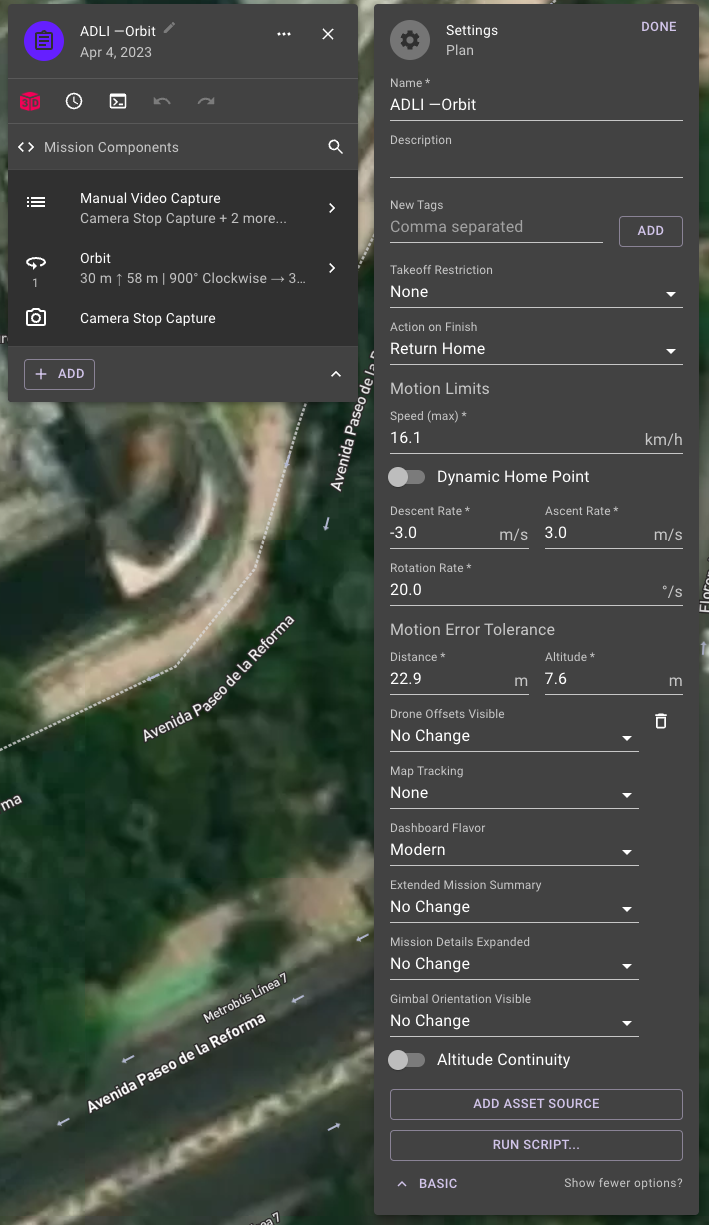
The list has 3 camera commands:
But when I hit preview this is what it shows:
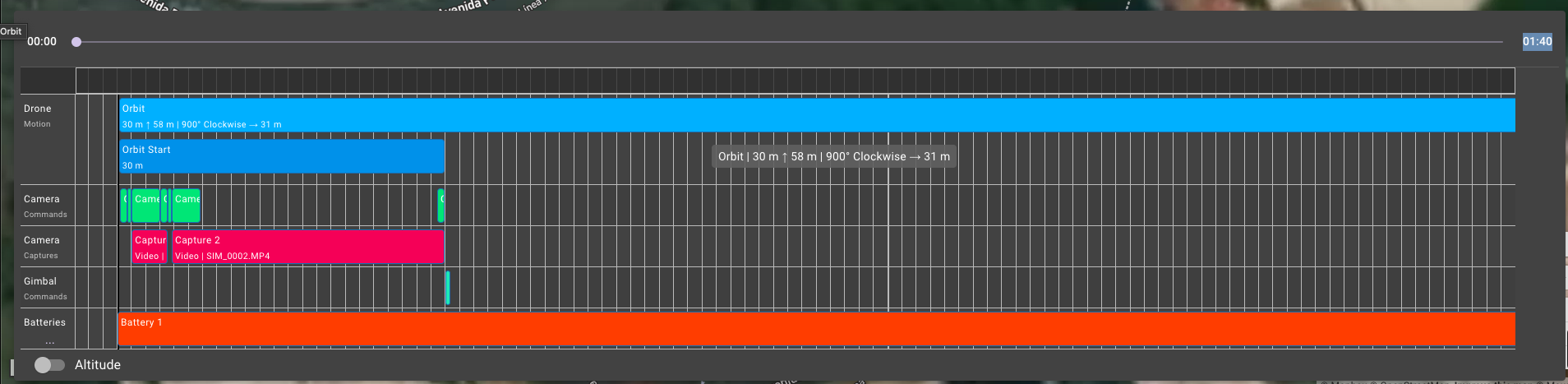
seems like the video capture ends prematurely, any idea whats going on?
Jim McAndrew thank you for the response. I'm on the elite plan so I believe I have access to commands. There's a lot going on in that thread, specifically what should I be paying attention to?
Hi Zaki Aziz, could you possibly share the plan, that way it makes it a lot easier to see what's going on, instruction on sharing plans can be found here https://support.dronelink.com/hc/en-us/articles/7912083943059-Sharing-Mission-Plans
As Martin indicated sharing your plan will help greatly. Somewhere in the plan there must be stop captures at some point according to the mission preview. Otherwise it would start video and run through the entire mission. I run a lot of video from start of mission till the end without any Issues. I believe your using auto capture on the Orbit which stops video then starts capture on the orbit and then once orbit is completed it will stop automatically. If that is being used you will need to remove the auto capture on the Orbit. The Orbit component automatically adds a auto video capture when added to the plan.
That's exactly what I was wondering as well Mike
Actually guys I think I figured it out. I deleted the old orbit component and created a new one from scratch. I think the old components had a camera stop capture component somewhere in there.
Thank you for all the help!
Good to see you got it sorted, I'd suggest you set the final altitude to about 275 feet, that way you'll the whole of the Angel in at the end
Please sign in to leave a comment.