File numbering all messed up

Was checking what photos etc were linked with each mission today, so that i can save them in different subfolders of my main video folder for todays flight and noticed they were numbered totally differently in the nmission files list to what they are actually numbered on the SD card/PCsee pictures below
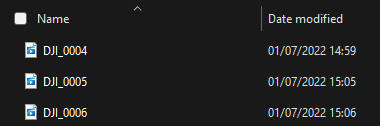
Actual numbers
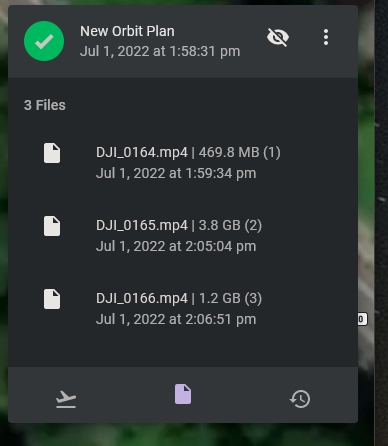
Mission file numbers
I can live with the fact that the time on the mission files is GMT, rather than the BST on the pc
Comments
3 comments
https://support.dronelink.com/hc/en-us/community/posts/360049128614-mission-file-naming-problem
Looks like they never got round to it ;)
Cheers Jim McAndrew
I think what the probably meant was in MSDK 5.
Please sign in to leave a comment.