RC Pro Controller

Does Dronelink work on the RC Controller and Air2S?
Also, does Dronelink need to remain connected to the controller after a mission has been started?
Example: The Litchi program now requires constant connection to the controller to execute a mission. It was originally designed to upload to the aircraft and regardless of what happened to the controller (loss of signal) it would execute the mission as planned.
Do you need to have a connection to the controller after executing a mission on Dronelink or does the program get uploaded to the aircraft?
Comments
13 comments
The answer is yes as DJI have opted to use VSC rather than uploading missions to onboard memory
So when using Dronelink the controller must remain connected for the program to execute the entire mission?
Yes! When the link between controller and drone is lost the drone will initiate return to home, or other action you specify in the Fly app.
Thanks.
RC Pro is not officially supported (more details).
Happy to report that the RC Pro is working well on the 4.0.0 beta.
I have the latest firmware on the Air 2S and on the RC Pro and the latest Beta version of Dronelink, all I get is constant disconnects. "DJI ACTIVATION NOT SUPPORTED" "HOME LOCATION NOT SET". Then as long as Dronelink is running it also messes with the DJI Fly App, I have to force close both apps to get DJI Fly App going again. As of right now my $99 Elite membership is worthless... I hope it gets fixed soon.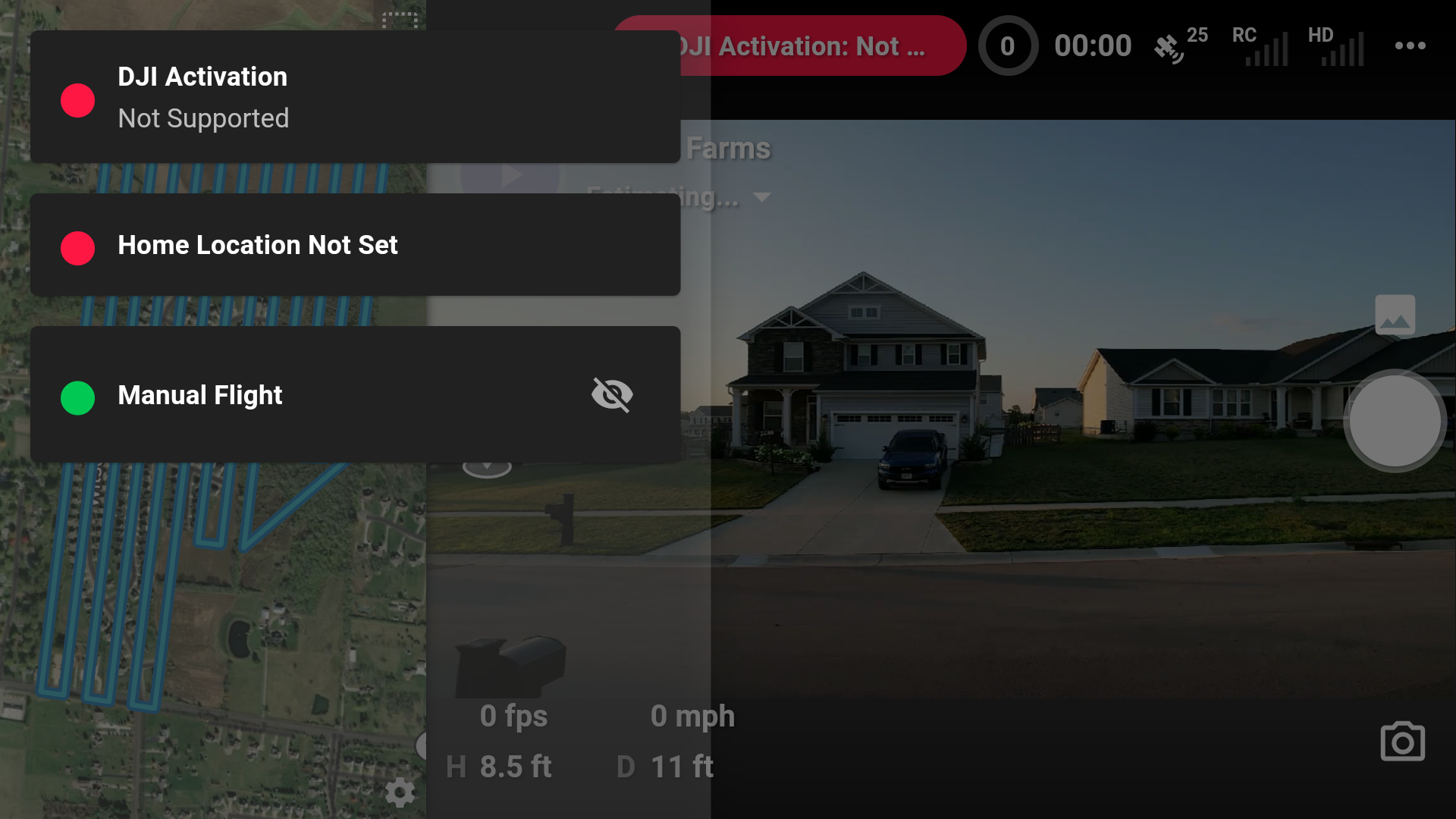
You cannot run more than one flight app at a time, so force closing one or the other is standard practice. As for the DJI Activation message, that usually means that the device did not have a network connection when the code tried to register with DJI’s servers (a DJI SDK requirement).
After digging a little deeper, it looks like the Air 2S firmware doesn't support DJI SDK app activation yet :(
It's odd that DJI released the SDK without app activation enabled. So we will have to wait for DJI to update the firmware?
Looks like it. From the docs:
So does the air 2s not work with dronelink at all, or only in combination with the rc pro?
This is a bummer for me, as I specifically bought the rc pro in response to your statement that the rc pro was supported on beta...
I've flown multiple DroneLInke missions with my Air 2s and it's standard controller with Samsung A51 smart phone. I was happy with the standard rc.
Please sign in to leave a comment.