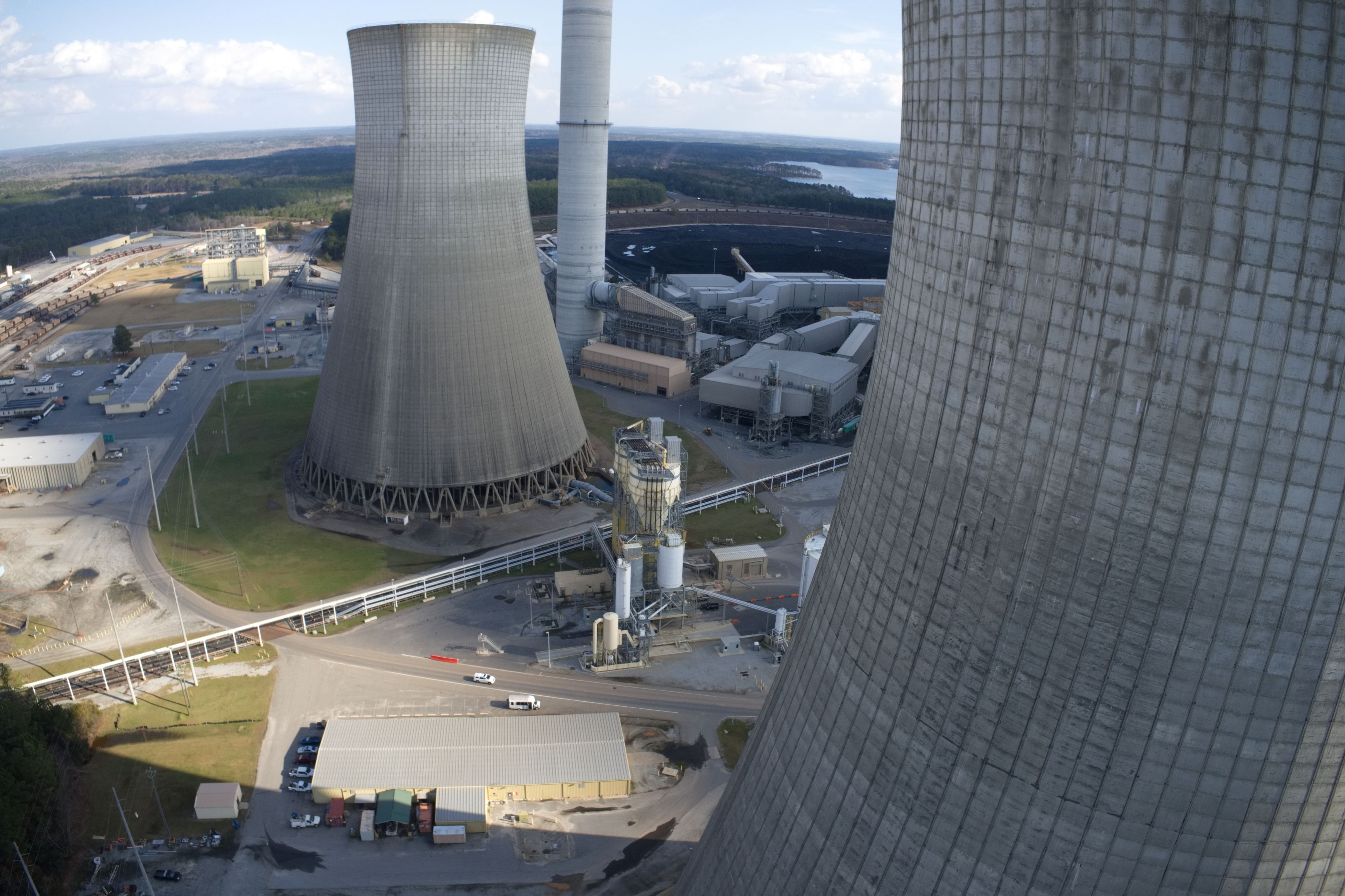
Mapping a power plant cooling tower

I have mapped one of these before by hand and it took just over 6 hours with a P4Pv2. Now with the M3E it can be done faster and safer but I don't want to fly it manually again. I was hoping someone can help me out on how I would use Dronelink to set it up to fly one of the cooling towers. Requirements are strict and the client needs 2 sets of photos. The inspection set with 3mm GSD and another of 5mm. I have RTk and service and all the equipment needed. I just need some help on programming Dronelink to do all the work for me.
Thanks for any help.
Comments
3 comments
Hello Brian,
Great use case. Here are some links to point you in the right direction.
To create a mission plan for this, within the Expert Mission Planner mode, use a Facade Circle Horizontal pattern with 2 boundary points to make tapered orbits. You may need to add an additional Facade for some sections. You can adjust camera angles, sample distance, etc.
https://support.dronelink.com/hc/en-us/articles/7082121565971-Advanced-Facades-Vertical-Mapping-Circle-Spiral-Polygon-Boundary-Faces
You will also want to enable Drone Offsets and Mission Alignment, setting the center of the cooling tower as the alignment point. See this article:
https://support.dronelink.com/hc/en-us/articles/4416141457171-How-to-Enable-Drone-Offsets-Mission-Alignment-Georectification
Best,
Jacob
Awesome, thanks for this.
I have been using Scanlink for cell towers and noticed the collision avoidance is a little sketchy. I know its not working in the SDK or whatever but I know it kinda works. How well does it work for something like this? They have stairs on the outside of the cooling tower and flying horizontally, those are going to sneak up every now and then so I just want to know how well that might work or not work in this case. Thanks again.
Hello Brian,
There would not be much difference on the behavior in the field once the obstacle avoidance settings are configured, whether using Pilot 2, or setting them with commands in the Dronelink mission. The behavior comes down to how DJI is using the obstacle settings when flying in virtual stick mode.
In Scanlink we configure them to be the min values you can set, and sometimes that runs into issues with thin guyed wires. Staying on the sticks ready to pause and take over is still recommended.
For the notable obstacles, you can configure restriction zones in the missions before hand.
https://support.dronelink.com/hc/en-us/articles/4418513904147-Intro-to-Restriction-Zones-to-Create-No-Fly-Zones-Around-Obstacles
Best,
Jacob
Please sign in to leave a comment.