How can I get my money back as the product did not respond to the specs?

Hello,
Can I have my money back. You give a list of compatible drone as the mavic 3 classic, but the drone is not supported!
Moreover your plans are confusing and do not give enough information.
Best regards,
Sebastien Bauwens
Comments
6 comments
Hi Bauwens. It doesn’t list it as a supported drone in their support article. The Onboard Waypoints is a feature which gives basic support after exporting the KMZ into the DJI app to fly the mission. No third party app will work with any non SDK supported drone so if you look elsewhere you won’t find it supported. If you want a refund a link was included in those DL articles. Their pricing list indicates which features are included in which plan but those are only for DJI SDK supported drones. Good luck.
https://support.dronelink.com/hc/en-us/articles/360025829933-What-are-the-system-requirements-Supported-drones-and-devices
https://support.dronelink.com/hc/en-us/articles/1500000580482-How-do-I-cancel-my-account-and-or-get-a-refund
Thank you for your feedback :)
There are several things that bother me about this marketing approach.
1) The Mavic 3 Classic is simply not supported by DoneLink (I don't care whether other flight planning software supports it or not). I find it strange that we would pay for only "Onboard Only Support." Especially since I was looking to create map-based flight plans, a feature only available in Premium or Elite plans. Which brings me to my second point.
2) A "mission mapping" is just a version of Waypoints missions, and should therefore be included in the same plan or specify what Waypoints missions mean more explicitly.
This should be te sign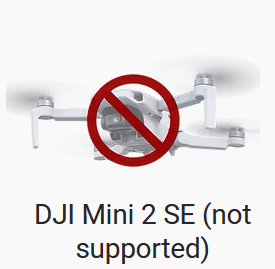 and not
I did not find the refund link, but I finally found the email: support [ a] dronelink dot com
Cheers
https://www.dronelink.com/refund
Just trying to help sir. The link Jim gave for a refund is included in that link I sent so you must not be reading through the articles. It was right at the top. Best of luck. 👍🏼
Please sign in to leave a comment.