Starting web beta for Google Maps and Waypoints Terrain Follow

We are starting a web beta for the Google Maps and Waypoints Terrain Follow features here: https://dronelink-225116--beta-fm3qkgdr.web.app/
You can use your production credentials to login.
Comments
59 comments
Yes Jim it’s Fixed. Both my iPad and even my very old dinosaur PC works. Thanks for all the good support and hard work. 👍🏼. Now I’m wondering how long it will be before pilots start complaining to you about Google Maps being out of date. ROTFL….. 😜
Jim McAndrew, out of curiosity, what level of Dronelink membership, is the waypoints terrain follow going to be available to?
Terrain follow (in maps) already requires at least Starter, so this will be no different.
A word of warning(from experience this morning), if you are test flying a waypoints terrain follow mission, and you decide to make an edit to the mission, DON'T USE THE IN APP EDITOR, but use the beta editor in your browser of choice, otherwise you might crash like I did this morning as the in app editor turns terrain follow off 😂
Oh no! Hopefully nothing too expensive!
No, no damage done, just had to climb half way up the spoil heap😂, luckily it's got good paths
Build 314 is our release candidate, and we have updated the web beta with all the fixes that we intend to have for the release. Let us know if you find any last minute bugs before we release in the next few days.
I flew this with 3 14 on the 5th of March with no problems
https://youtu.be/7K5d_2IyGt4?si=t60qlyl4KKBmeBlQ
Any update on when this will be live?
Found some last minute issues in the native app that we are fixing.
Any update on this Jim?
We updated to the latest version of the Aloft API and there appears to be a performance regression because of it.
316 is the release candidate. Waiting for app store approvals.
Please confirm that the Dronelink DJI app is not affected by this wait.
Anyone can download the latest beta of that right now (which is the release candidate).
Jim McAndrew, does the app still not use the Google. Maps for editing?
The editor in the app is just an embedded web browser (pointing to app.dronelink.com), and we can't update the web until we release the apps, otherwise it would break for people currently on production.
Released.
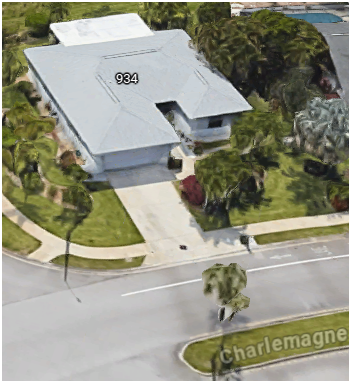
Great improvement. We are thankful! Any possibility to get the Right - mouse click functionality to work in the web app version? Also, could you implement the standard Google Maps function to allow tilting to the oblique view (left mouse shift +mouse drag) and lastly the standard Street-view option? This would be huge.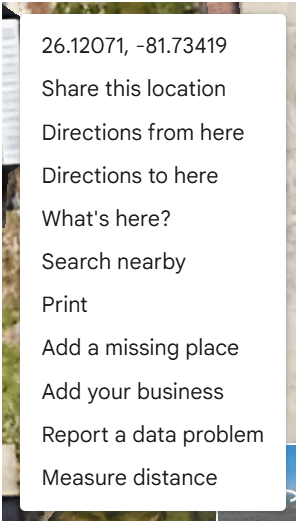
The right mouse click was fixed a while ago and I’m having no issues. I use Firefox but I did check Chrome and it won’t bring up the menu so maybe it’s the browser. I can confirm the map tilt is not working with Google. The standard map view, (terrain) is dark on both Google and Mapbox so something is wrong there.
The right-click menu is coming up for me. Please create a new bug report if you can reproduce it or any other issue, and create feature requests for the rest.
New bug report created:
Right Mouse Click not bringing up Google popup in default Google Map view for 3 browsers on Windows 11 laptop.
- Chrome - Version 146.0.7680.165 (Official Build) (64-bit)
- Edge - Version 146.0.3856.84 (Official build) (64-bit)
- FireFox - Version 149.0 (64-bit).
Works for me on a Mac running Firefox.
One question - are you logged in and have selected an account? I have two accounts (a bit of a hangover - I only use one) and until I pick one of the accounts the map shows but the right click does not work.
I think it is a misunderstanding, he is wanting new functionality: https://support.dronelink.com/hc/en-us/community/posts/50379634070291
Ah! Got it.
Barry - for item 1 - can you attach a screenshot of what you are seeing when you Rt-Mouse Click? I am expecting the Google Maps popup, which Jim says is working for him.
It's my misunderstanding - what I see are the usual options for starting maps, etc. What you are asking for is new functionality if I understand it correctly now.
Barry - I don't even get that! Can you attach a screenshot of what you are calling usual options for starting maps, etc? Thanks.
Please sign in to leave a comment.