Problem after uploading mission photos to Pix4D Cloud

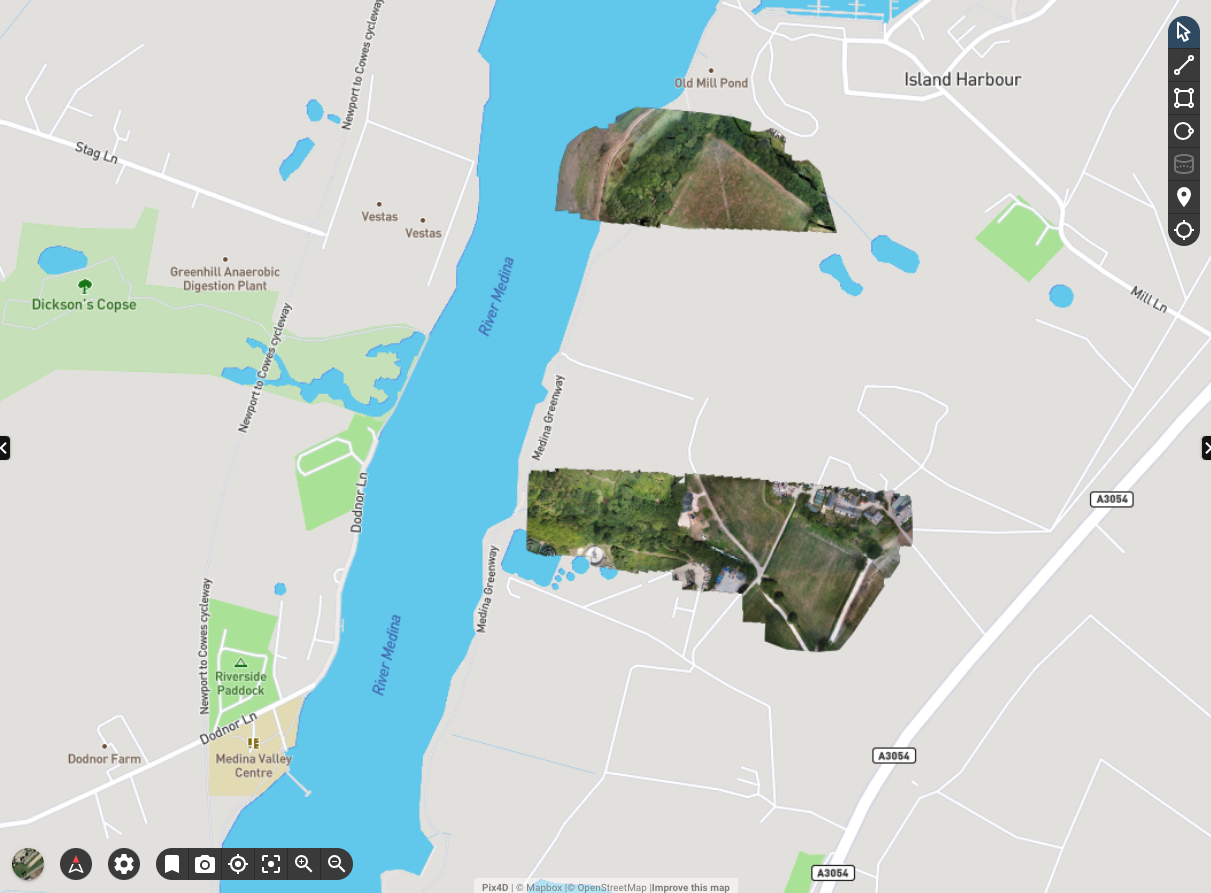
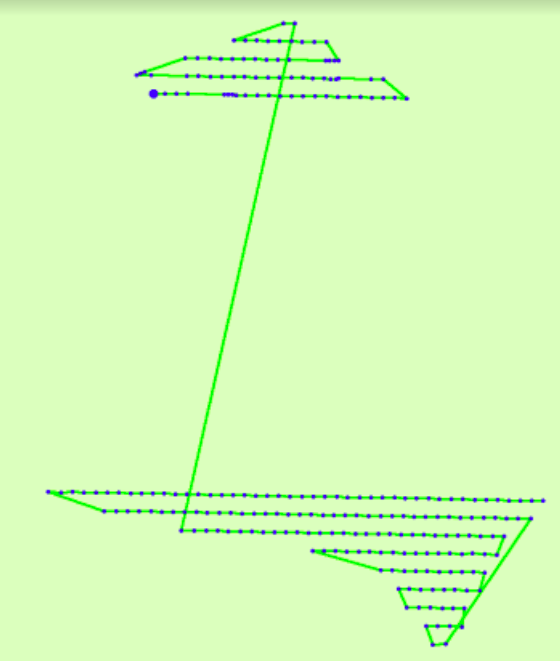
Mission planned in Dronelink, drone flew the planned course and the photos were uploaded to Pix4D Cloud for an Orthomosaic map. The end result shows over 50% missed .... The green map came from Pix4D Support saying the images were missing.
Can anyone shed any light on what i have done wrong! Thx, Buzz
Comments
13 comments
Hi MIke Browne, if you go to the Dronelink web app, click on the missions button at the bottom (small clock), select your mission, click on the files button in the right hand pane, it should show how many photos you took, and their position will be shown by the red dots, this number should correspond to the number of files you uploaded, also could you share the plan
Hi Martin, thanks for your help!
I can’t add any images to this chat I can give you access to the plan etc if you can give me an email address to send it to.
Regards
Mike
Just post the link to the mission here
https://app.dronelink.com/mike-browne/my-first-project/plan/kvDhs0AZ77cWvFMdHm3g/cbdbEofBn1WSKXantIh5
Hello! Just wondered if you had managed to look at my ticket? I need to redo the mission so don't want to make the mistake twice :-)
Regards
Mike
Did you look at the actual flown mission as Martin stated to see how many it actuality took. If it shows it took all the photos then it was a processing issue.
https://support.dronelink.com/hc/en-us/articles/10139923145619-Review-Mission-History-Successful-Paused-and-Aborted-Missions
Hiya, I have attached the mission outputs showing that the mission took 1,114 files, when moved to Pix4D and processed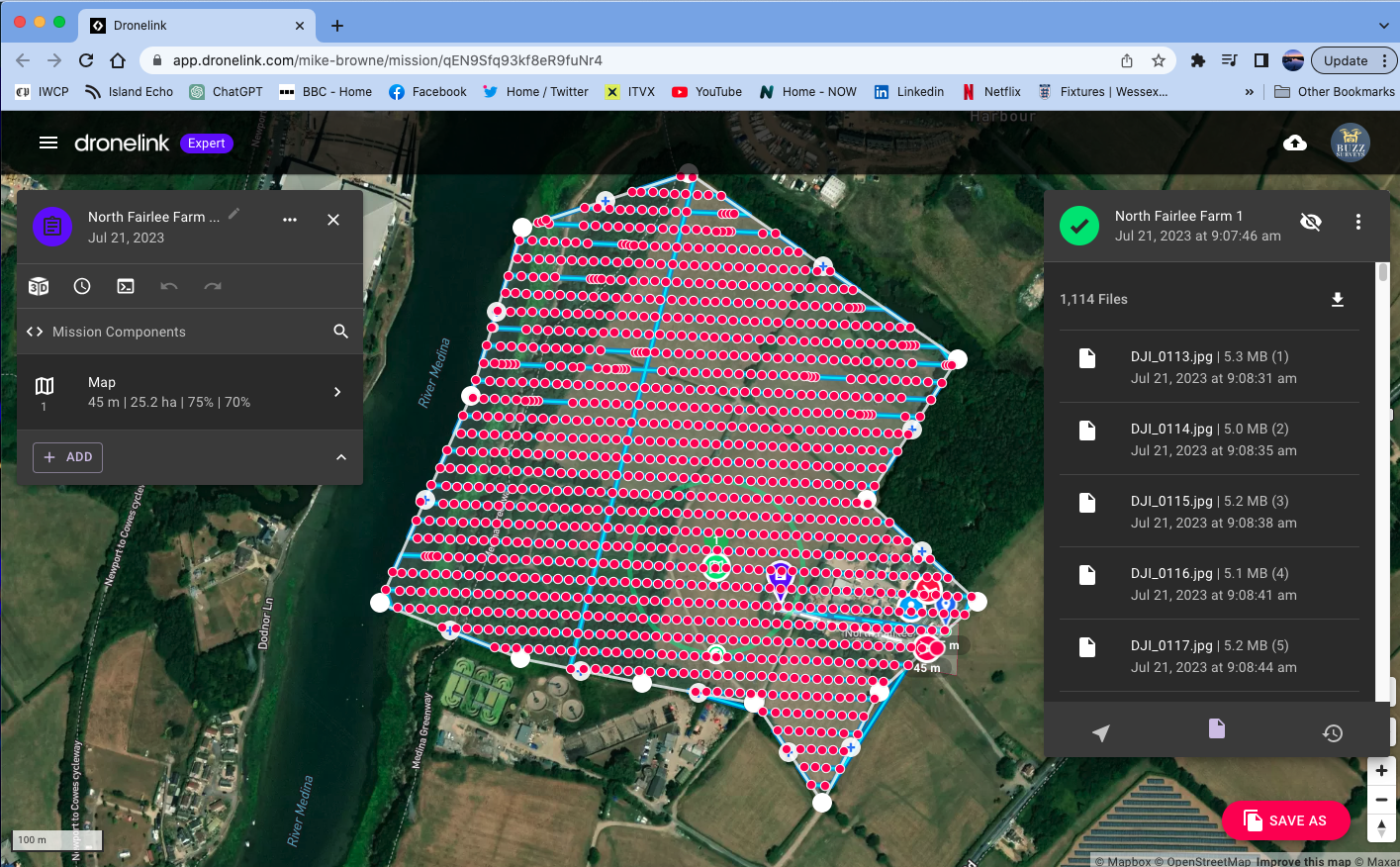
when moved to Pix4D and processed the following shows the missing pics ...
Is this a Dronelink issue, a Pix4D issue, or a combination of both? I just need to understand how never to do this again. HELP!
KInd regards
Mike
It appears you either didn’t upload some pictures or Pix4D couldn’t process them for some reason.
Just to be clear.
The flight in DL completed and took 1,114 pictures?
Can you confirm that you uploaded 1,114 pictures to Pix4D? If you didn't upload all the pictures - or they somehow didn't arrive - but you have 1,114 pictures on the SD card then the upload process you are using would seem to be the first place to start.
Yeah certainly looks like an upload our processing issue, this type of thing is why when I do a mapping mission, I always double check the number of photos taken on the mission, matches the number of photos transferred from SD card to pc and then that it matches to the number I upload to WebODM
Hello again
I have tried to run a mission using Dronelink and Mapsmadeeasy to see what happens. I have attached both the Dronelink mission output and the preview I got from Mapsmadeeasy.
I noticed one thing while the mission was flying, on occasion the usual 2 seconds photos had a delay and then multiple shot were taken. I am really scratching my almost bald head to understand why this has now happened with Pix4D Cloud and MME....?
Regards
Mike
Well looking at that, the Dronelink mission took all the shots, so something has gone wrong on the P4D and MME side of things, yes there are a couple of gaps shown in the Dronelink picture but not enough to cause your problem
In the mission, did you have verify file created turned on?
That looks to me like you had delays in commands going to the drone - either because of distance, or interference. And it still looks like things were not fully uploaded.
Things to do:
Please sign in to leave a comment.