Multiple elements

What am I doing wrong? I tried making an "On the fly - multiple elements" mission and it looks nothing like what I thought I made and it will not let me review the mission on my desktop computer. I started with waypoints and went directly 140 feet up. I then flew to a field and created another waypoint there at 140 feet. I then took it down to 26 feet and created another waypoint. I then went to spiral and created a spiral from that point to go to 200 feet with 4 rotations. This is what I got: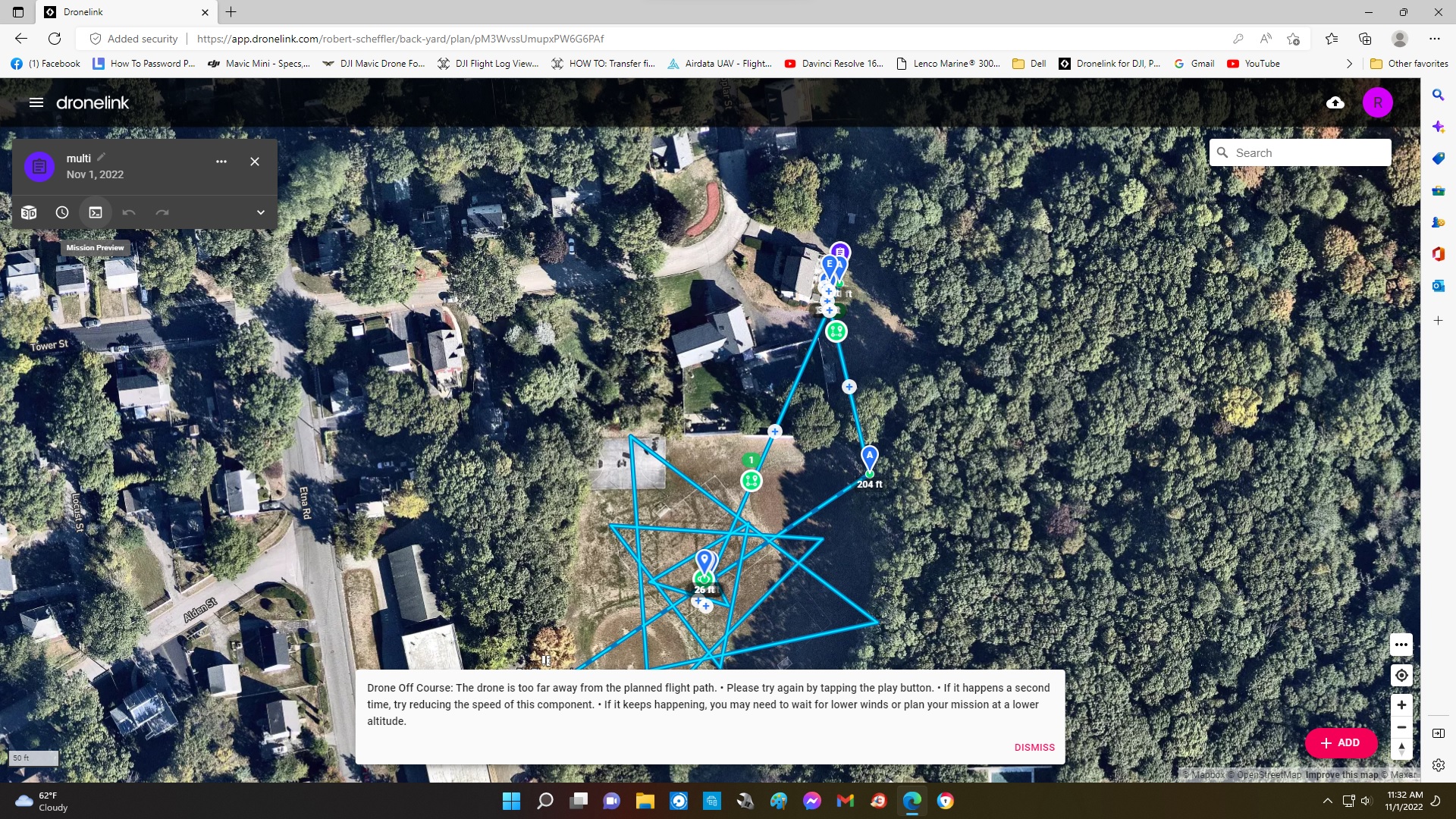
Comments
16 comments
It appears that you marked a zero foot radius on the orbit (the center point and the start point were right on top of each other). You need to move further out otherwise it apparently loses its mind.
I think I figured it out. When I click to set a point the wording does not change so I thought I needed to click it again. I tried it again and the wording again did not change so I went on to click next. I tried creating another mission that same and after clicking mark I went on to next. I went to my computer to view the mission and my spiral was all triangles and again I could not view the mission, I was getting the same message about drone off course. I clicked somewhere on the mission, I think it was the orbit icon, I changed bezier curve to soft and the spiral appeared and I was able to review mision. I am goin to try again with screen recording on so I have something to review.
After marking the center point and clicking next you must fly the drone away from that center point to the distance at what you want the diameter to be. Then mark it. Otherwise as Jim stated both center point and the diameter will be the same and it “loses its mind.” Lol…
Here is a short video which may help.
https://youtu.be/AVT3IkKpKa0
I tried to create another multiple elements mission. I copied the same mission and I did a screen recordinghttps://www.dropbox.com/t/02AL4jVQQpvyggJr . There are actually 3 recordings 2 were real short because the drone would not start because it said the battery was too low, it was at 84%. I put in another battery and created the 3rd recording. I created 3 waypoints the first directly over launch at 140'. The second was over the center of the orbit I was to create at 140' and the third was directly down to something like 40'. I then chose "orbit" and the program says go to the center of the orbit. I am already there so I click "Mark", the wording is still the same, I feel like at this point it should say to go to the outside of circle but it does not change until I click "next". I created an orbit of 2 rotations and then went to a spiral. I again started the spiral in the same spot as the circle and same elevation with the final at 200'. This was the end of mission. When I review it I get a straight line spiral but when I click review it flys a circle going up and out but it is nowhere near the line that it shows me.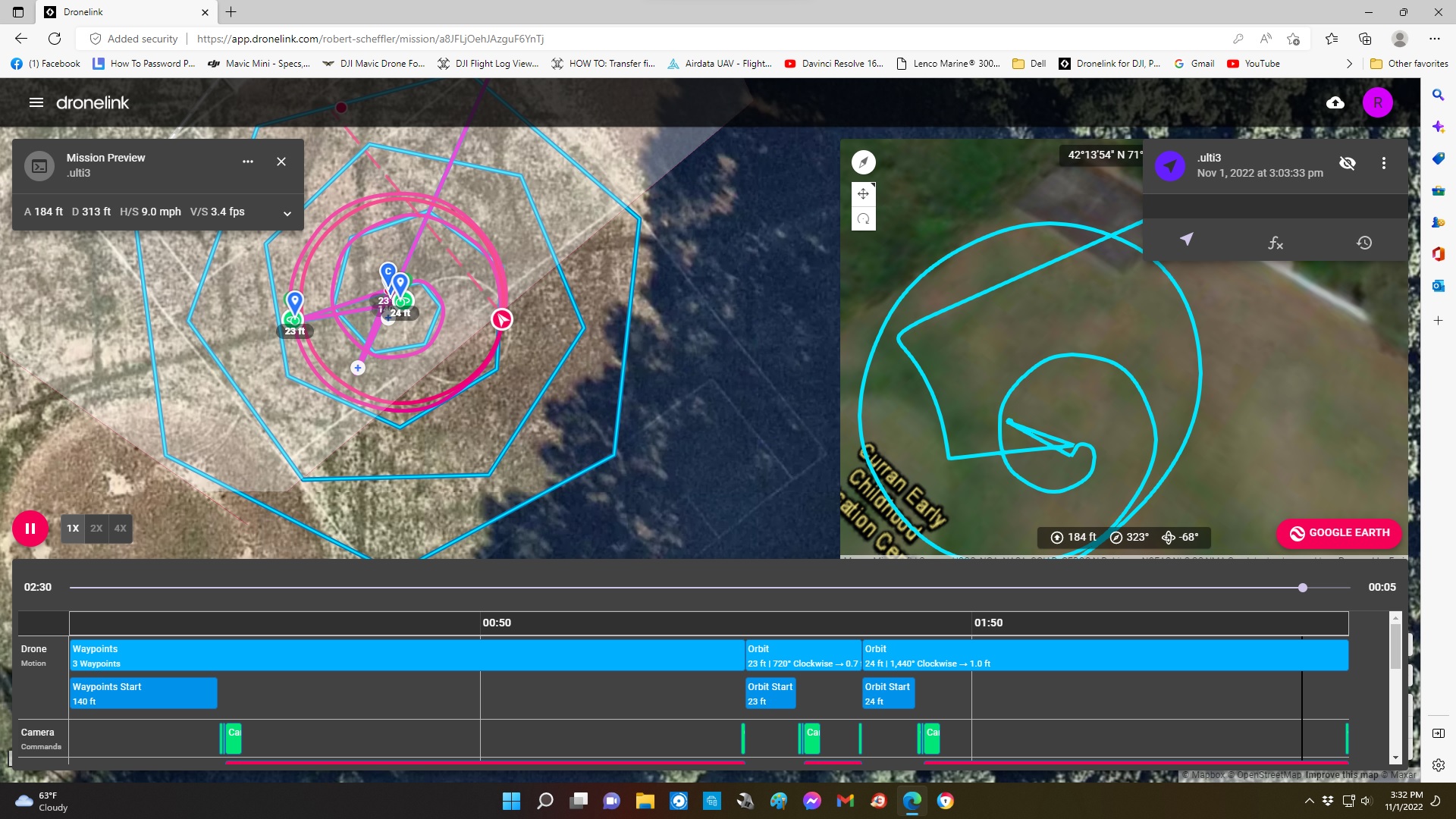
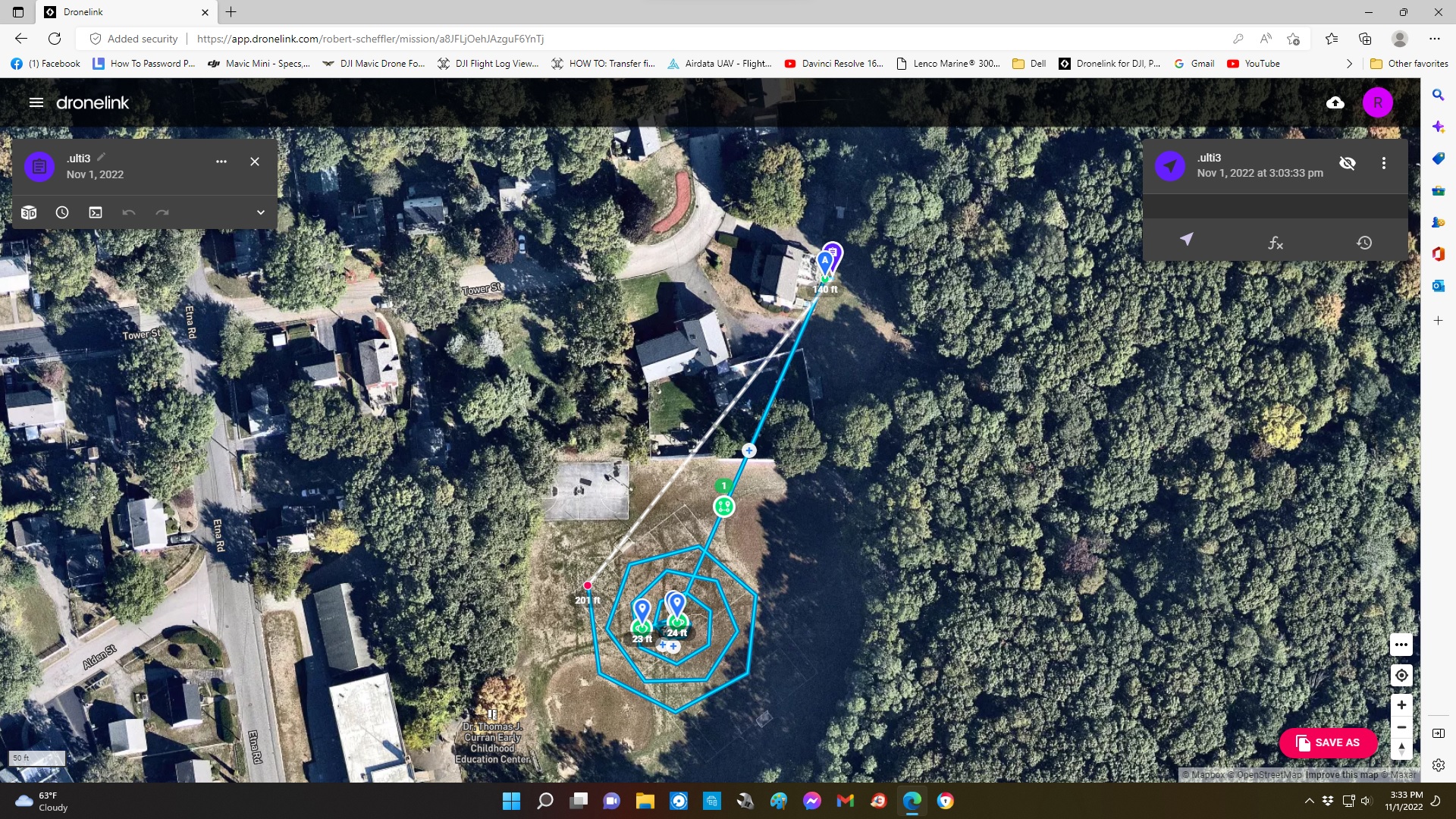
Mike, I had never done this program so it was confusing why when you hit "Mark" the wording did not change so I thought I had to hit it again. I figured that out but why does a spiral end up looking like a spider web but the simulation flys a spiral? I watched that video it was a little help in understanding that you have to copy it to a repository in order to adjust it but I had already figured that out. It was an older version because it referred to a "Path" and that is now called "Waypoints" and it did not use multiple elements. I have not been able to find a tutorial for multiple elements.
It is because you are marking the start point too close to the center. Probably going to update the function to disallow this.
I understand. It took me a could times to figure it out. Once you mark any point the coordinates will be the indicated so you know it was marked. I’ve never flown with multiple on the fly functions so I’m no help there. Why your orbits look like that is strange.
I accessed your plan and see why as Jim stated. The starting radius is only 1’. I changed them both to 20’ radius and it’s fine. I tried changing back to the 1’ and it won’t go lower then 3’ and you can see it’s still not smooth. Seems lIke at about 20’ is the minimum for a smooth spiral or orbit.
Like I said Mike, it was a little confusing when creating an orbit or a spiral that the wording does not change once you hit mark which is why I marked it twice in the same spot. But in Multi3 I think I conquered the desire to hit mark again and hit next. So I think I did everything right and it does not explain why the end mission did not have a basic orbit of 2 rounds and why the spiral looked like a spiderweb. But I made another mission Multi4 and I did it exactly the same and this time when I review the mission it works fine. The only thing that I did different was when creating the orbit and spiral it asks do you want a curved or straight line. In previous missions I chose curved, this time I picked straight.
🤙🏼. There is a lot to go through with the on the fly settings on each component. I’m sure you will figure it all out eventually. I’ve run the waypoints, orbit, circle and follow. I Can’t remember if I flew any of the others. It did take me some time to figure them out but they worked well. The spider web look in the plan is due to as Jim stated the radius being too small at 1’. If you change those it will look correct and rounded. It must be something in the web app which cannot display correctly if at 1’ which is an extremely small orbit. Trial and error. Enjoy.
I thought that I had corrected that issue in multi3 but maybe not. Multi4 looked and flew normal. What would help is a sound when you hit mark. Now if 2 marks are close to each other it's hard to tell that tapping mark went through
It will indicate the coordinates every time you mark. So you should know once it’s marked. Then click next. Not sure if that helps.
I know, but it still would be easier if they could assign a noise to it. Maybe I will put it in the suggestion box.
Flew one of these this afternoon, ok only a couple of photos and a panorama, but it was getting towards sunset
https://app.dronelink.com/martin-reading/kingsmead/plan/eNQg22ogPm1N0tsXTl8R
I don’t car for dings, dongs, beeps, etc. Starting mission and mission accomplished audibles are enough noise for me. Lol… 🤪
Totally agree Mike
Please sign in to leave a comment.