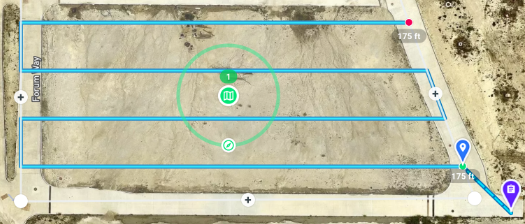
Thanks for the answer. The red dots represent where the photo was taken. I would like to move between points at a speed of, for example, 10 km / h, but when reaching the point, I would like the drone to stop, take a photo and fly to the next one at a speed of 10 km / h. If it is possible?
"We recently introduced a new Capture Speed feature for maps:
<pic>
If you set it to something very small the drone will almost come to a complete stop during each exposure. If you want a full stop, you still have to use Inspection."
Inspection does exactly what you asked for but you might need to upgrade your plan, depending on what plan you are already on.

Comments
5 comments
https://support.dronelink.com/hc/en-us/community/posts/4411461611283/comments/5247210523923
I can't add an image: https://ibb.co/9HDQRBK
Thanks for the answer. The red dots represent where the photo was taken. I would like to move between points at a speed of, for example, 10 km / h, but when reaching the point, I would like the drone to stop, take a photo and fly to the next one at a speed of 10 km / h. If it is possible?
From the link Jim posted.
"We recently introduced a new Capture Speed feature for maps:
<pic>
If you set it to something very small the drone will almost come to a complete stop during each exposure. If you want a full stop, you still have to use Inspection."
Inspection does exactly what you asked for but you might need to upgrade your plan, depending on what plan you are already on.
The feature Capture Speed is also available for Elite Plan?
No you need Growth or Enterprise
Please sign in to leave a comment.