Photo and 180 pano initial heading

There seems to be an unexpected behaviour when inserting photos or 180 pano onto waypoint mission using path actions, to demonstrate this I've put several missions together and taken some screen shots.
We'll start with the base mission that these are all based on https://dronelink-225116--beta-xctf3fho.web.app/martin-reading/beta-4/plan/zmWUNWZvawGQxMOQKH4v
This mission starts with a drone heading of 0 degrees to the path till PA1, where it turns to 270 from the path and tracks at that till WPC, from there it slowly rotates to 180 by the time it gets to WPD, and stays like that till mission end.
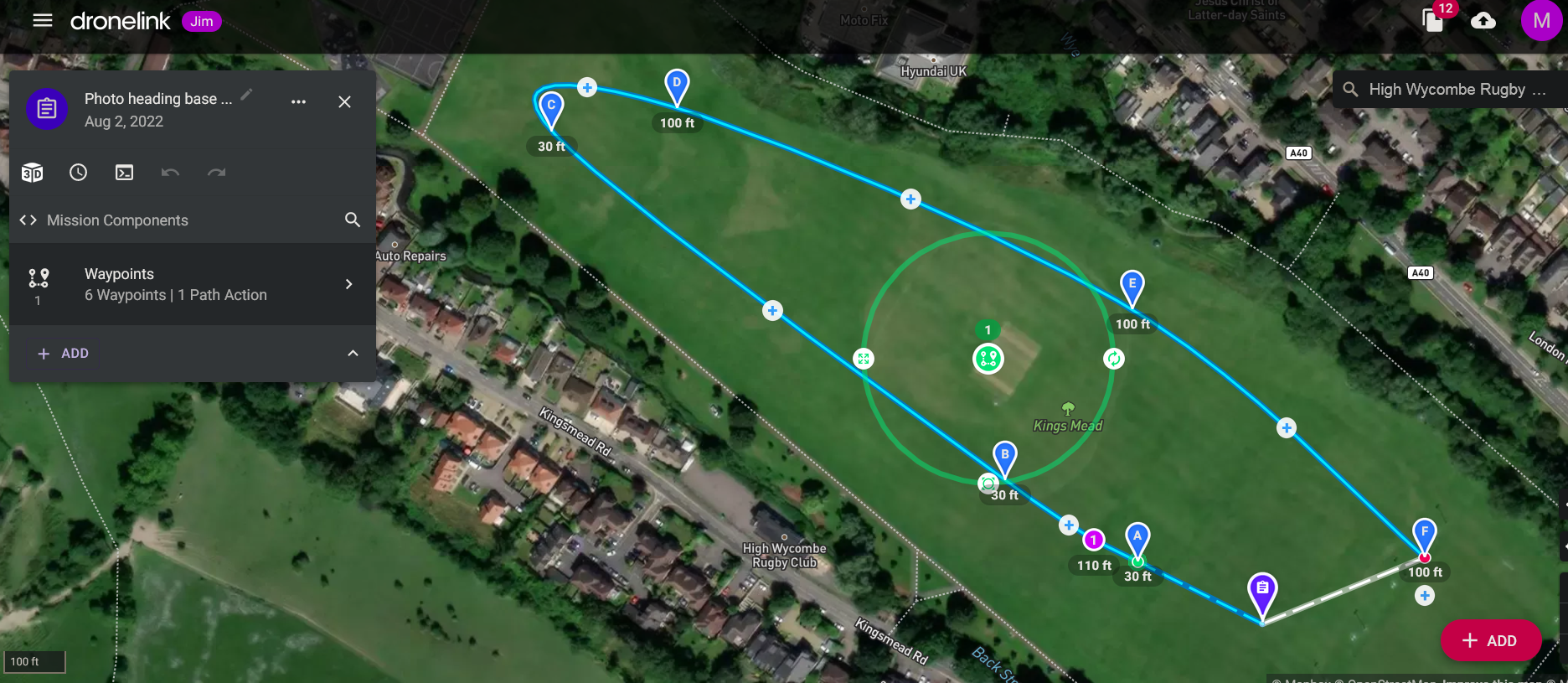
Ok so now we move onto a mission with an action point and subsequent photo inserted between the original WPB & WPC https://dronelink-225116--beta-xctf3fho.web.app/martin-reading/beta-4/plan/SRV9tUoYeiZtdvfmwKvs
This should be pointing directly at the the high wycombe rugby club, circled in red in the first screen shot below
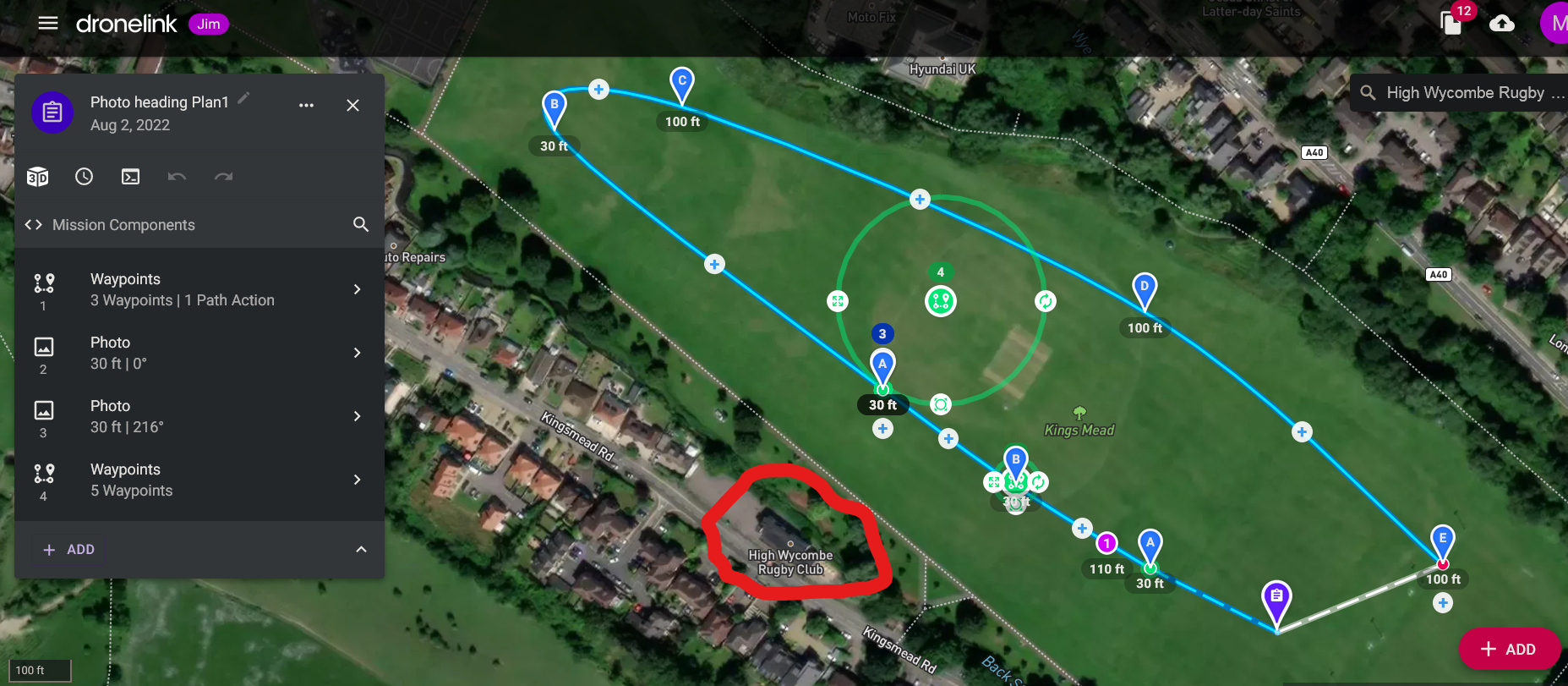
However as can be seen from the next screen shot it's actually point at 0 degrees magnetic
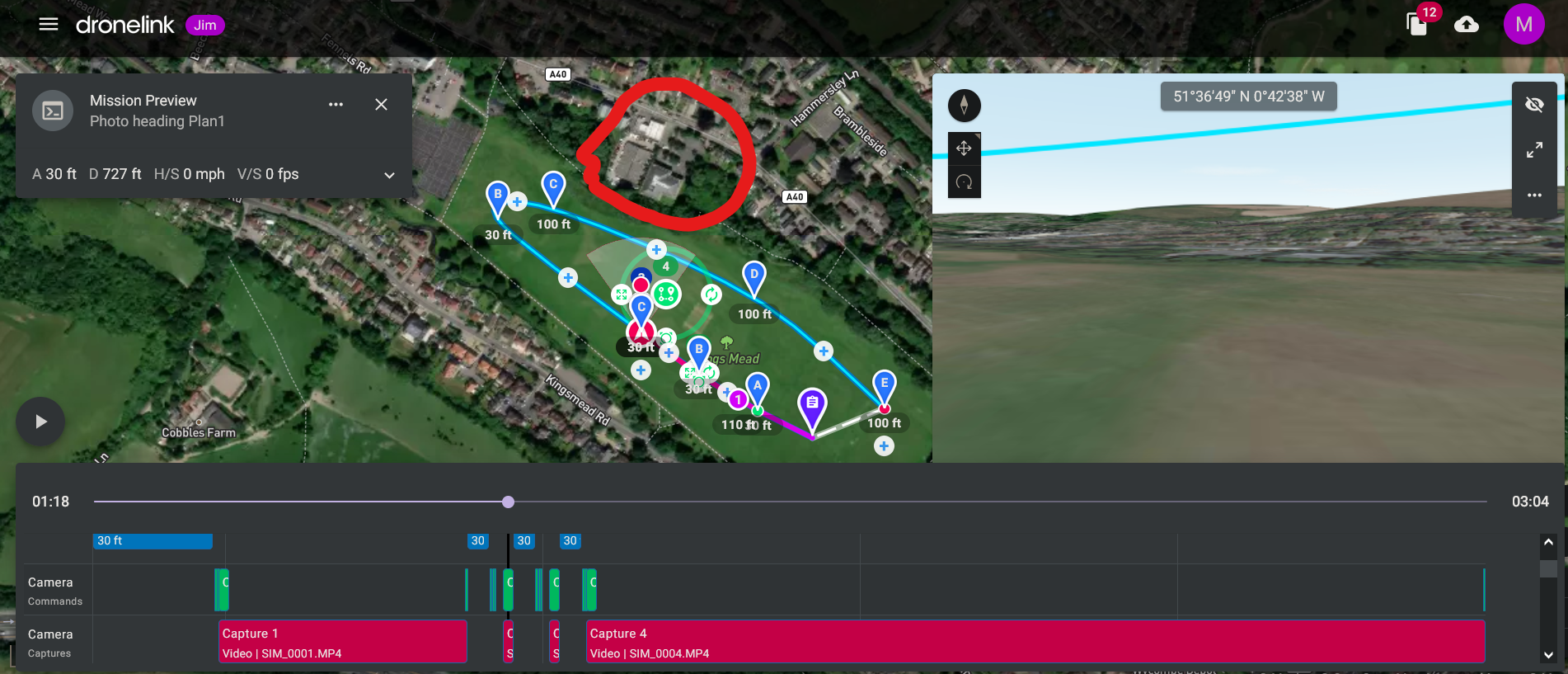
in the next screen shot I found the heading control in the photo settings and manually changed it to the correct heading
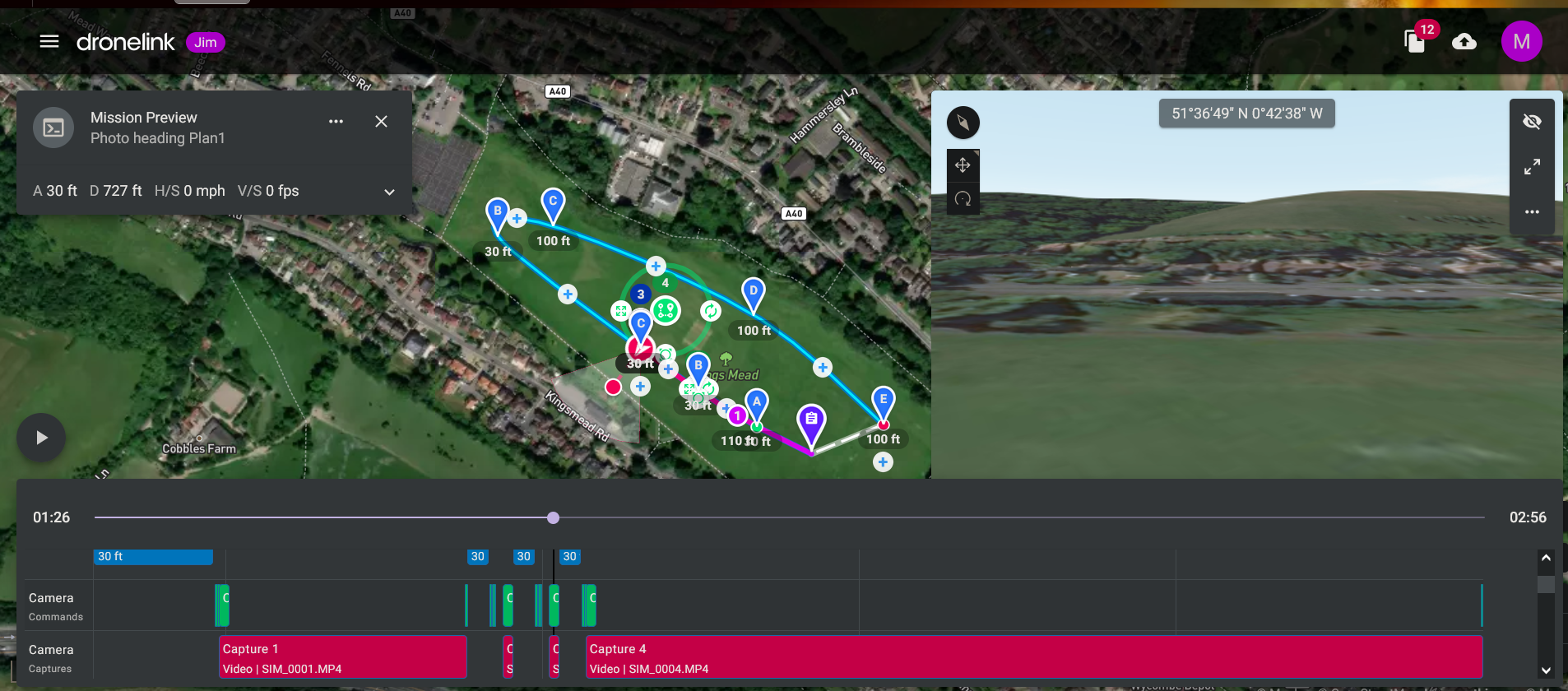
I repeated the above with a pano with the drone facing 180 to the path https://dronelink-225116--beta-xctf3fho.web.app/martin-reading/beta-4/plan/i8t5EeePiBSUHtzeCVfB
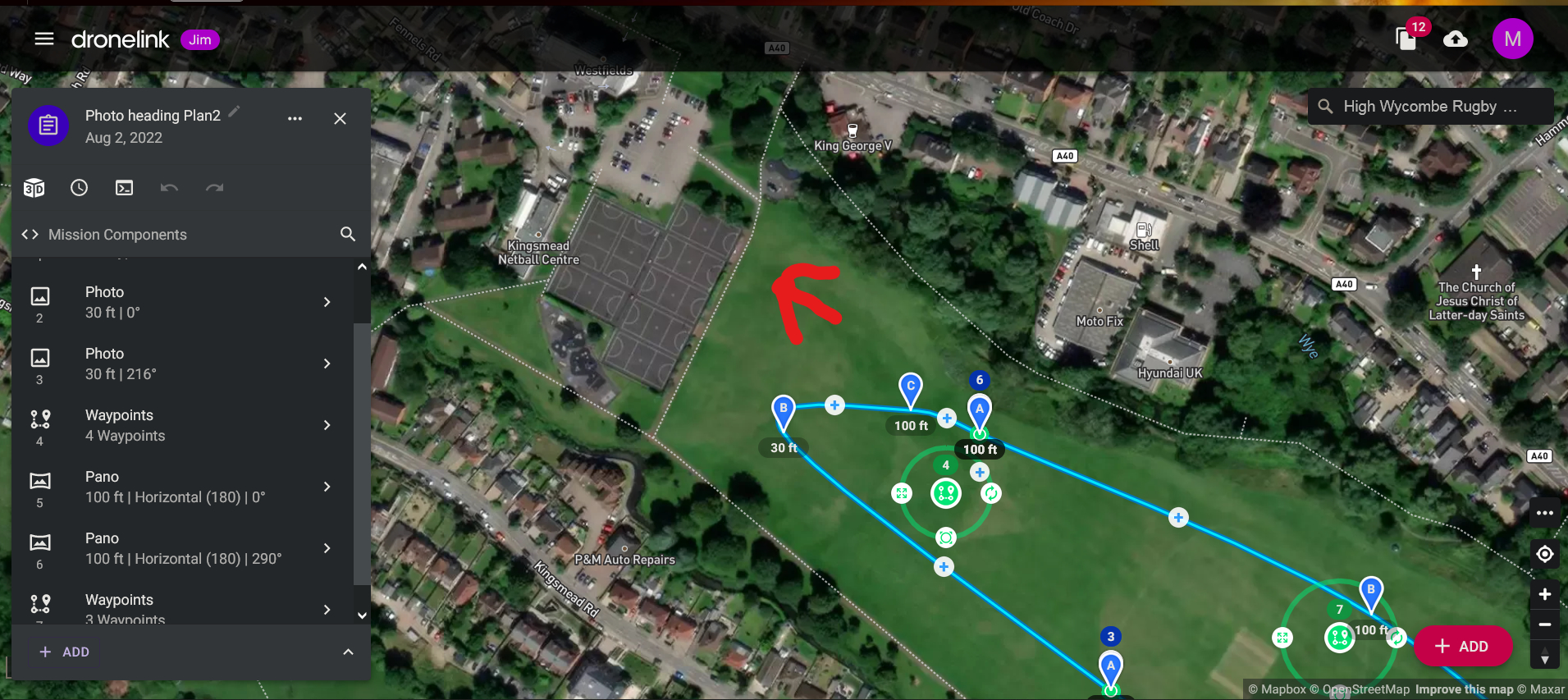
As can be seen from the shot below this also defaulted to 0 deg magnetic rather than what was showing in the action point settings prior to adding the pano camera action
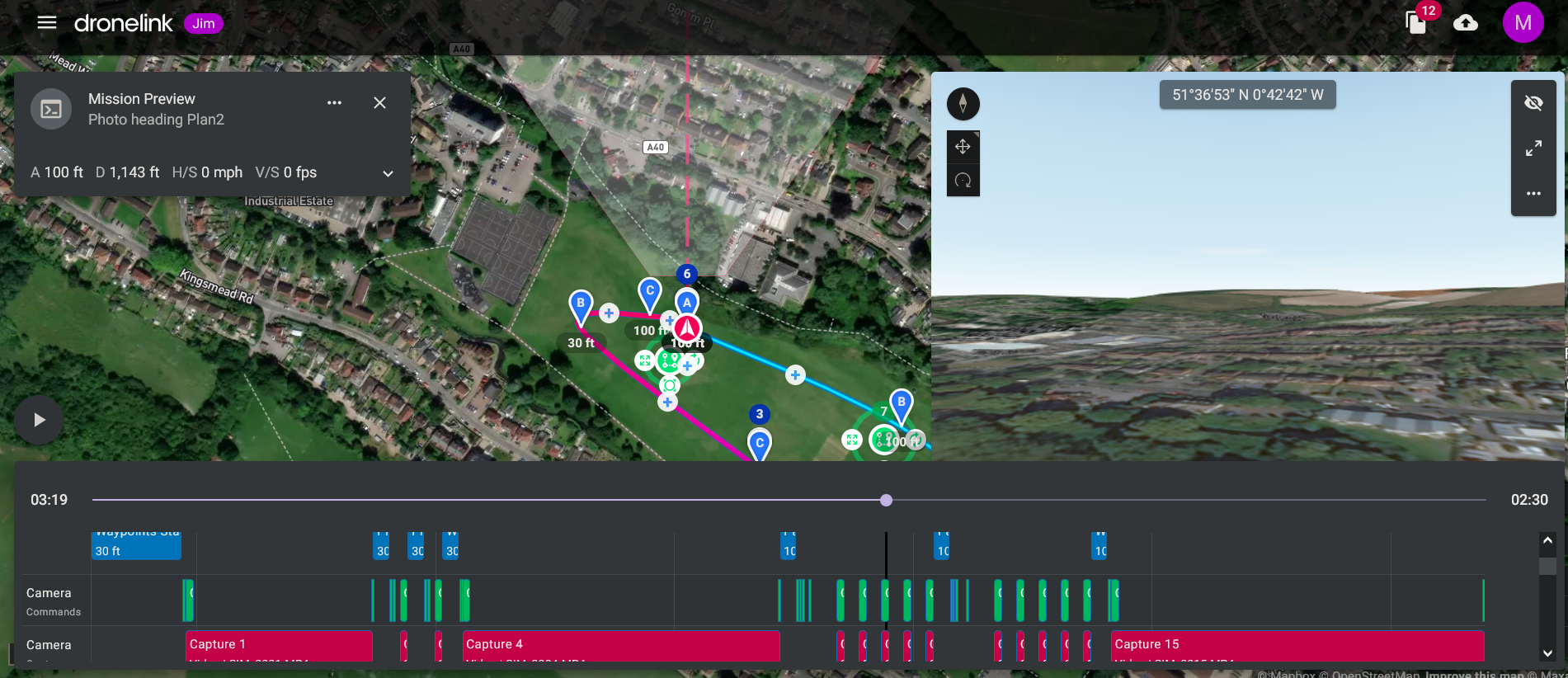
I could also change the setting for the heading to the correct one
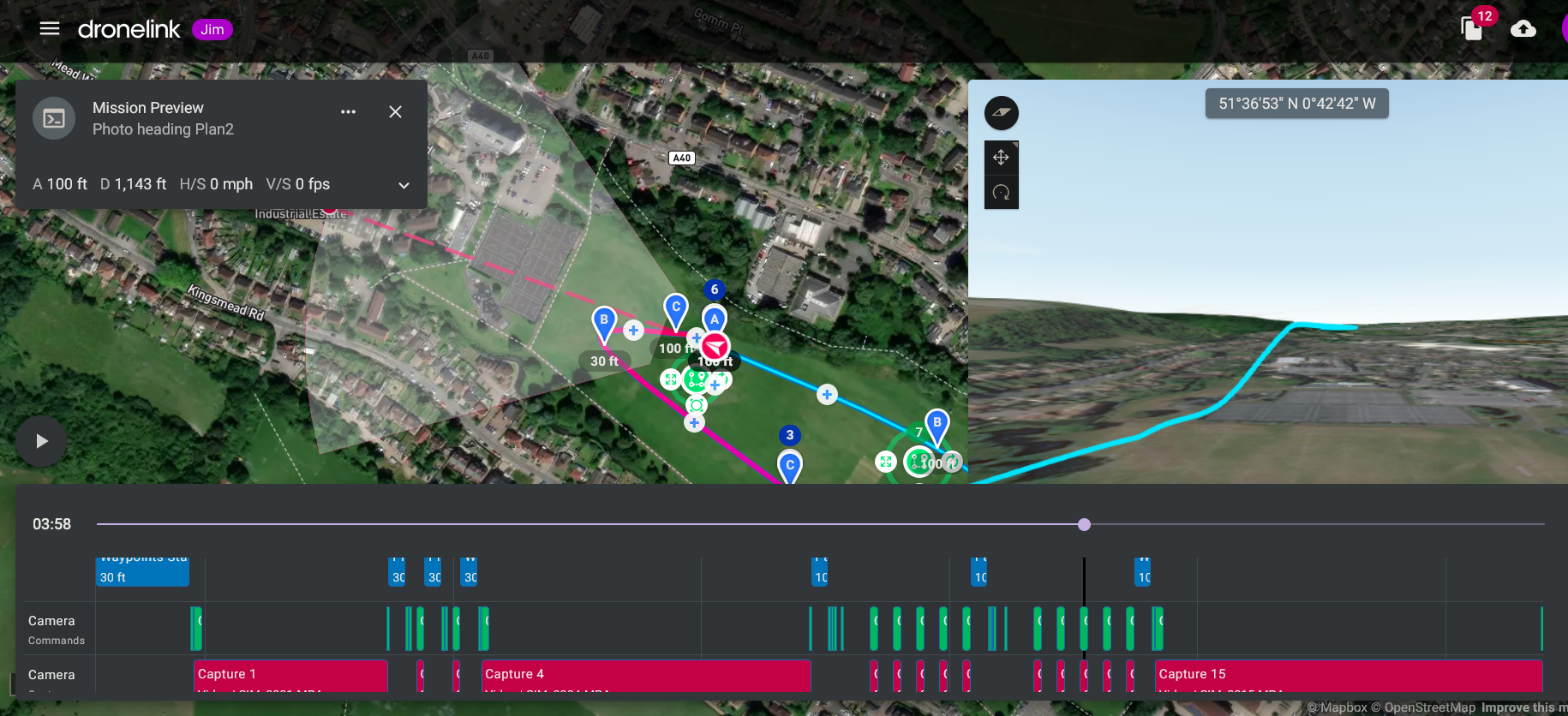
I would have expected the heading setting to stay the same as it was in the action point prior to adding the camera action, in the case of the photo the gimble stayed at the the same setting as the action point prior to adding the photo, the gimble changed to 0 deg pitch as expected for the pano
Comments
2 comments
Moving this to feature requests. This is how the code was written - it just blindly inserts a default photo component and splits the waypoints component at that point.
Cheers Jim McAndrew, I did wonder if this might be the case
Please sign in to leave a comment.