Connection issues with Mini 1 and Samsung S21

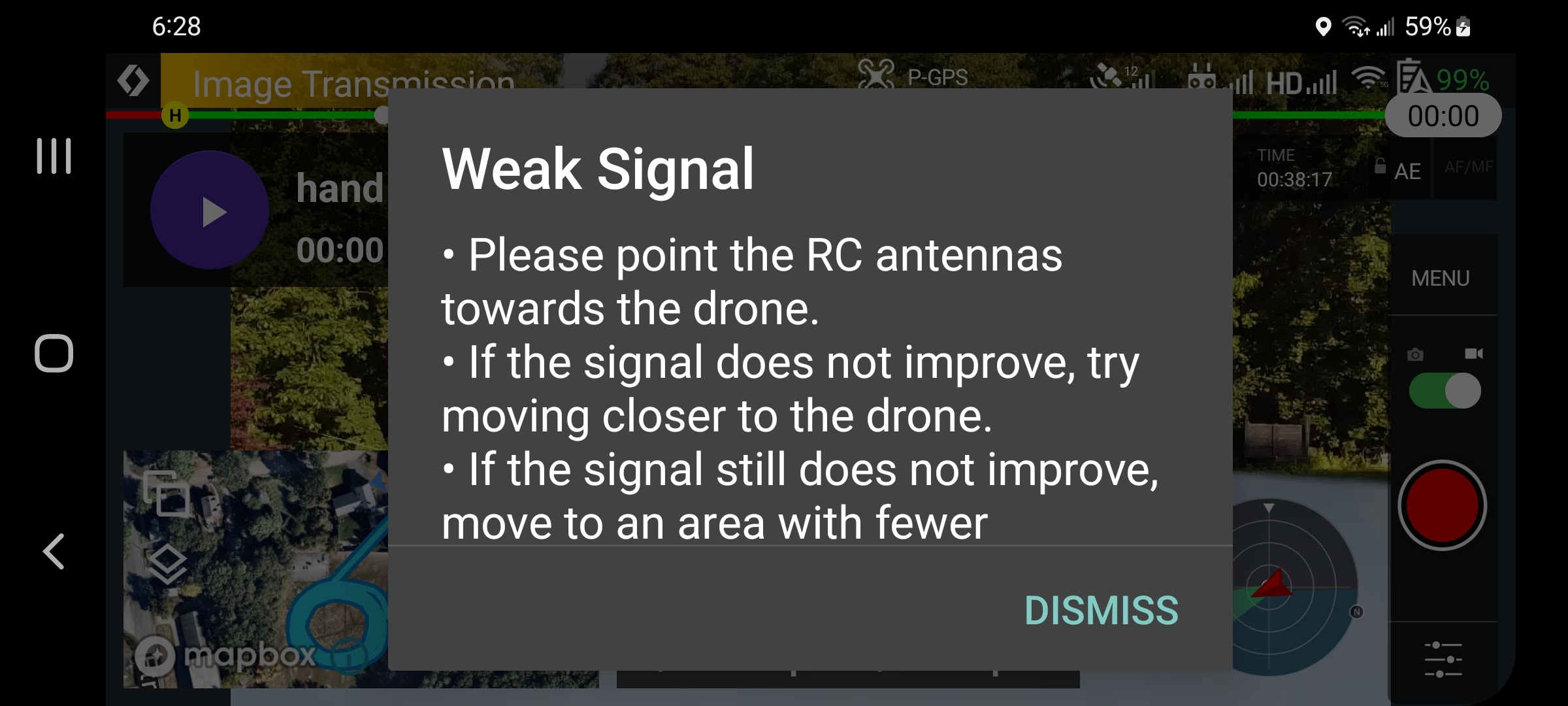
I have been having severe connection issues between the R/C and phone. The issues happen while using Dronelink and DJI Fly. I can fly the aircraft Manually but have no picture. I seem to receive 2 different error msgs. depending on which program I am using. When using Dronelink I receive a msg. saying "Weak Signal", but when flying (or trying to) DJI Fly I rcv. an error msg. saying "R/C cannot connect to mobile device. In either cases I cannot use the program. I have to go through a series of shutting things down in various ways and orders to enable a launch. I have done some pretty extensive testing (have 6 screen recordings and a written explanation of what was done) but there seems to be no common denominator on how to make either program work. I have sent all my tests to DJI. I have not heard back yet but preliminary conversations with them they seem to be saying it is a Dronelink issue. I believe my testing shows the problem is not Dronelink. I am attaching a screen shot of both error msgs.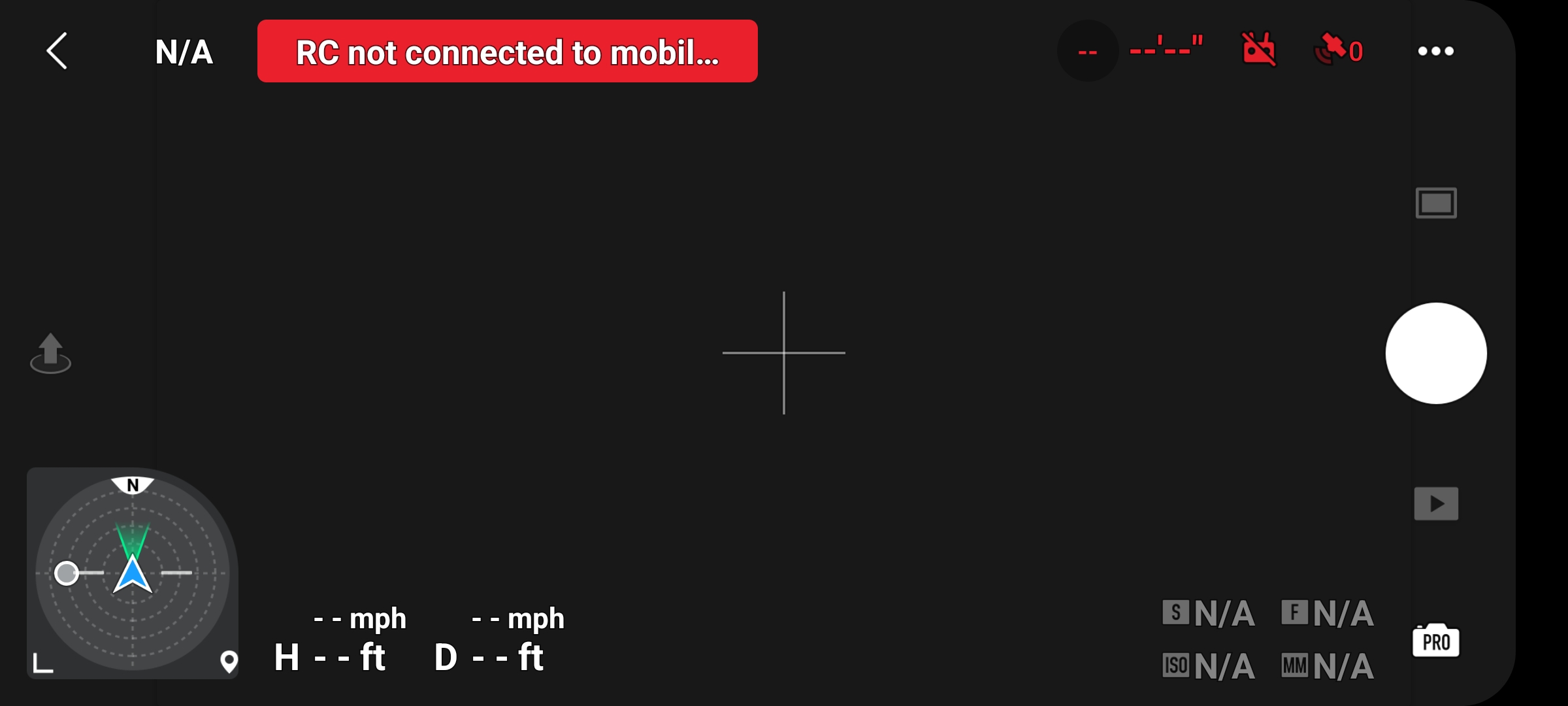
Comments
7 comments
Hi Bob. DL was going to fix the “image transmission weak” themselves since DJI has done nothing for a couple years. The newest 4.0.0 Beta version doesn’t list the fix but maybe it’s corrected or coming zoom. As far as the connection Issue, since it is with both apps maybe try a different cable. You may have already done that but sometimes we forget the simple things. Also do you still have that iPhone available to try ? Some thoughts to consider Sir.
I’ve noticed you have been putting a good amount of time on the leaderboard. 🤙🏼 I’m guessing this is recent.
https://support.dronelink.com/hc/en-us/community/posts/7183890809619-Image-Transmission-Signal-Weak-still-not-fixed-on-Android-
This issue happened just after DJI sent me a replacement drone, about 3 weeks ago. DJI wants me to send this one back also, this will be my 6th or 7th replacement. I do not believe it is the drone, I think it is the R/C or the cable. I used my kids cable and I had no problems, but since the issue is sporadic it is hard to tell. I might go a week without issues or just a day. I am going to send you a link to the testing I have done. If you are bored and nothing to do take a look.
https://www.dropbox.com/sh/hec442mcg4ou4su/AADOISG_dvngDO3Nra75yMm8a?dl=0
The "image transmission weak" signal I have just learned to ignore it. The other white box signal is totally different.
I really think it is the remote but I don't want to spend the money to find out it is not, I want DJI to tell me that is it, but all they want to do is replace the drone. I offered to return the drone, cable and R/C and have them test all. If it is considered to be the remote I told them I would buy it. They do not seem to want to do this. I sent them the link to my testing also.
Ok Bob. You have not had good luck with those Mini’s they have replaced. I have heard the MM’s micro AB connector on the controllers fail quite a bit so you may be right. Those AB ports are a terrible way to connect stuff. Maybe take a look at the connecting port and see if any pins are bent or the port seems loose. I’ll take a look at the link.
Jim if you see this I did some extensive research on the connection issue and I sent a link to dropbox and sent it to DJI. Their engineers. I suggested, as Mike (Arizona Wyldwest), had, that it probably is a cord or remote control issue. I replaced the cord and tested with the new cord and nothing changed. They say the problem is on your end. Here is the link to my testing https://www.dropbox.com/sh/hec442mcg4ou4su/AADOISG_dvngDO3Nra75yMm8a?dl=0
If you get a chance to look let me know what you think. One of the problems is that DJI has no remote controllers to purchase, it seems I can only get a knockoff or used one. Keep in mind the issue is sporadic, sometimes I can go days without a problem and sometimes no matter what I do I cannot connect.
The weak signal message is a bug in the DJI UXSDK, which we are moving away from in 4.0.0 with the modern dashboard. Have you tried the latest v4 build in beta?
I have version 3.4.1. If you are referring to the big white box and not the image transmission then we are on the right page. When this comes up I cannot fly the drone using the program, it gives me the option to dismiss but as soon as I do the box comes back up. If I shut down Dronelink and turn on DJI I get the message: "R/C not connected to mobile device" and I still can't fly. Sometimes I shut down everything and re start and it works fine, other times nothing will work and I try the next day and it works fine. I receive 2 error msgs., one I believe is developed by Dronelink, the white box saying weak signal and the other saying that the R/C is not connected to the mobile device, I believe is generated by DJI. I can't seem to find the Beta v4, do I go through the program to the red bug icon for "Beta"? These are the 2 screen shots I get: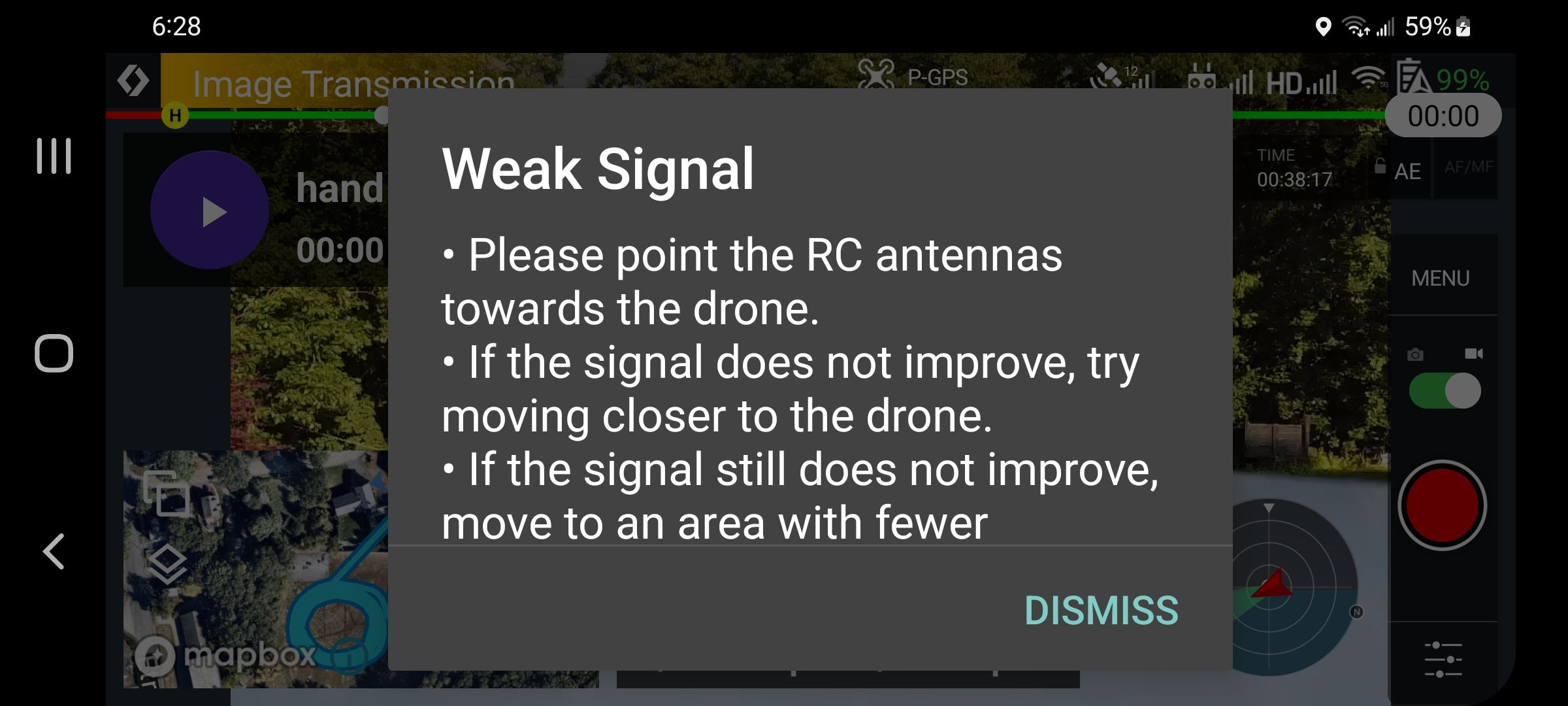
Right after you answered me I went out to fly. I was not sure what would happen but I made a screen recording and opened with DJI like they told me to. After at least 3 recorded tries I could not get a connection. I think that proves it is not a Dronelink issue. I am starting to think that it's not a R/C problem either because I can fly the drone with the remote.
Please sign in to leave a comment.