Terrain following going through the hills

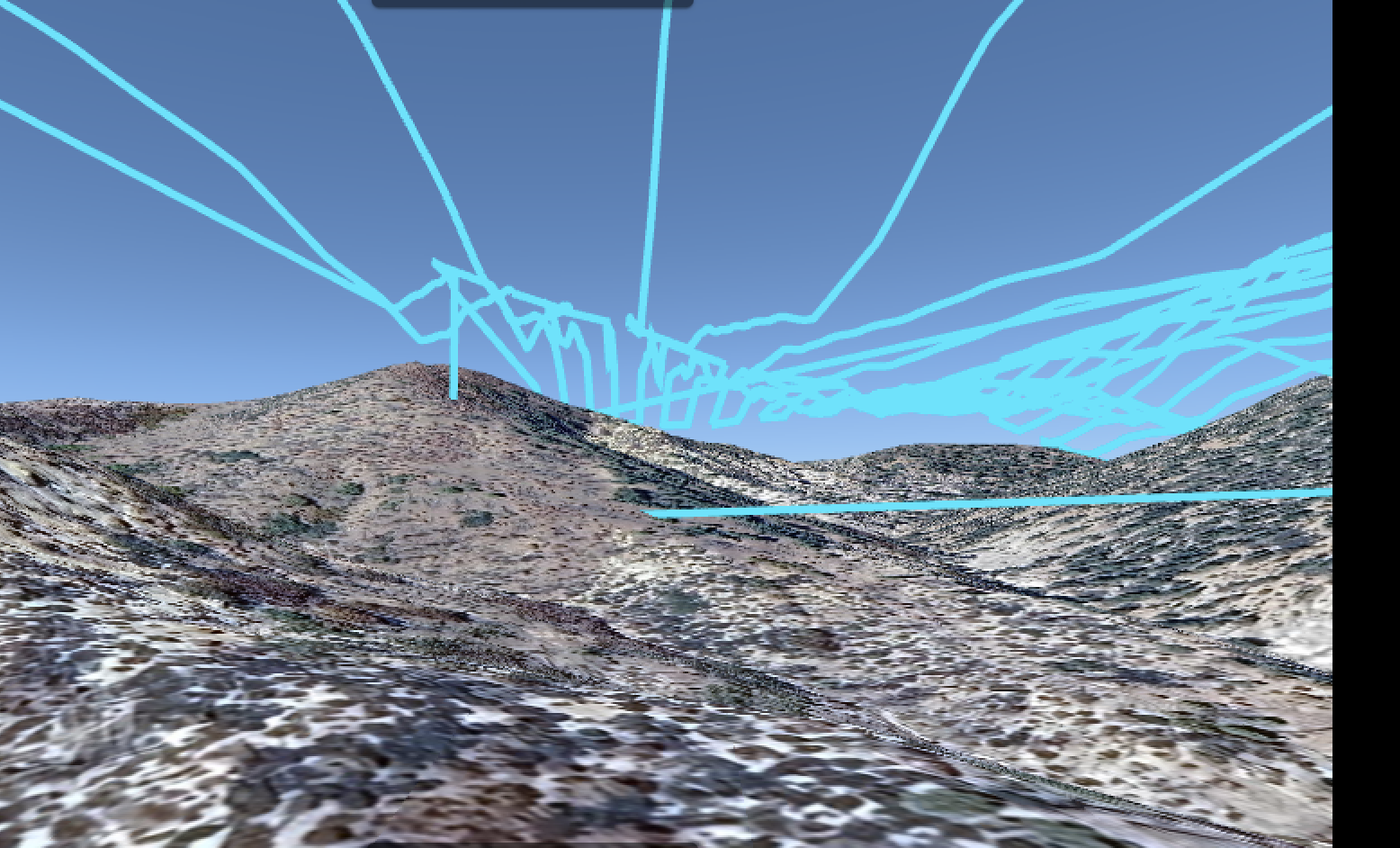
I'm new to Dronelink and I have been playing with terrain following. I have a couple of maps next to each other and I get the path going through a hill. Can someone help me understand what I am doing wrong? I certainly don't want the drone to crash.
Comments
6 comments
Please share the mission plan.
As best I can tell from the screenshot it’s the approach to the mapping component which is going through the hillside. You said you have two maps next to each other so I believe it’s due to the approach from the first component flying to the second map. I’m fairly sure it’s due to the altitude at the last point of the first map which cannot calculate the proper AGL as it would from a take-off location on the ground. Jim can answer specifically why. I made one up with two separate small mapping components close to each and the approach to the second map goes through the hillside as well. I’d run two separate missions.
Here is another terrain following map I did, same problem, this time it's only a single map, not multiple maps together.
How do I share the mission plan?
https://support.dronelink.com/hc/en-us/articles/7912083943059-Sharing-Mission-Plans
https://app.dronelink.com/scott-cook/missing-man-enterpeise/plan/KaixugdKRebDQWbL72P0/Ur2rkOtAhsFE1ChnHMXd
It's like Mike said, the approach to your map is too low and that part doesn't include terrain following. You need to click into the map start and set a higher altitude. If you must have terrain follow on the way to the map, use a Waypoint component with terrain follow enabled.
Please sign in to leave a comment.