Icons Next to the word "Wide" in Camera Settings.

Flying Matrice 4E, On the Fly Orbit Mode. What do the two different icons indicate?
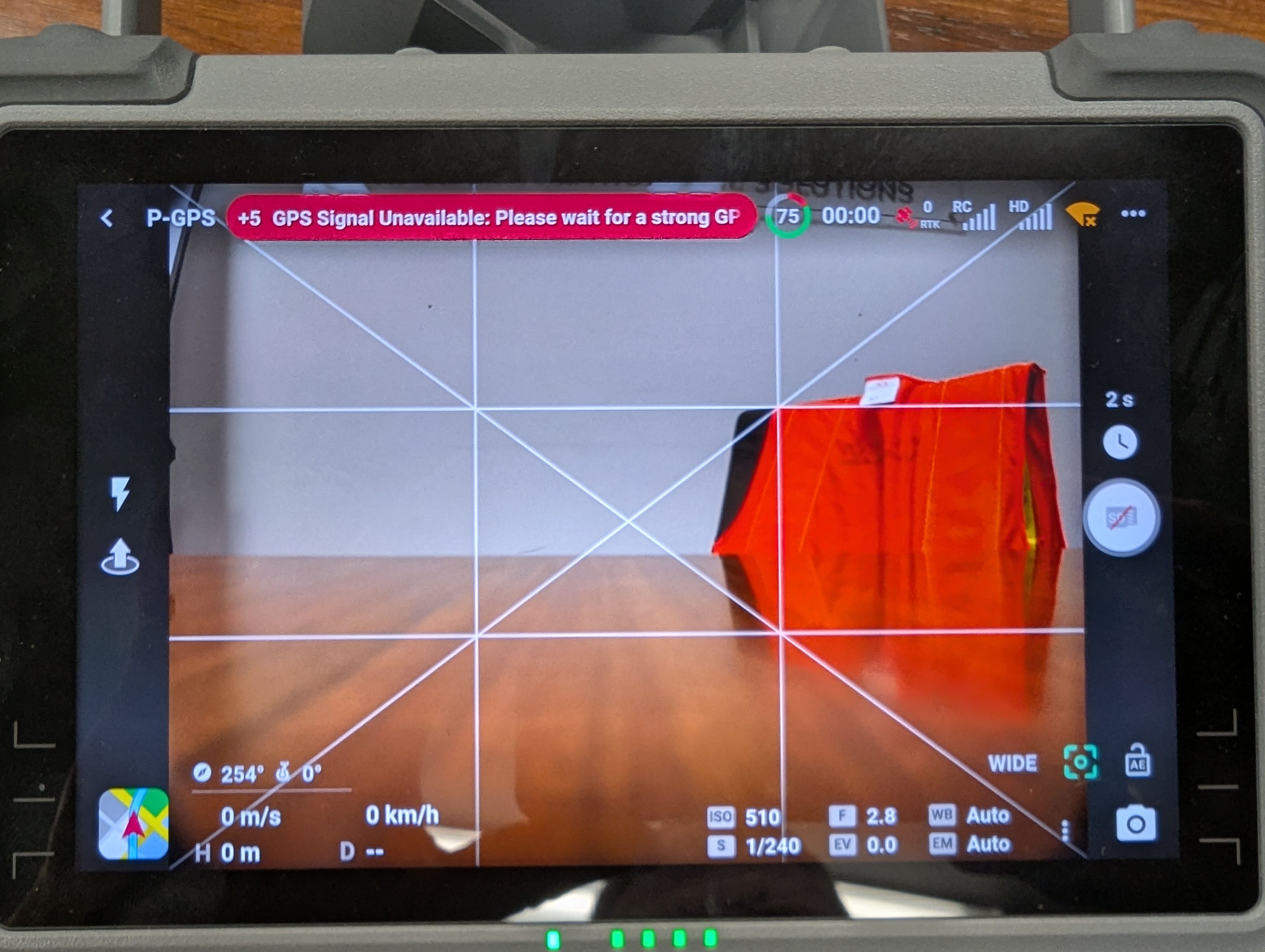
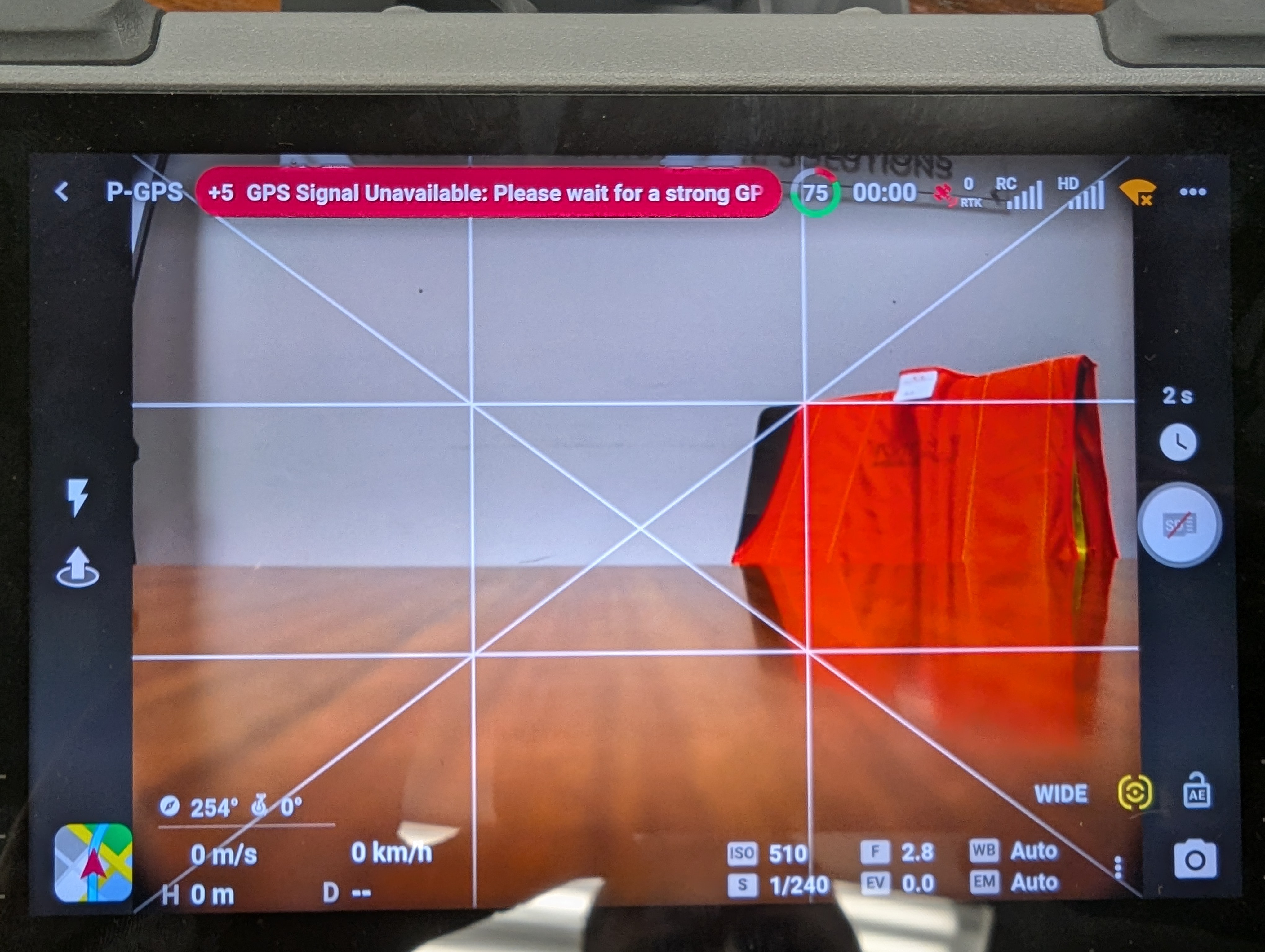
Flying Matrice 4E, On the Fly Orbit Mode. What do the two different icons indicate?
<%= block.description %>
<% } %>
Comments
2 comments
The icons next to the word "Wide"... left that part out.
Hi Levi. DL has so much information in their support page sometimes it may be hard to find the answer. Hope this helps.
https://support.dronelink.com/hc/en-us/articles/10094146578707-Flight-Dashboard-Camera-Settings-Menu-Storage-Focus-Spot-Meter-AE-Lock-Histogram
A ton more information under that Mobile app/ flight dashboard section you may want to look at. Enjoy.
Please sign in to leave a comment.