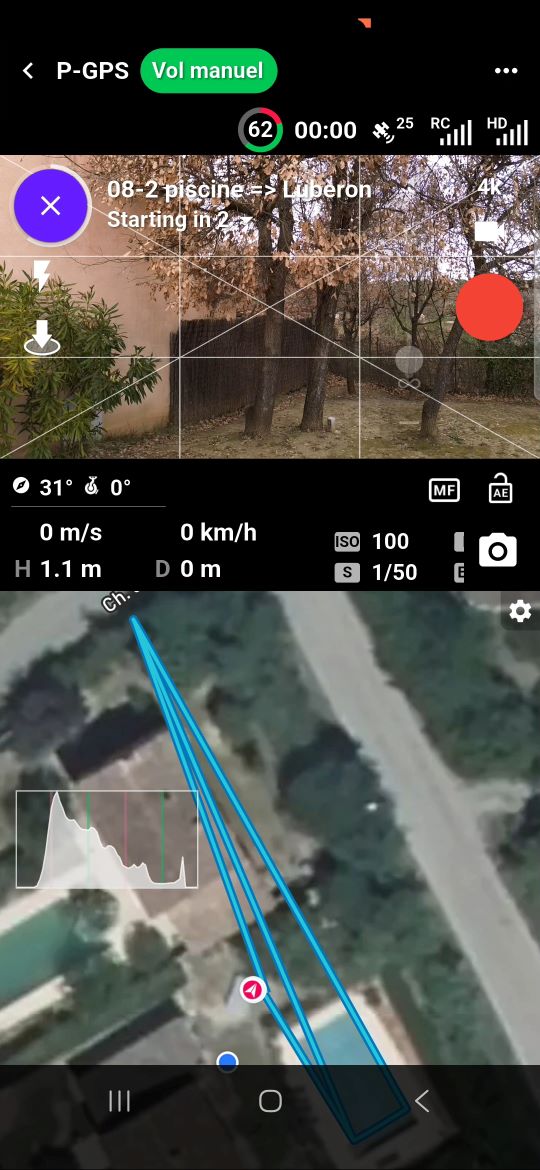
5.2.3 (312) The display is partially hidden at the top and bottom of the cell phone

With beta version 5.2.2 (309), the display was complete, as shown in the screenshot below.
The cell phone is : Samsung Galaxy A34 5G; Android 16; OneUI 8.0
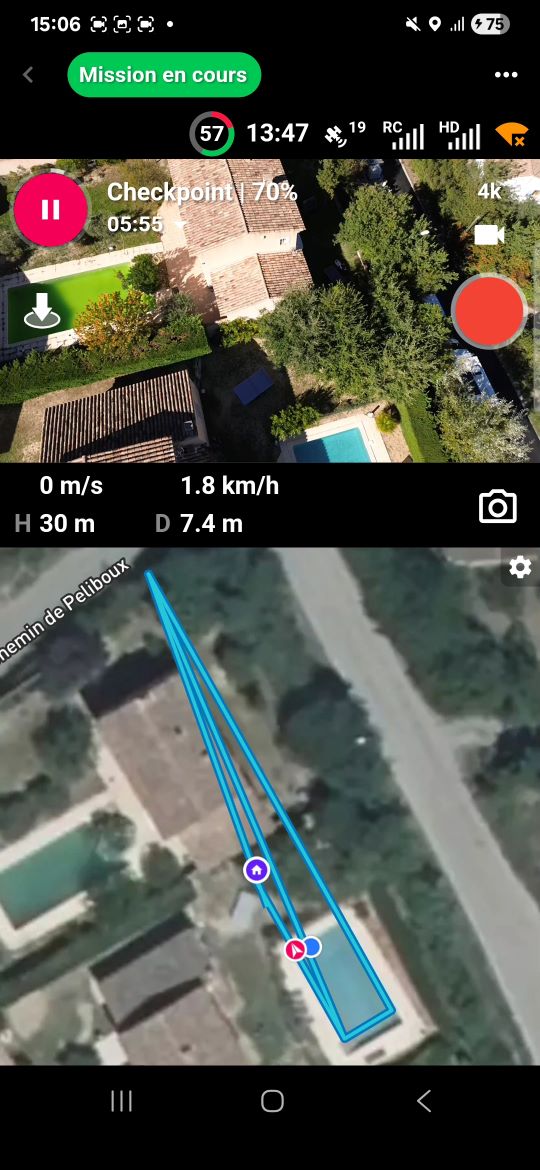
With beta version 5.2.3 (312), the display is partially hidden at the top and bottom.
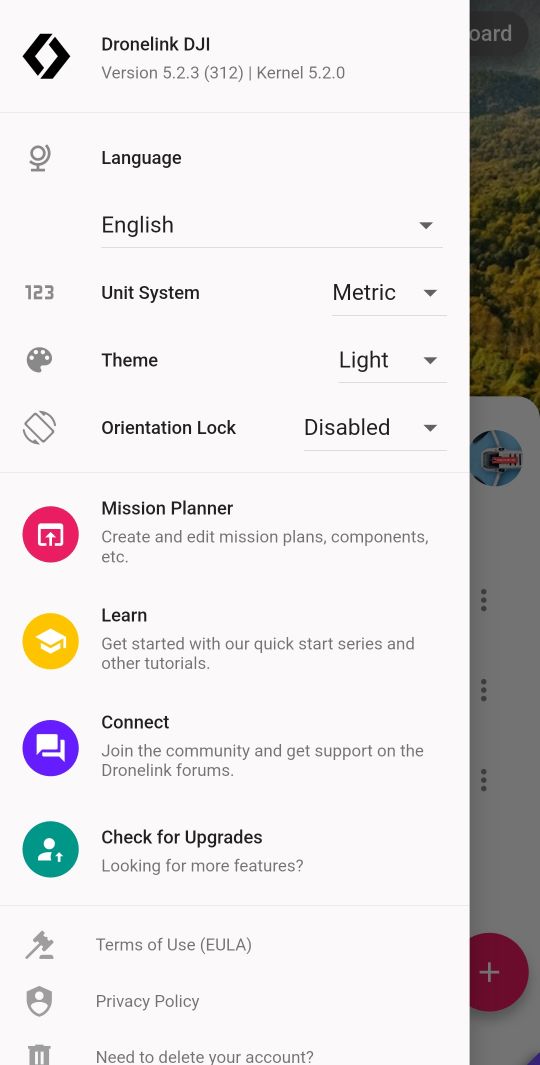
On the home screen, the “beta” banner at the bottom right has become very difficult to see.
What setting should be adjusted to restore the full display?
Comments
10 comments
Is it only when the phone is held in portrait mode?
In landscape mode, the behavior is different.
The right and top bars disappear after two seconds.
As soon as the cell phone is turned to portrait mode, the bar that was on the right appears at the bottom of the screen in a darker color. This bar does not disappear.
It's designed for landscape use
Android changed how they handle edge-to-edge displays, so this is a real regression.
Can you download the latest version (313) and see if it is better now?
Beta version 5.3.0 (313) | Kernel 5.3.0 did not fix the issue discussed in this topic.
After several attempts, it appears that the navigation bar display rule has been changed in a recent release of Android.
To prevent the navigation bar from being permanently displayed at the bottom of the screen when the cell phone is held vertically, you need to change this setting :
Settings > Display > Navigation bar > Swipe gestures
Can you show a screenshot of what it looks like now?
Before
After
That looks like it corrected the issue, no?
Yes, the problem is solved.
Please sign in to leave a comment.