Allow more manual fine-tune and it will be an amazing time saver.

As a follow-up to this discussion -
https://support.dronelink.com/hc/en-us/community/posts/4416131873043
Here is a new feature request:
It is all about "fine-tune" and it will make "good" to be better.
With this feature, Dronelink will be a MUST-HAVE time saver for professional aerial photography, too.
New request:
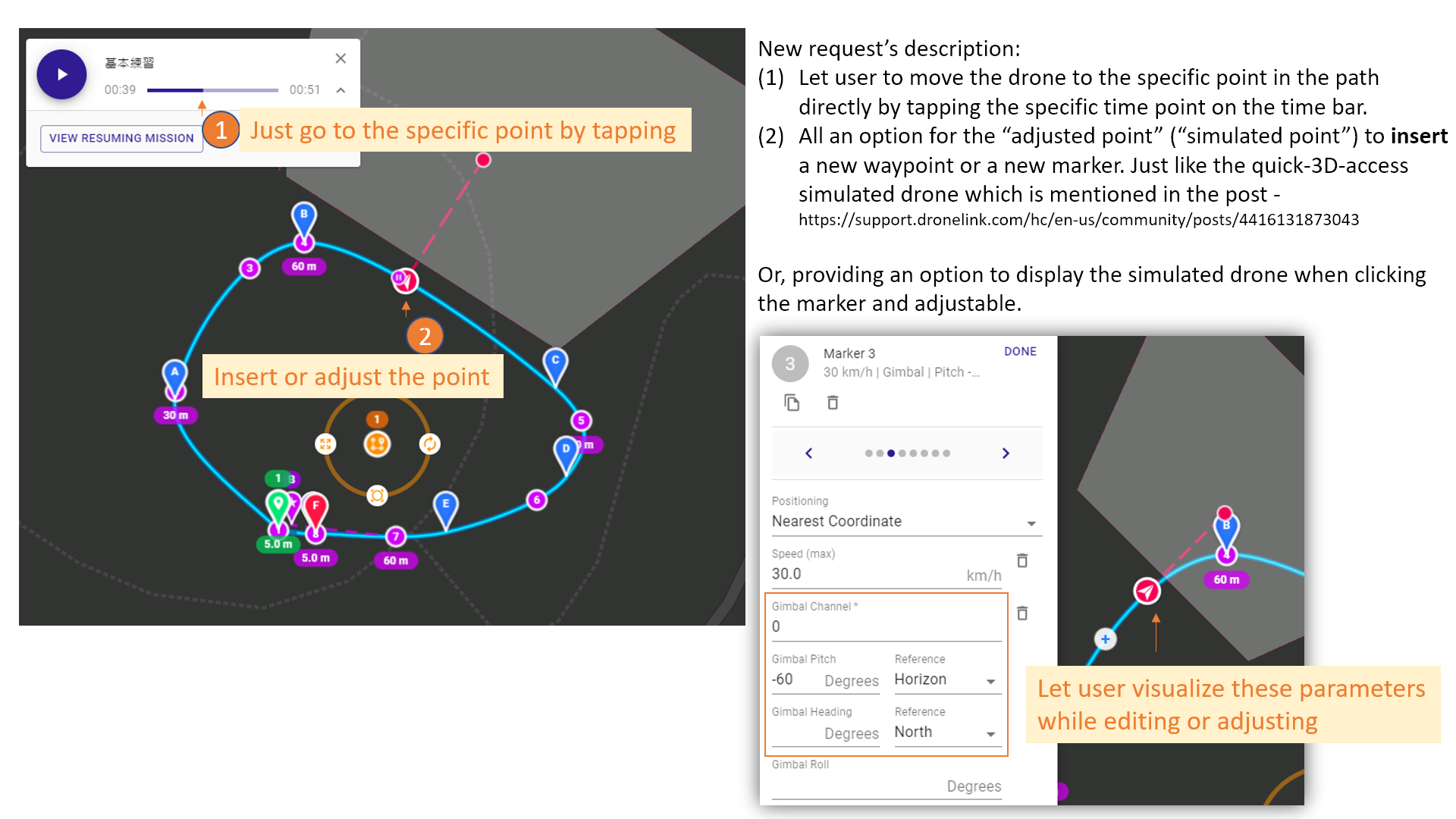
1. Allow users to move the drone to the specific point of the planned flight path just by tapping the point.
2. Then, allow users to adjust the point's 3 parameters (height, heading, pitch). Or, at least, let users to insert a new waypoint and marker at the specific point in the path.
(As shown in the picture)
3. Or, provide an option to let the numbers of each marker be visualized. Then, users can fine-tune the parameters by visualizing the adjustment.
I understand the behavior of the simulated flight could be different from the setting of each marker.
After all, one of the purposes of the simulation, in addition to providing confirmation, is to allow users to adjust flight plans more carefully and seamlessly.
With this feature, it can let users do better fine-tune and save time.
Comments
2 comments
You can already add a marker at a specific point on the path. There would be no need to add a marker and a waypoint because the purpose of adding a waypoint is to make the path go to that location, which is already does.
Jim McAndrew
Yes and confirmed. Thank you.
Please sign in to leave a comment.