Problems updating the app on DJI Phantom 4Pro+ on the GL300E controller?

I haven't used Dronelink on my Phantom for a couple of months and when I click the Dronelink app, I see a message that "Version 3.0.0 of Dronelink is available". However clicking to upgrade I see "Open with Browser" or "Play Store" but neither work? It is so frustrating because I can see the app but can't get past this upgrade issue and I need it for a new job. Any ideas about what I am missing to get this to work again?


Comments
15 comments
You need to download the APK and then open it with the package installer (when prompted). Have you tried uninstalling first?
Also, I don't see an active business account under your email address. Do you have an active account?
I first joined in June 2021 but today I couldn't post a request so have joined again today to post this enquiry? My customer creates the mission on their account for me to fly
The app and the support center use different login systems.
Using the support centre login for this query, I have deleted the app but still get a message "Installing..." followed by "App not installed"?
I have finally managed to install the latest version
What was the resolution?
I repeated all the steps once again, after having deleted the original Dronelink app and used the onboard browser to go to your original article, clicked on each of the links to download Dronelink, Google Play and Services, then clicked the downloaded Dronelink app and finally it uploaded. Maybe uninstalling the app was key, although that hadn't worked before. This old Android controller is so clunky when it comes to updates etc, thankfully it flies the aircraft well! Still not really sure which step finally did it to be honest, just relieved it is there and I can fly my client's mission!
Further to my previous post, unfortunately when I arrived on site I couldn't use Dronelink on the Phantom 4 Pro+ controller and had to revert to my Mavic 2 Pro, which flew perfectly. Both the Phantom controller and the iPad used with the Mavic show the same version 3.0.0, although on the Phantom this is suffixed by (1176) and on the iPad by (176), so I don't know if this is relevant.
On the Phantom controller, the mission apparently loads but then it doesn't show on the controller screen to select, take off and fly the mission. I've attached photos of the iPad screen, which shows a test mission we've created and the Phantom controller which doesn't show the same mission despite "loading" it? Any ideas about what else I need to do on the Phantom controller? Or do I have to accept it doesn't work on the Phantom and only use the Mavic?
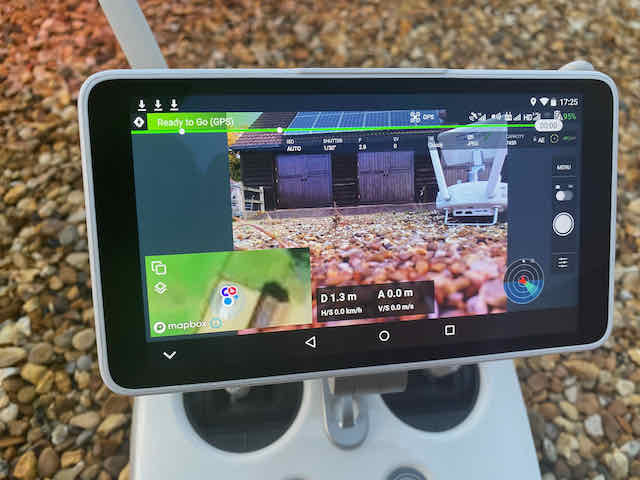
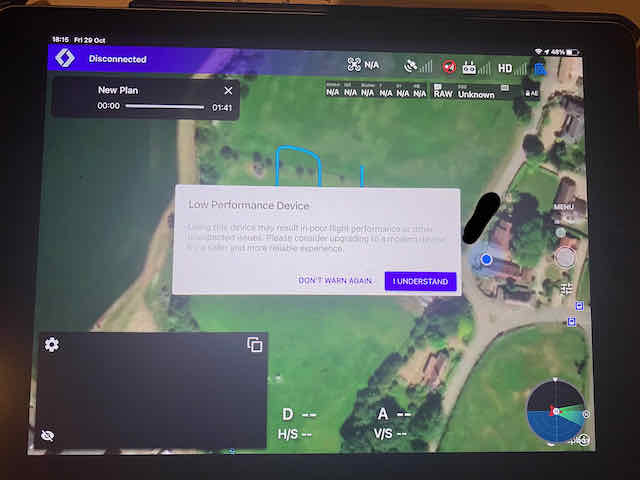
Are you attempting to plug your ipad into the P4 rc with the monitor? I don't think that works.
No, the iPad is only used with the Mavic2 Pro, photos of the iPad simply show the same mission viewed if I use the Mavic/iPad combination, but when accessed from the Phantom 4 controller, the mission isn’t showing.
Can you tell me what I should try to get Dronelink working on my Phantom 4 Pro+ controller? Should I try deleting and reinstalling again? Is there a fault with Dronelink version 3.0.0. (1176) on this controller?
I have uninstalled Dronelink and reinstalled but still don't see the mission when I click on the task to fly it, so it seems the latest version doesn't function on the DJI GL300E controller, although it did work previously.
Please send a screen recording of the desired behavior working on the ipad, and the undesirable behavior on the GL300, and also your login credentials to support@dronelink.com so I can try to reproduce it.
Ok thanks, I will do that now
Please sign in to leave a comment.