Image freezing during mission

I created my own mapping program with continuous video. Every night at dusk (I use a firehouse strobe turned on to, Just light, for landing purposes) and I change up the mission to test various components. Tonight I flew the exact same mission as last night because there was less wind, I am trying to get the most out of the battery. My issue is that in the beginning of the mission the screen (Samsung S21) froze and the altitude, distance, and the map showing the A/C position remained the same through out the mission. I had several altitude changes entered into the mission but it did not register any of them. I am using the Mini. Has anyone else experienced the same issue?
Comments
14 comments
Moving to bug reports. Are you able to consistently reproduce this?
No Jim it has never done this before. I can and will re-create the same mission tonight but I don't think I can re-create the screen freezing. I did not mention that the real time picture of the drone flying was working so in areas (like behind trees) I could still see the drone flying so that gave me a little relief. At one point I create a straight up increase in altitude to get above tree line and I can with the naked eye see the drone go up but nothing changes on the screen. The little inset of the drone position and the altitude and distance are the same. I think I remember the speed might have been working but not 100% sure, thought of taking a screenshot but that would do no good. Maybe a screen recording?
I have just re-created the scenario. I remembered that during the first flight I had juggled the pone and controller while trying to do something else. I had hit the on/off button on the phone which in the S21 just blanks the screen, you hit it again and it comes back on. I tried that tonight and what do you know everything except the video stopped.
I just had the screen freeze again. Flying the Mini but using a Samsun S7 tablet. The screen froze and it did not show the drone and elevation and distance were both 0. The drone continued to fly mission but I could not see the status of drone.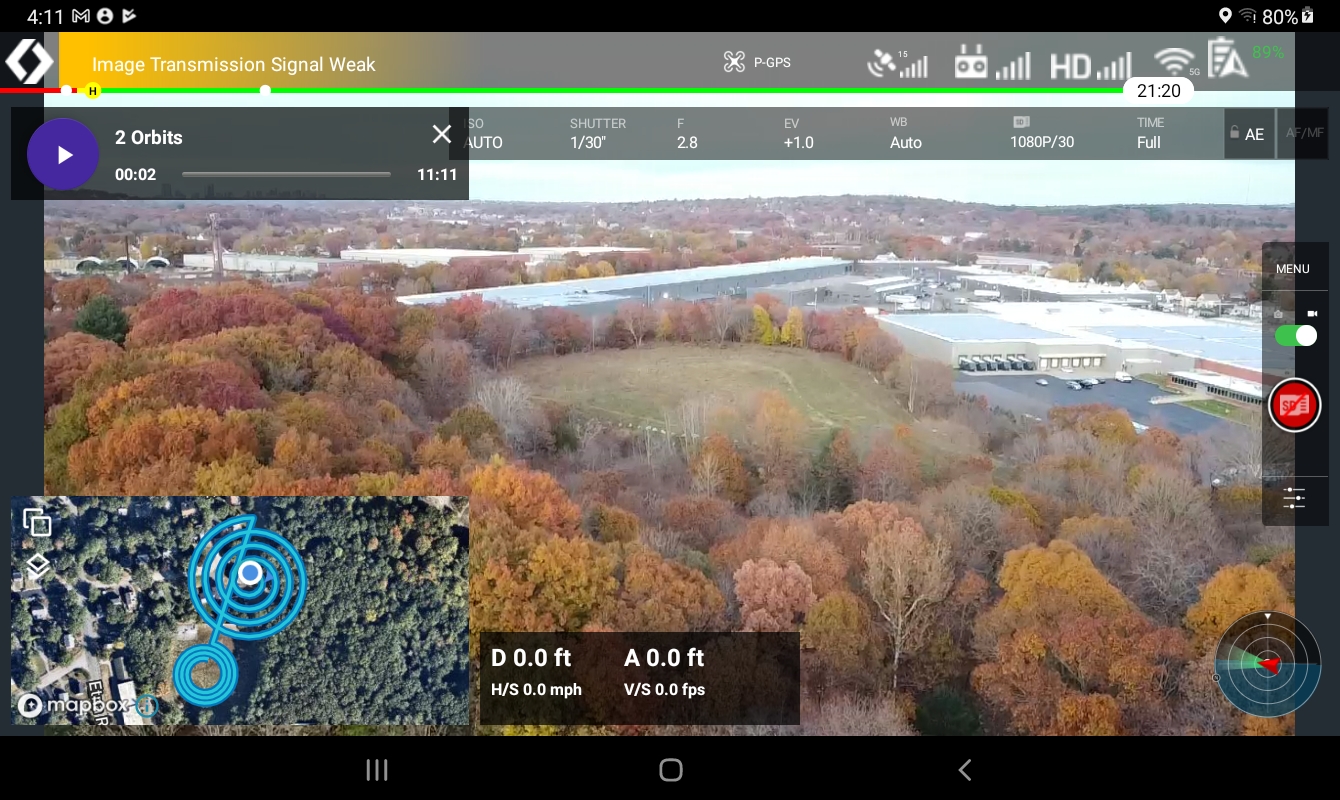
Does it happen every time or randomly?
This is the second time and the first time I thought it was because I hit the black out button on my Samsung S21. But now I am using a Samsung S7 8 inch tablet and that button is very difficult to get at so I don't think I could have hit it by accident but maybe? I will try it again today and see if it repeats.
I tried to re-create the same situation and it was close to the same but not exactly. In the screen shot above it shows my location but not the drone and it has 0 for altitude and distance and I know you can't tell but the video also froze. When I tried recreating it I pushed the black out button and the screen went black. When I pushed it again (the drone kept flying mission) my login screen came up (normal) and when I logged back in the video was still going and it showed location of myself and drone but the altitude and distance was froze on the point when I hit the black out button.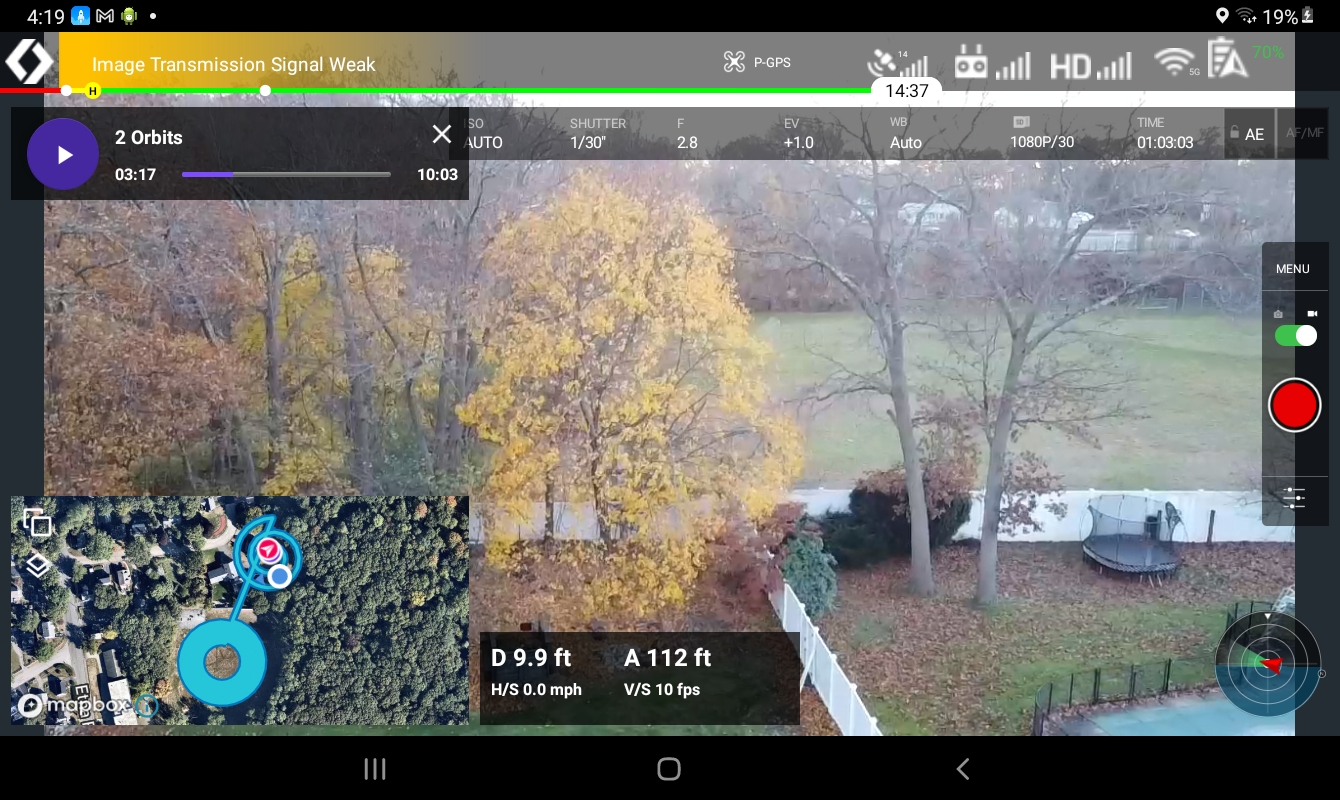
I assume you are talking about the same issue here?
Yes. It sounds like we are both talking about the same issue. I will try experimenting more today
What I mean when I say we are bot talking about the same thing is that I think Alex Lungu might be experiencing the same thing as me. I am not even sure that it is a bug but when I go to my phone in my pocket I tap this button and the screen goes black so that I cannot hit keys by accident. If I have a program on and hit the button the screen goes black but when I hit the button again, after I enter my password it goes back to the screen I was previously looking at. It does not happen this way when using Dronelink. The screen comes back on but it is not functioning properly. After hitting the black out key and then hitting it again and putting in my passcode I come back to the Dronelink app. The drone still continued to fly while my tablet was black but once the program comes back on the altitude and distance is frozen. This time my location and the drone was visible but not moving. The video was still going as well as the mission time. At this point I shut all programs down, the drone stopped and hovered, I then re-opened Dronelink but when clicking on the mission all I got was a spinning wheel. It would not start, or re-start the mission. I tried it several times and sometimes the icon for the drone and myself would be there (not moving) or they might not be there. Once my batteries recharge I am going to try this from the DJI program.
I just flew with DJI Fly and when I hit the black out button and turned it back on everything was functioning normal.
I have been using the wrong term for the button that I push, Samsung call it the "side key" and per their manual the functions are:
"Key Function Side key • Press and hold to turn the device on or off. • Press to turn on or lock the screen. • Press twice to launch the app or feature you set"
Anyway I tried turning on Dronelink program but launching by hand and then pressing the side key and it still does the same thing. Since I am not flying a mission my position and the drone's is not noted but the altitude and distance is frozen at the time that I hit the side key to lock the screen.
This issue will be corrected in 3.1.0.
Thank you!
Please sign in to leave a comment.