Unable to take off

Today I had tried to fly the drone (inspire 2) with a simple waypoint task but the bird had been grounded by the msg. " Unable to take off. There was an error executing the command (code:-1008)."
I tried to take off manually and continue the flight program in the air, but the mission could not be performed, displaying the error -1002 (I don't remember the exact wording but it dealt with the Gimbal.
On the fly mode it worked fine.
Iphone 11/ inspire 2 all software up to date
Any help would be appreciated
Thanks
Carmel
Comments
11 comments
We have very little control over the take-off behavior. It is a command in the firmware and if the DJI SDK fails to execute the command, we just show the error message.
Posting the exact error message with a screenshot would be helpful. If you are doing a Gimbal Orientation command, can you try removing the Heading to see if it is able to get past the command?
Hi Jim, thanks for your help!
sorry for the mistake I made with the error number - it is 1005 not 1002.
I tried to fly the drone several times today in several very basic mission and in all cases it failed to take off.
In two cases, after manual take off it preformed and completed the missions but I could not repeat it later.
I don't have any Gimbal command in the missions.
Best regards
Carmel
Again, we do not have control over this behavior, and it sounds like there is a firmware / DJI SDK issue not allowing auto-takeoff on your drone. You need to manually take off or try to upgrade the firmware maybe.
Even if you don't add any gimbal commands directly (which you do have some in your mission), other components, such as the Path component generate gimbal commands for you, as seen in the preview: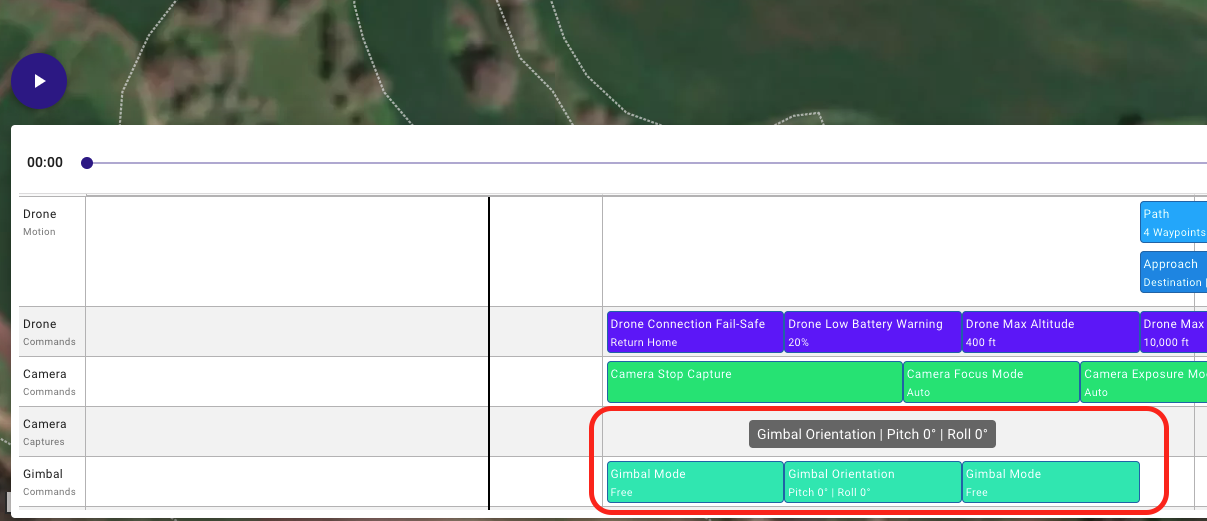
I had a error code 180 it wouldn't let me take off
Victor, let me guess, air 2s and latest firmware
Yes Sir
Is there a solution ?
Unknown error (code: 180), cannot take off, please contact DJI support.
No need to use multiple threads.
https://support.dronelink.com/hc/en-us/community/posts/10815886213139
I can take off with the dji fly app fine but with dronelink I tried mapping it wouldn't let me take off.ill try again today and let you know.
Responding in your dedicated thread above.
Please sign in to leave a comment.