Fly a dome pattern above an area

Hi
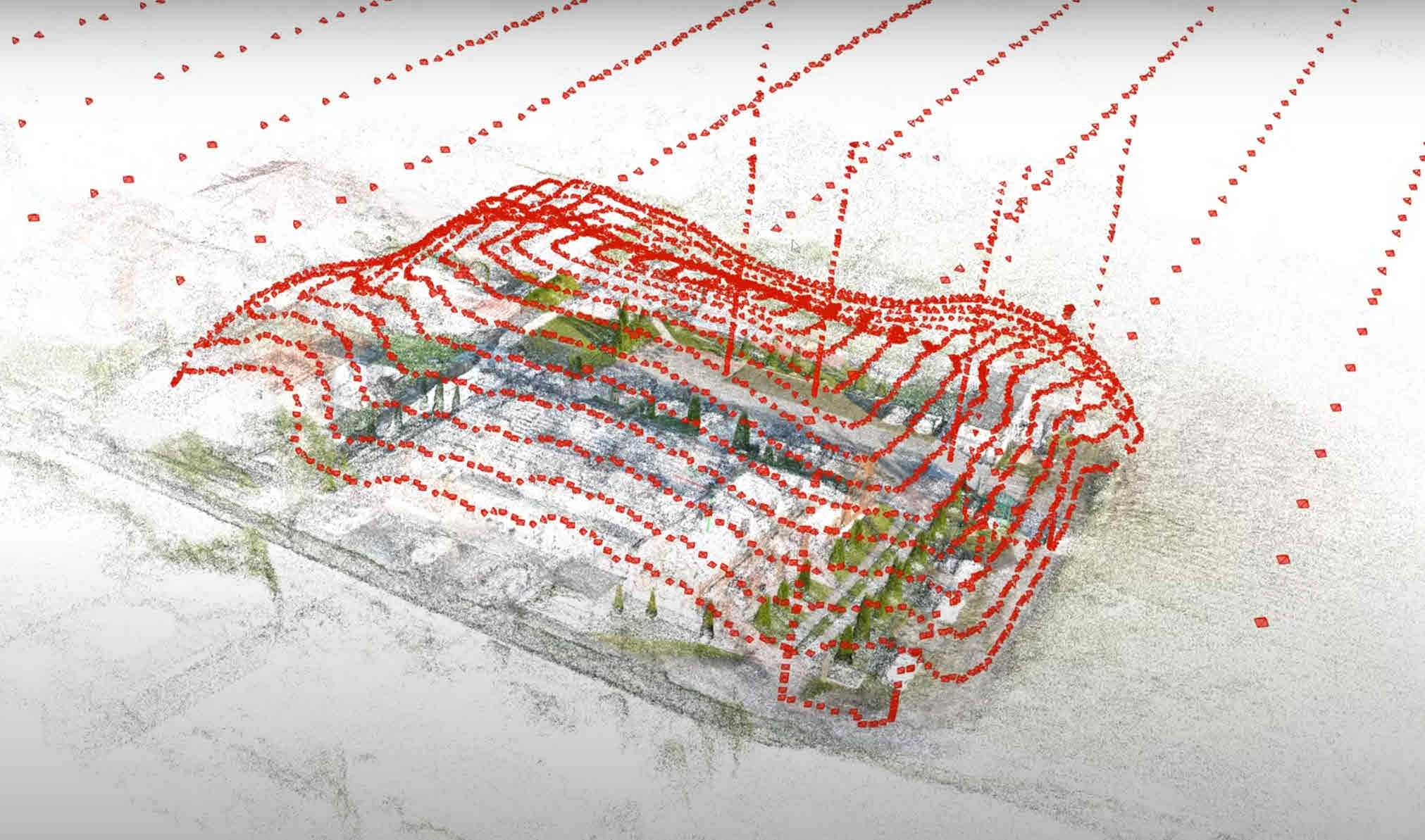
Is there a way to fly a dome/half sphere pattern above an area? I want the drone to start flying first a wide circle, with the camera facing straight forward. Then the drone should fly in tighter and tighter circles, while increasing its height, as well as increasingly tilting the camera to the ground the higher the drone goes. A dome pattern to get images concentrated on a target in the middle. something like this picture:
Comments
6 comments
One way is to create a spiral Orbit component by setting the final distance and/ or altitude. Maybe that will work for you. I suggest checking the DL support articles to assist you in the future. Check the link I’m sending below. Enjoy.
https://support.dronelink.com/hc/en-us/articles/7020633258387-Advanced-Orbits-Spirals-Multiple-and-Partial-Rotations
Thank you, what about the gradual tilt towards the ground for the gimble?
If you set the center of the spiral at ground level as a POI, then the the gimbal angle will change as the drone ascends and moves towards the the center at the top of the spiral
I can't get it to work, the gimble just stays the same angle all the time as seen on the images. Also, is there a way for it to follow the terrain while it goes in circles?
First of all you don’t place a POI. When you create any Orbit the POI is always the center of the Orbit so you don’t need to alter anything. If you’re still having an issue once you changed back to the defaults you can share the mission. As far as Terrain Follow/ AGL, that is only available with a professional plan.
Please sign in to leave a comment.