Export KMZ to Google Earth Pro loads but start location is off

I love the ability to preview the mission in Google Earth Pro (and even recording it) but I am consistently having an issue with the start location in Google Earth is off by quite a distance, as much as several hundred metres from what I see in Dronelink. Even the Lat Long coordinates are different. I have tried this with locations near where I live as well as some more than 100 km away. Is anyone else having this issue or know what may be causing this? Thanks.
Comments
11 comments
I realize this is an old comment but I just ran into this issue myself - did this issue ever get resolved?
Not a problem I've ever come across
We are not able to reproduce the issue. Please share a mission plan that has the behavior.
Using check points to plug in the Lat Longs this flight plan shows up in this location
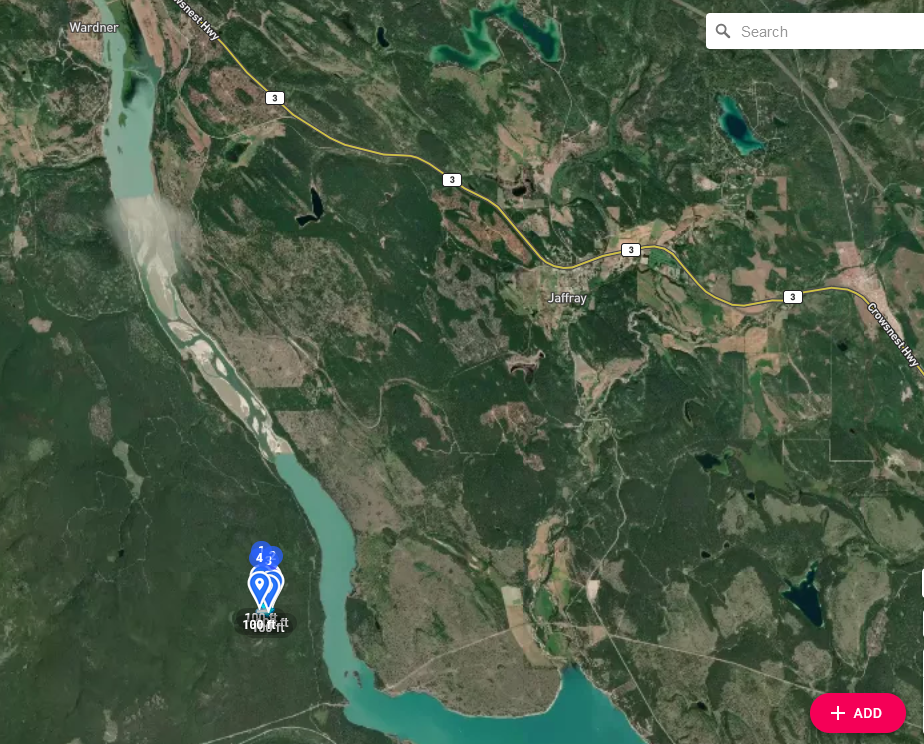
https://app.dronelink.com/guest/cranbrook/plan/c6Y4poSiYnLFjCEUT9gH/zgjydaCF9rG7nAucCrka
but the lat longs should be here https://app.dronelink.com/guest/sar/plan/1HOj55e4b64OTOHGUTQu/gTUObX01VstNHUZqJXuJ
Hi Doug Fanning, taken a look at at your 2 plans and the reason they are in 2 different places is they have different coordinates, check out the screenshots below:
latlongs CP1
AGL Field search BP A
I'll have to get back to you later with further info. If you do a Google earth preview of the check points. You'll find the lat longs are nowhere near where they are supposed to be. They wont be exactly the 2nd plan but will be a lot closer to the 2nd plan
If you copy and paste the boundary points from the first plan to the appropriate checkpoints it all goes to the correct place, as I said earlier in the 2 plans you shared the coordinates are different, once the checkpoint coordinates are corrected it all ends up in the same place as per this screenshot
Hi Martin, yes I know the copy and paste, the problem this time and potentially in the future will be our SAR searches are in unknown locations. Eg: when I set up this plan I was given coordinates for an unknown location (turns out I am familiar with this one but didn't know it at the time) Anyways I had to assume our search would take me to the to wherever google earth and dronelink would point us.
If this was a live callout we would have ended up 30 miles from where we wanted to be - not a good thing
I've included an example of our search plan
Hoping you will see what I mean and give it a try and to see what you come up with
PRE EVAL TASKING #1-RAMPARTS
Conduct a search as per the following:
The search area is bounded by the coordinates:
The search area is to be flown first at 350’ AGL.
A second search of the area is to be flown at right angles to the first at 150’ AGL.
The S (Spotter) will note takeoff and return times on the Chron Log
The S working together with the P will identify targets of interest in the area specified by the coordinates as noted in the “SAR Briefing Report” provided by JRCC. The S will describe in the chron log the target in detail (shape, colour of target, size maybe ??) and once again working with the P will note its location as accurately as possible using proper GPS coordinates (DD MM.mm).
At the end of the search the S will prepare a NOCL which will be reviewed for accuracy/completeness by the P who will then forward it to the TL.
The TL will determine the difference (if any) between the coordinates of the actual target and those noted in the chron log from the drone.
Not having any luck going to any specific coordinate. I tried entering a few more sets of coordinates through both checkpoints and mapping but came nowhere near the target, is there another way? What is the difference between web app checkpoints and on the fly checkpoints?
Problem solved, changed coordinates from google earth to read Decimal Degrees coordinates and entered those vs what was Degrees, Decimal Minutes.
Doug Fanning, glad to hear you got it sorted, now if i read the above correctly what you are doing is taking the coordinates of the corners of a search area from Google earth, then manually entering into Dronelink to create a map of the area that you want to search, if this is correct, then there's a lot easier method of doing this:
Please sign in to leave a comment.