Irregular flight path during Map mission

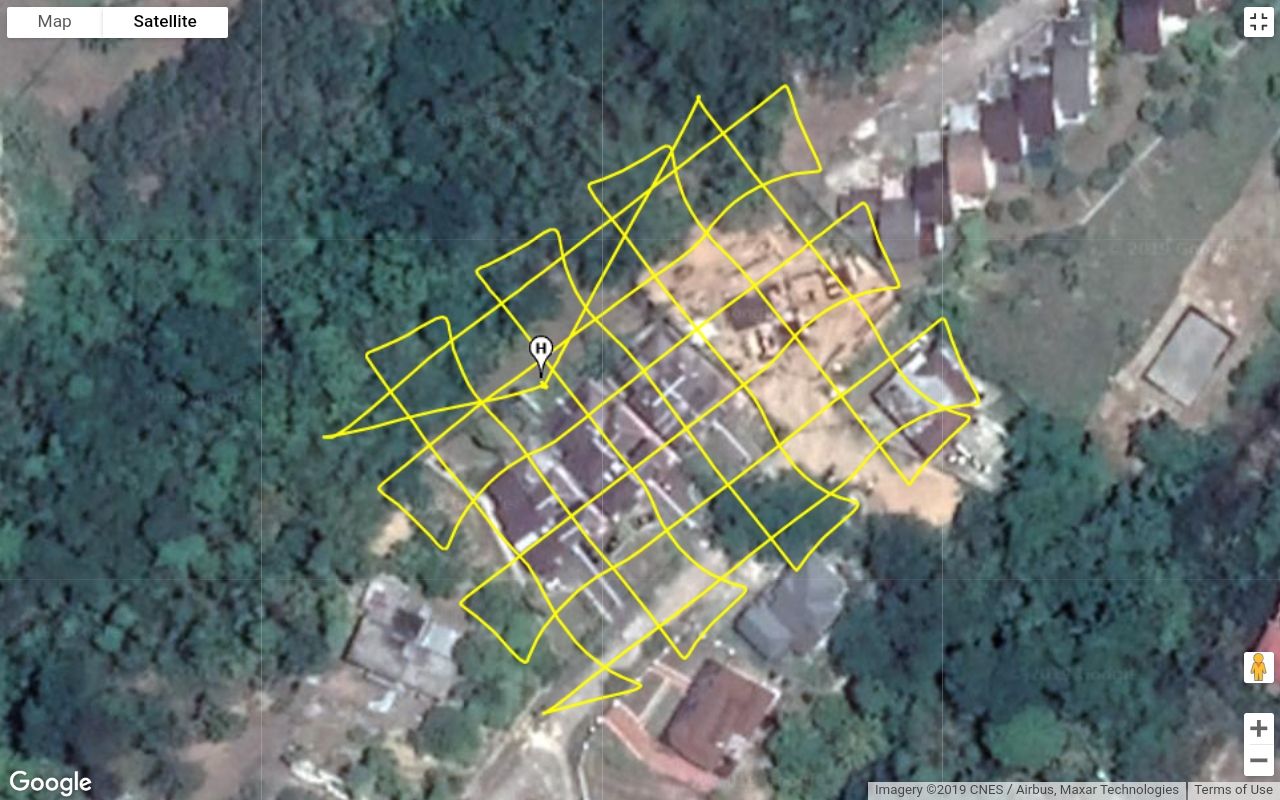
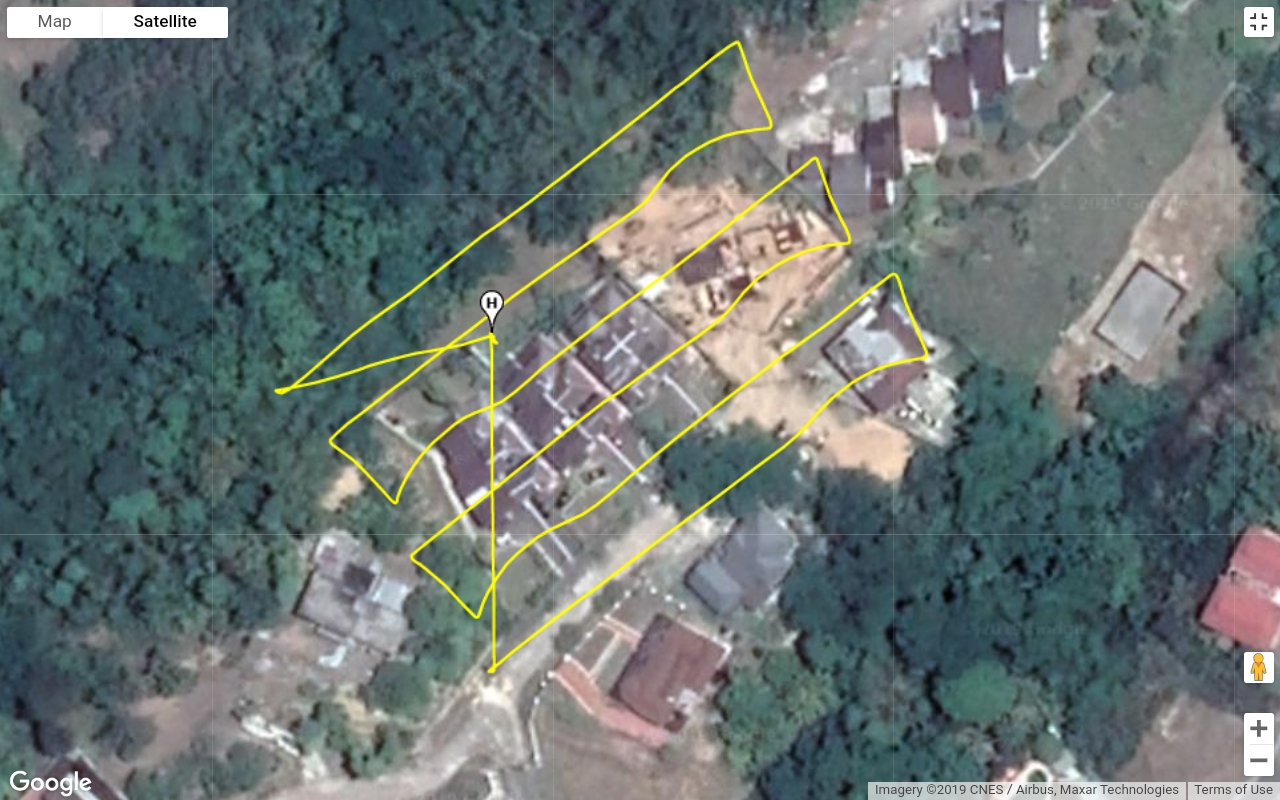
I ran 2 missions, only changing the pattern, and the flight path is very irregular. See attachments. The paths are not straight. And if you look, overlapping paths running NE to SW on both images show the same path deviations patterns.
In addition, after each pic is taken, it looks slightly off path with each pic as if the gimbal is shifting during flight - more like rotating slightly with each pic. This is seen on the screen and the pics when loaded from the sd card.
This does not happen in other mission apps eg. pix4dcapture, dronedeploy. I am flying my P4P firmware v01.04.0500 with Samsung S7 edge. Flights were at 180ft agl, flown at 10mph and gimbal at -80deg.
Any ideas?
Comments
1 comment
Dronelink produces different results from all the other mission apps because it uses a custom flight controller (not DJI's onboard controller, which is what the other apps use). The Dronelink flight controller is affected by these performance and connectivity considerations, and your results may vary depending on the hardware you are using (both mobile device and drone), firmware version, and environmental factors (wind, heat, etc).
The gimbal drift issue you are experiencing might be similar to the issue being discussed here, assuming you are using a Mavic 2 Pro? If so, we are currently considering implementing a work-around for this issue (which appears to be a DJI firmware issue), by offsetting the yaw of the aircraft to cancel out the drift.
As for flying off-course, it is difficult to say given the information I have, but you could try using a newer/faster mobile device, or slowing down the mission, which increases the drone's ability to fight against the winds aloft. You can also share a link to the mission plan so we can try flying it.
Please sign in to leave a comment.