Mission loses connection after first map line

After the new update the mission will only start if the drone is on the ground not hovering. Then my first component is a regular grid map. It makes like 5 pictures in and then loses control of the drone. It did this every time after restarts and reloading as well. I forgot the exact wording but it says the app has lost control and the mission stops and then wont continue. 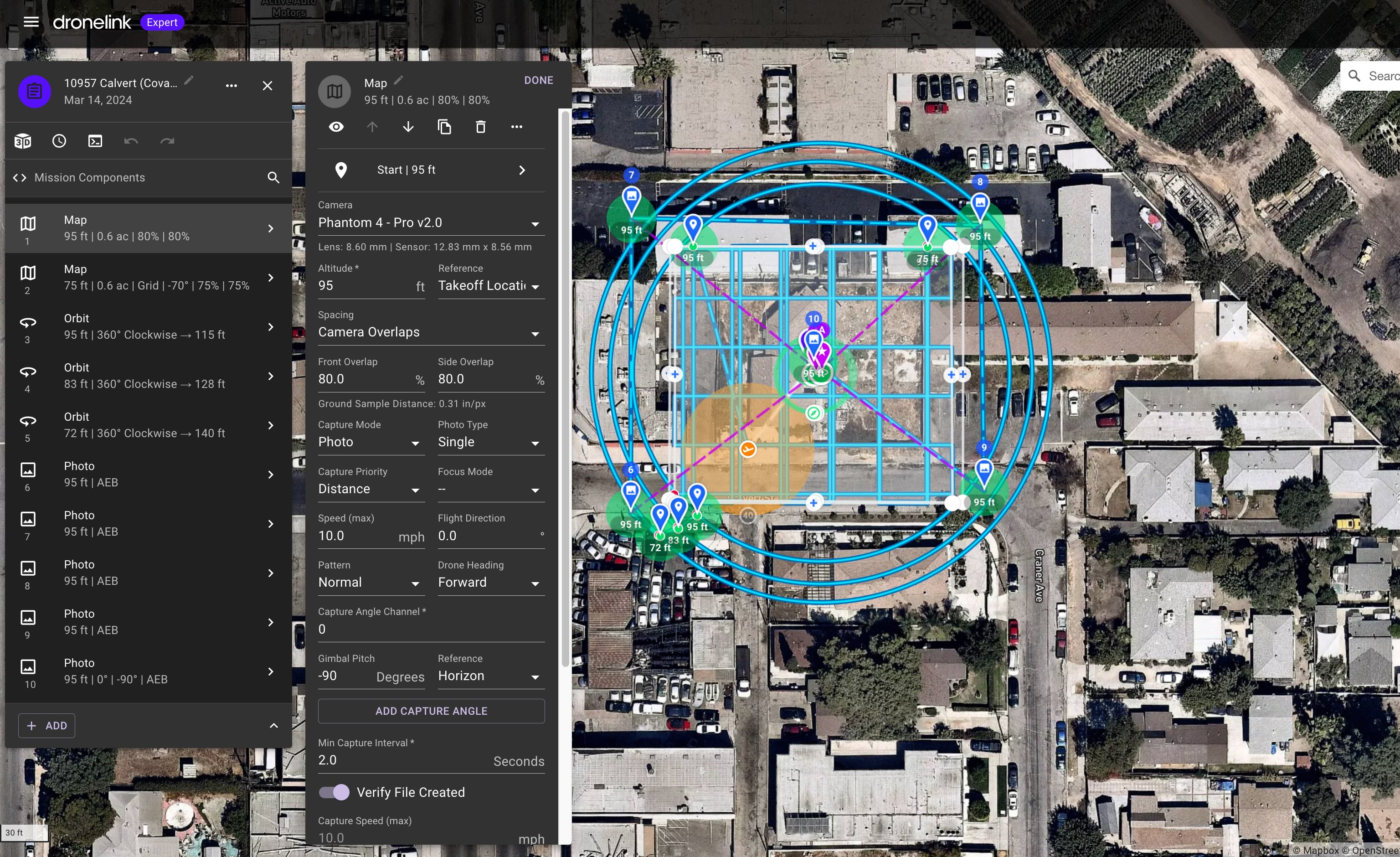
Comments
7 comments
Hi Justin. You can go into the Web app and select your flown missions. Then select that mission and It will show what the error message was which may help. You should be able to run the mission while already airborne but you have the take-off location set to a Specific area. So it will need to be within that 40’ Orange take-off location you selected in order to start the mission. Unless you are using AGL then there is no reason to select Specific Area and It may be why. Not sure what loses control means but Check and advise.
The switch was never touched. I had like 16 Satellites, no interference. So I'm not sure why it kept thinking it was switching out. It was in the same exact spot every time after 7 pictures. like to the foot.
You may want to check this link. Sounds like something is keeping it from running in that area. So it’s not disconnecting, it’s actually stopping the mission due to something else. Correct ? Can you share the mission Justin ?
https://support.dronelink.com/hc/en-us/articles/360056104694-Why-do-I-see-Unable-to-Take-Control-or-Automatic-Control-Interrupted-during-missions
Ok. Yea i was in a zero grid area with a COA and fully unlocked with DJI. My max was 100AGL and i had the map set to 95ft max
Theses drones are not that accurate so you may need to give a bit more of a buffer zone. Sounds like it is hitting max altitude and it won’t continue. I’d change the max altitude setting to a bit higher than 100’ and try.
No go on that one. I was in a zero grid about .4NM from a major airport. I was only authorized to 100ft. so no way I'm going above that haha.
But that may have been the issue cause the max height in DJI go is in meters so it probably was tickling it and shutting down. Good to know. Thanks
Ok. There is no way of anyone knowing what the actual AGL is so setting it to maybe 110’ won’t matter. It’s pilots choice but I’d never worry about a 10’ difference. Either that or If you don’t want to increase the max altitude in the settings a very small amount then lower the plans altitude to about 90’ and try. Not much DL can do about this type of issue. As far as the specific area take-off just change it back to the default None and you should have no issues launching while already airborne. As I mentioned that is not needed unless you have a plan which has AGL capability which is then important. Hope that helps. Enjoy.
Please sign in to leave a comment.