Camera Feed Problems with Mavic 2 Enterprise Dual and Ipad Air (5th Gen)

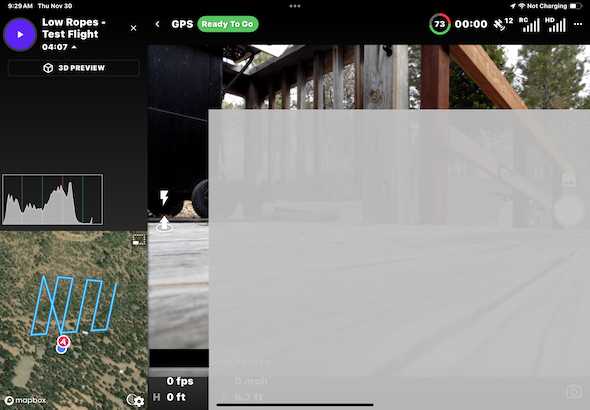
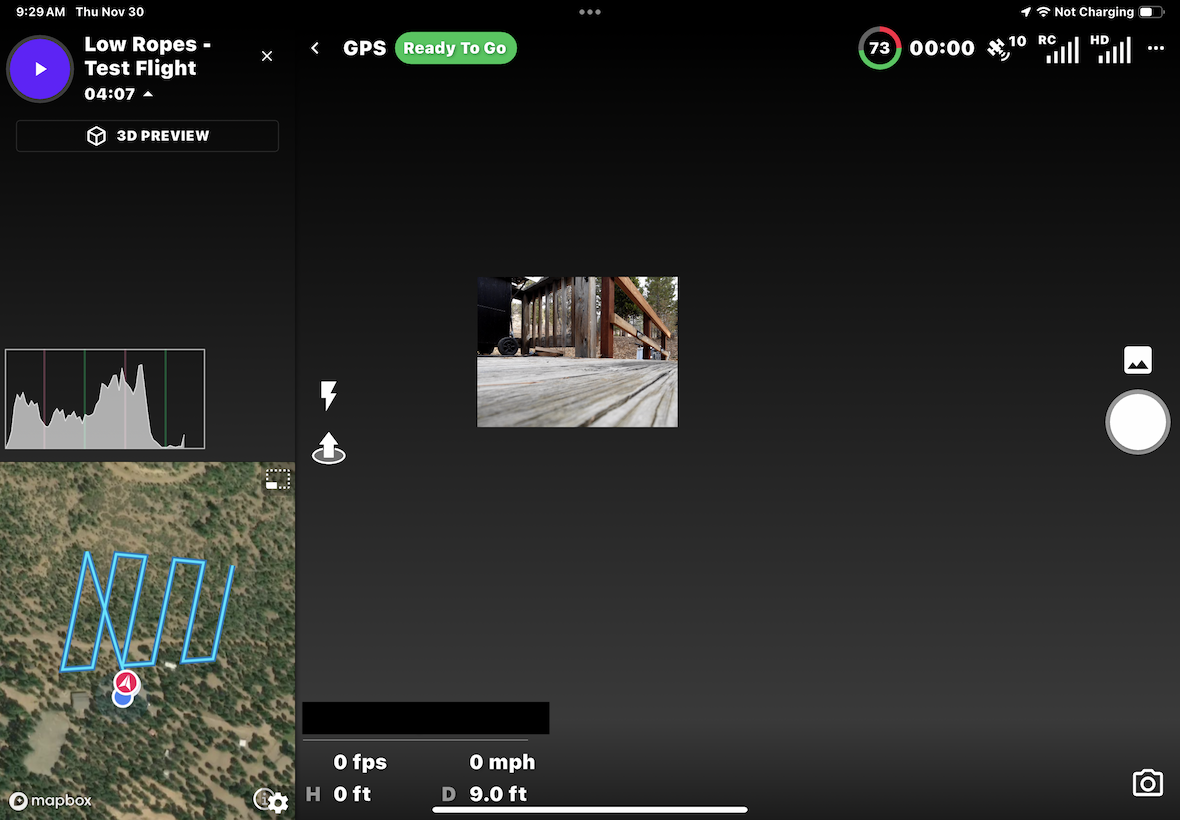
When trying to run a mapping mission with a Mavic 2 Enterprise Dual with the RC1A remote and an Ipad Air (5th Generation), I am encountering issues with the camera feed. First, I can see the live camera feed, but it is obscured by a gray transparent box. If I touch anywhere on the screen, the camera feed is minimized and the transparent gray box disappears. When I release my finger from the touch screen, the gray box reappears. I tried flying the mission and it seems to fly normally, but with no live camera feed and the little minimized screen does not update with a live view, but instead maintains the view from when the drone first turned on, on the ground.
Comments
7 comments
Hi Taylor. I must say I don’t believe I’ve seen this strange live feed issue before. Does it work correctly with the DJI App ? Only thing I can think of is deleting the DL app and reinstalling. Also try another cable just in case it is an intermittent problem with the connection. Can’t hurt to try and see if it works. If it doesn’t fix the issue then DL staff may need to help.
Hi Mike, thanks for the tips. The DJI Pilot app seems to work just fine - the camera feed is normal there. I tried a different cable, but had the same problem. Also same problem from iPhone. Reinstalling the app did not help either.
Dronelink for the M2EA is only supported on the smart controller, not external devices: https://support.dronelink.com/hc/en-us/articles/4413851309843-Mavic-2-Enterprise-Advanced-M2EA-Support-Overview-and-FAQ
Oh, I see. Thank you very much.
Hi again Jim. I tried it on a smart controller and had the same issues.
Ok, will add this to the backlog, but in full disclosure, we probably will not be looking into it any time soon so you may prefer to just request a refund.
Ok, thanks for the honesty.
Please sign in to leave a comment.