MINI2 RTH NOT WORKING 4.8.2 (275)

Flew a 10 minute timelapse mission this evening https://app.dronelink.com/martin-reading/my-first-project/plan/8SzHGO7BMZt03XREl9HV at the end of the mission RTH didn't kick in, so seeing that the drone was now in manual flight mode I flew it around for a bit and then hit the RTH button on the controller (RC-N1) and the mini2 just sat hovering in the sky, I pressed the button several times with no joy so bought it home manually, I'm in the middle of getting sorted to move out of my flat at the moment & will try and do some more testing tomorrow, but no promises
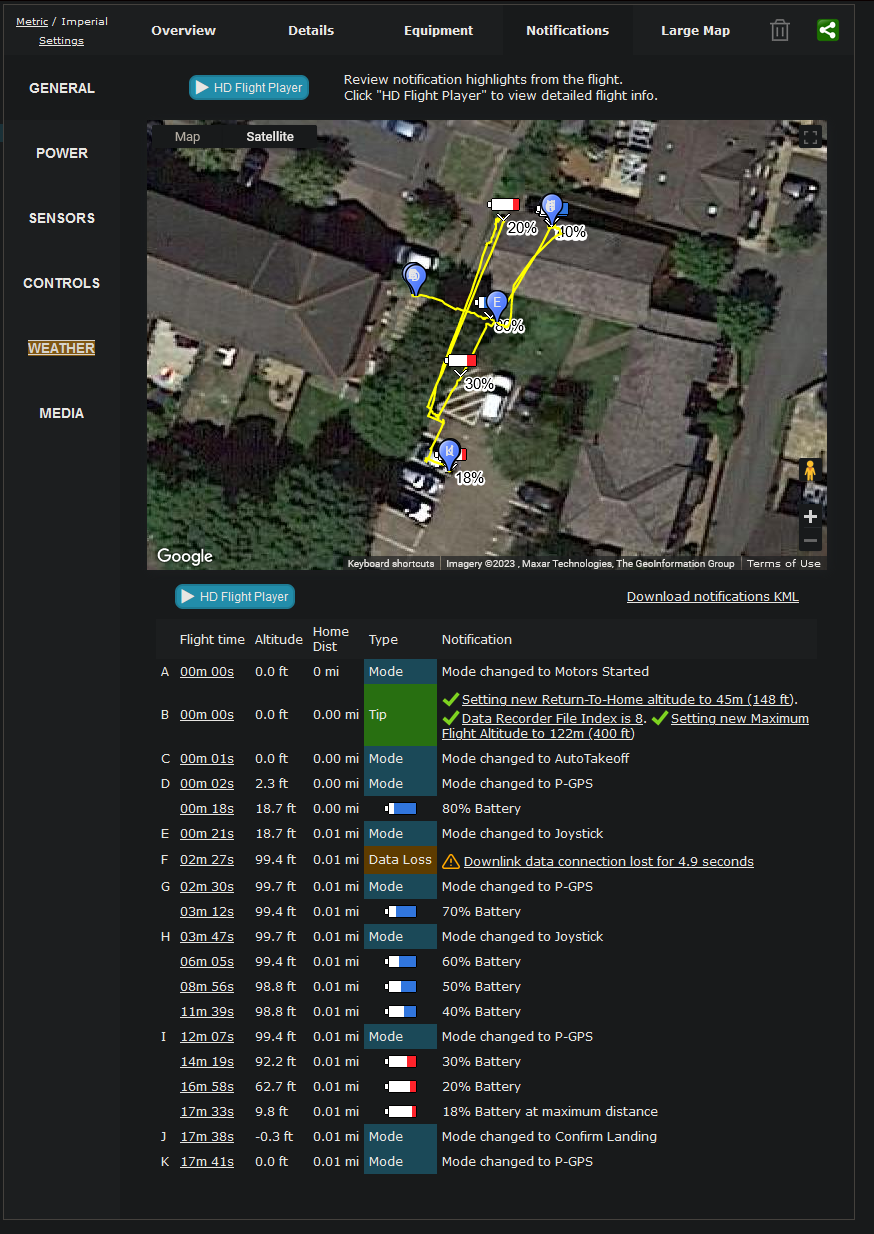
Below is a screenshot of the Airdata notifications
Comments
6 comments
Even when disconnecting the cable ?
Didn't think of trying that stéphane GARNIER I fired up dji fly but forgot to force close dronelink so naturally it didn't connect, then the battery was running low and the light was going so i called it a day, I've created a short mission to try some tests with so hopefully tomorrow complete with screen recording
Flew your mission Martin and also one of mine as well. Both triggered RTH on mission completion. I also paused with the controller button and it worked so DL did fix that issue. Good work DL team 👍🏼. Then I triggered RTH and it returned. If you can repeat the issue then it may be with Android OS devices so that may help DL to narrow it down. If it doesn’t happen again then as I say, it’s one of those technology age things which has no explanation. So far with 4.8.2 (275) as is well on my end with MA2 and iPad 11 Pro.
Well I tried again this morning with slightly mixed results, which are outlined in this video
https://youtu.be/vRno2CaCugA
RTH only works if you are at least 20m away from the home point IIRC.
Good point Jim McAndrew last night I might of not been far enough away, but the first instance today I was over 400 feet away, but seeing as it worked the other 2 times, put this one down to a glitch
Please sign in to leave a comment.