DJI Mini 3 Pro issues

HARDWARE/SOFTWARE
I'm using the following (and ALL firmware is up-to-date as of 4/28/2023):
- DJI Mini 3 Pro
- RC-N1 Controller
- Samsung Galaxy S9
- Dronelink software 64bit APK installed directly (not from the Play Store)
SETUP
- I DO NOT have a paid account yet for Dronelink but wanted to see if the app works with my drone first.
- I have connected my phone to the controller.
- The controller is paired with the drone via DJI's Fly App. That works fine and I see my drone's camera view and can fly the drone just fine using the DJI App
- I live in a restricted flight area but have released my drone using DJI's FlySafe website and have unlocked the zone I'm in...so I can fly here for basic, low altitude tests.
- Before I use the Dronelink App, I force-stop the DJI app.
- I then fire up the Dronelink App
ISSUE
I cannot get telemetry when on the Dronelink App. This is what I see.


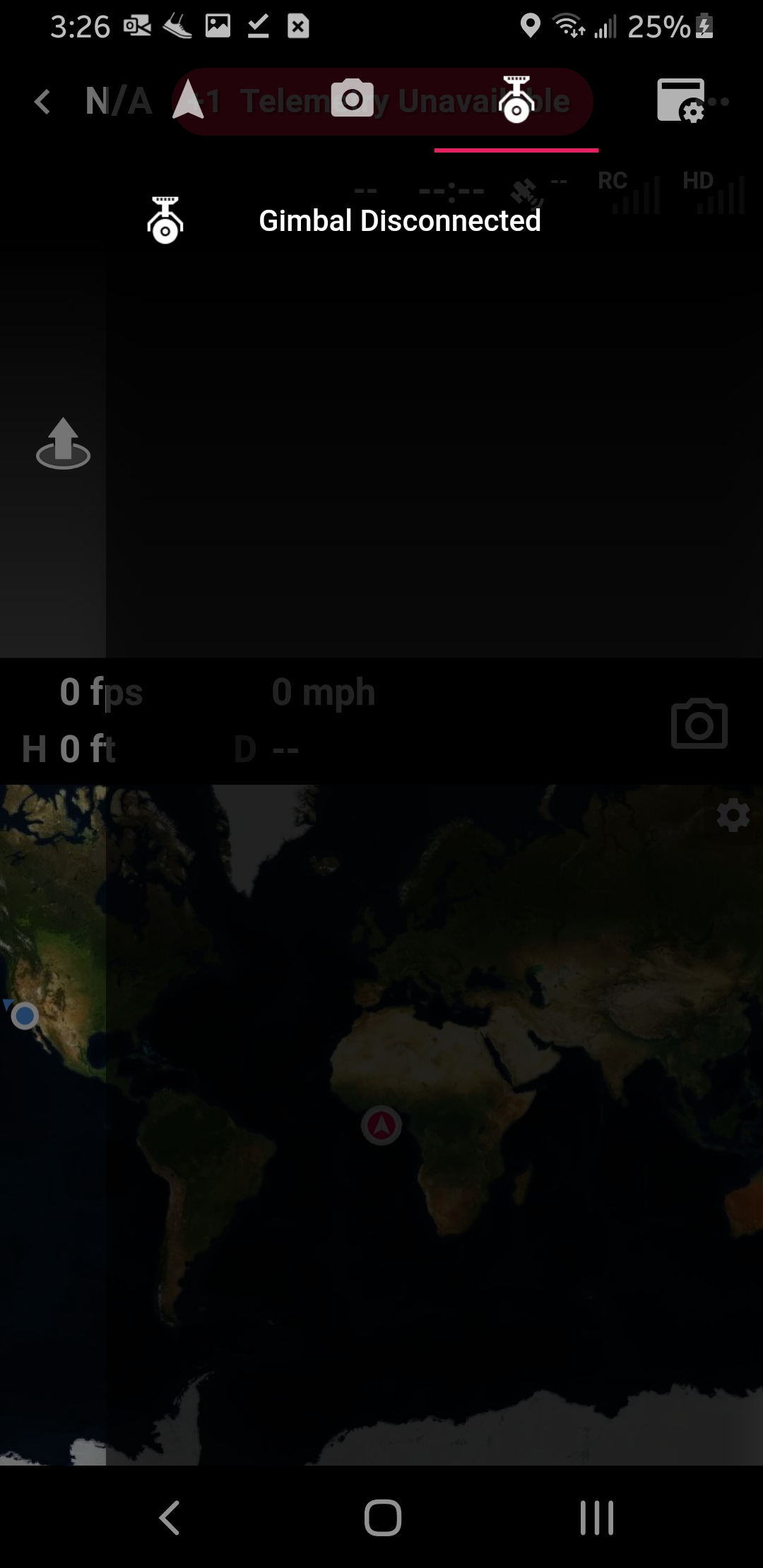

Any ideas? I will not pay for Dronelink if I cannot get past this step...it's that simple.
Comments
20 comments
That's not what I asked. I asked as to why I'm not getting telemetry. Obviously I'm interested otherwise I'd not be wasting my time doing this. I'm not sure why it's so difficult to get an answer to an issue. I will not pay for something that I can't even connect my drone to. That is a critical step whether it's Beta or a regular app.
The Dronelink apps are free to download and install. You can even connect to a drone and use the flight dashboard for free. This is a great way to ensure that DL can connect to your drone before you buy actually! What does require an account is running missions or modes.
This is correct, the wrong app was installed. See the instructions here:
https://support.dronelink.com/hc/en-us/articles/360033520874-How-do-I-join-and-test-the-Beta-app-
Actually the first app I installed was from the Google Store...that didn't work either. I could not get telemetry or connect to the drone via Dronelink's Google Playstore App. The screen shots you see above would look identical for the app from the Playstore. Unless of course what you are saying is the Playstore app doesn't work with the Mini 3 Pro. In which case, downloading the APK was the correct way to do it.
Nonetheless, I've not even used the app for missions or planning...I SIMPLY WANT TO CONNECT TO THE DRONE. If that can't be done and I can't get support for that, I'll look elsewhere.
You are not making any sense.
What is means is, if you have installed the app from Google Play, it means you've installed the wrong one. From the beta installation instructions that I previously linked:
https://support.dronelink.com/hc/en-us/articles/360033520874-How-do-I-join-and-test-the-Beta-app-
That's what I installed...app-prod-dji-rel....file 120.63 MB
And I still cannot simply connect to the drone. That's all I wanted to test. I don't even want to fly it using the Dronelink app.
You didn't read what I wrote initially did you
The error I now get when trying to Connect to Drone is:
REQUEST_HANDLER_NOT_FOUND
It sounds like you are clicking the Connect to Drone button in the drone settings panel, which puts the remote controller into pairing mode. To be clear, if the drone is already paired to your N1, you do not need to do this. You can pair it in DJI Fly and it carries over. If the RC is already connected to the drone, then this is the standard list of potential reasons why it can't connect:
https://support.dronelink.com/hc/en-us/articles/360052025194-Why-is-Dronelink-unable-to-connect-to-my-drone-
It is already paired but the controller but your app doesn't connect to the drone unless I try and pair it via your app. Otherwise there is no connection and thus no camera output of any kind. I have reviewed the issues list and none of them apply to my situation. At this point, I assume I have to pay for the account to make it connect to the drone.
No, see my comments above.
If it isn't on the list I linked, the only other thing I can think of is that the RC has the Mavic 3 firmware on it and not the Mini 3. The only way to switch it over is to do it in DJI Fly, but it sounds like this probably isn't your case either. Maybe one other option is you have it set to automatically open a different app when connecting the USB-C cable.
My firmware was updated via Assistant 2 (DJI) and has the latest for the Mini 3 Pro.
My phone offers me a choice between the DJI app or Dronelink upon cable connection.
Not sure what the issue is.
BTW...which paid version works with the Beta? Any of them? Or does it have to be commercial level?
The beta is based on where you install the app from, not what your plan level is. Anyone can access the beta, even if you don’t have a paid account (as stated previously). If you don’t have a paid account, you cant fly missions or modes, but you can still connect a drone and fly around manually in the flight dashboard. The other most common reason from this list is not granting all permissions.
I expierience the same issue - I bought account (monthly payment) and dronelink doesn't see the telemetry of dji mini 3 pro (beta app instaled directly from the dronelink website on samsung galaxy m51, RC-N1 controller) and I cannot solve the problem - could you provide step by step guideline how to install and set the configuration of the app?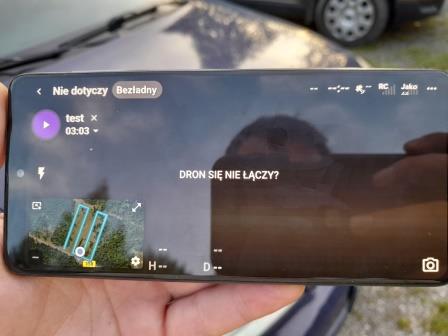
You need to go through all the items in this list: https://support.dronelink.com/hc/en-us/articles/360052025194-Why-is-Dronelink-unable-to-connect-to-my-drone-
Buenas noches, e realizado mapeo con dronelink en un mini 3 pro en versión beta no tengo problemas al conectar el dron lo único es que se apaga el programa muchas veces y tengo que abrir el programa de nuevo lo cual hace perder mucha batería abran encontrado alguna solución al problema
Me faltó mencionar que se apaga en pleno vuelo lo bueno que queda en modo espera pero se pierde mucho tiempo en volver a conectar
This behavior is documented here: https://support.dronelink.com/hc/en-us/community/posts/16409496589331/comments/20019915555219
Please sign in to leave a comment.