Web App

Hi Jim. Curious if there has been any issues with the web App ? I’m having issues loading the mission preview map with either IPad or PC. It just sits there for a long time. I’ve had this happen many times lately and when it happens I restart my PC or IPad and try again. Every time it didn’t keep the path, waypoints, markers etc. The plan is there but only thing that is left is the take-off marker, nothing else. Not sure what else to try but since it’s on both devices. I’m wondering if any issues. It’s never failed to keep all the waypoints and components even if the video didn’t load.
Just restarted my IPad Mini 5 and tried. I’m sending a screenshot. Sometimes it just says “Loading” but sometimes this pops up.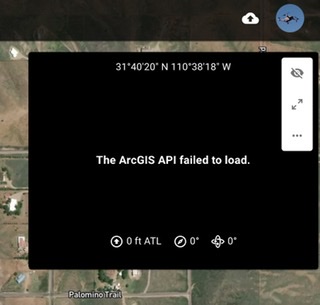
Im curious if anyone else here is having same issue.
Thanks, Mike.......
Comments
2 comments
I have heard a few users over the years mention similar behavior. It always seems to be associated with one or more of the following:
Any of these true for you?
On the ArcGIS failed to load message, we have an article here.
Hi Jim. I always only have one tab open, I restart the devices and run a fresh mission preview right after reboot and tested on a very short mission which I had just started creating and loss the several waypoints and markers. I Checked all three iOS browsers, Firefox, Safari, and Chrome and none of them have the cross tracking turned on. Chrome doesn’t have hardware acceleration in any of the settings on my iPad Browser. I believe that’s and old version. I only use Firefox on my PC and never had any issue till now. It’s not just the video not loading though, it’s not saving the plan when I exit.
I’ll just need to keep trying and see what happens on either PC or IPad. This just started and is a bit frustrating. Restarting my device or PC is understandable to refresh it. The video not loading is understandable but losing any plan components is a bit frustrating though. I’ll keep checking my PC and device. First time this has happened using same devices since October 2020. I’ll keep investigating and see if I find a reason why on my end. A bit baffling.
Thanks for info Jim.
Mike......
Please sign in to leave a comment.