App won't connect to controller - Air 2s standard controller

Have bought pro version day...
Have created a flight path on the web app and have successfully loaded in in the app ready for flying.
However whenever I go to 'connect to drone' it comes up 'remote controller is unavailable'. I have tried all the tips I can find on the forum but it still is giving the same error. Some of the things I have tried include.
- Uninstalling all other DJI related flying software (DJI Fly and Litchi), then reinstalling Dronelink a make sure all permissions are granted. Made sure its the latest version of Dronelink and the Drone RC and Drone are up to date.
- Fully charged drone and remote.
- Using a Galaxy A72 and Mavic Air 2 s along with standard DJI remote which plugs into phone
- Have unplugged device and replunged it... it does ask if I want to use the controller with the app - which I grant.
Nothing Seems to work... can someone help me with what I'm doing wrong? I have no problems with the DJI App and Litchi. Thx
Comments
15 comments
Uninstall dronelink. Then reinstall and make sure you grant ALL permissions.
Hello, Yes I have done that 3 times now. Hasn't Changed a thing. I've ok'd all the permission requests as they came in and have sure all permissions are granted via the app settings. See Sreenshot of all app permissions allowed.
Are you on the latest drone firmware?
yes - Just Updated it yesterday a few hours before purchasing dronelink.
Just a couple things to add. How about changing the cable ? Seems like you have checked everything else. Also did you use DJI Assistant 2 software to update the firmware on both. Sometimes using the app over Wi-Fi is fine but sometimes it does not update correctly. I always use my PC for firmware updates or to refresh it since that’s the only way you can. Just some ideas. Good luck.
Thanks Mike - I didn't know about that software... so its good to discover.
However, I reupdated it via DJI Assistant - but it hasn't helped (Also reinstalled, restarted the phone, reinstalled litchi - which still works so it can connect to other software, uninstalled litchi and tried again without success).... I have attached a scrnshot of the problem if that's any help.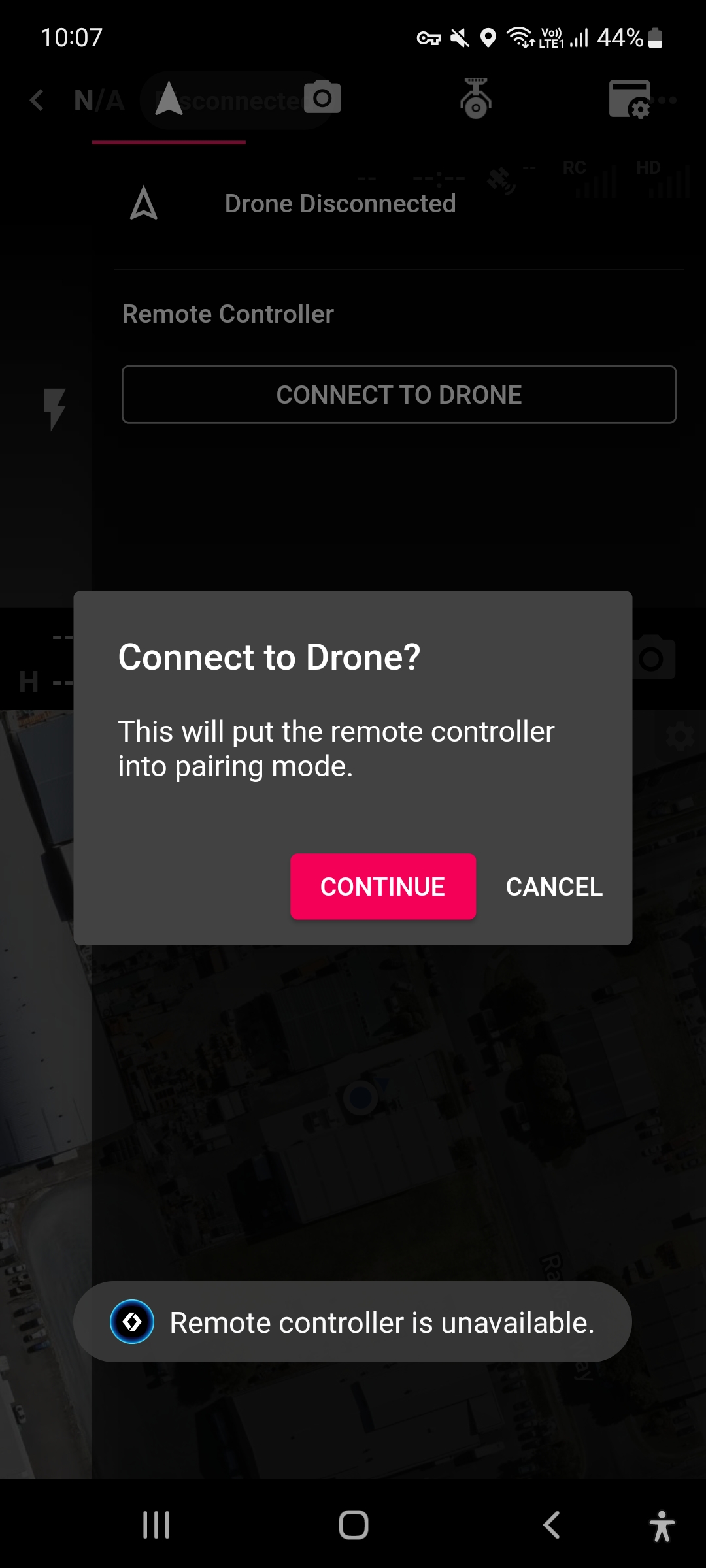
Jus adding to the above... When I plug in the remote it asks me if I want to connect to the RC (which I accept) - So it's definitely connected to the phone.
That is strange. It may be something with that particular device. I’ve seen a few using certain Android devices which just won’t work due to something. If you have another device to try you may give it a shot. I’m sure DL will help to I figure it out. Sorry I can’t help more.
Do you have Android set to automatically open Fly or Litchi when the RC connects? Usually the system prompts you the first time you connect the drone if there are registered apps for that interface. If you answered yes, then it is possible that one of those apps is taking the connection in the background.
No it definitely asks me what app I want to pair it with when I connect it - and I always choose dronelink.
I've tried both setting dronelink as the default - which opens the app automatically when the rc connects (but still shows as disconnected in the app), and manually selecting it which also doesn't work.
Do you have another cable or device you can try it with to see if it is device specific?
Have tried both another device with both original cable and new cable without success.
Im starting to think it may possibly be a admin device monitoring app which is possibly blocking firewall access within the app... I've just discovered I can't also acres the mission planner page also (it just keeps loading and loading without connecting).
Could this be the case?
The DJI SDK needs network access at least once to register.
Got in contact with the admin of the monitoring app and they played around with the firewall settings.
Now connecting fine - even with all the other DJI connecting apps on the phone also. So it must've been the monitoring app preventing the access.
Thanks for all your help everyone!
What monitoring app, and what was it monitoring
Please sign in to leave a comment.