All Fields Obscured at left margin by small opaque artifact

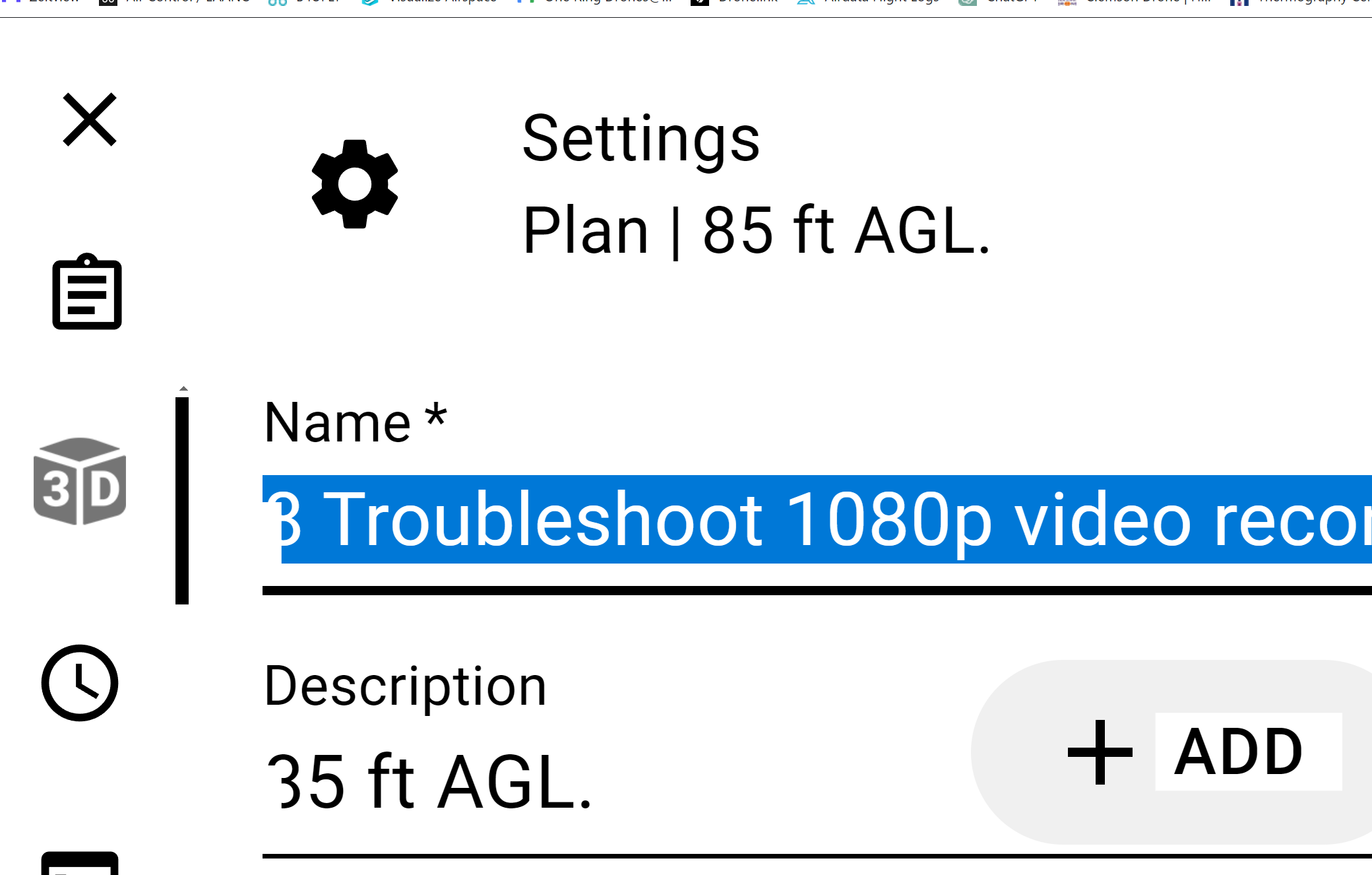
Something weird on a New Lenovo laptop. Only Dronelink seems effected. There is a small obscuring opaque rectangle in the left of each entry field in the Mission forms. I've searched through the mission settings and can't see anything that might be causing this. Has anyone seen this is before? It make it difficult to read what the first character in the field is because it is partially blocked.
See the screenshot below. You can see the effect on 2 fields in DL.
Comments
7 comments
It looks like the version it is serving you is the small, phone screen layout. Can you instruct the browser to give you the full desktop website?
Let me highlight in yellow the opaque little rectangles that block the beginning of each field. In the first field the"8"is blocked and in the second the "8" is blocked also.(desktop view).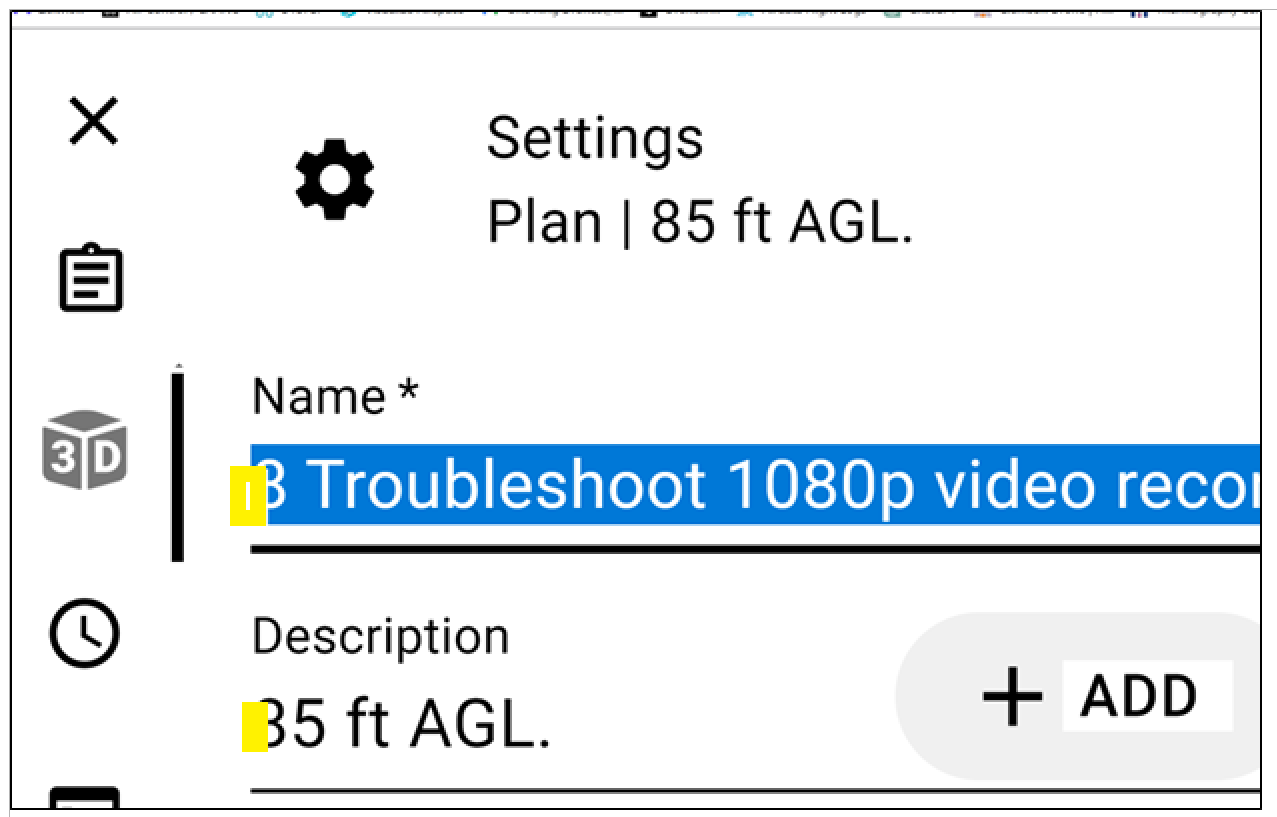
After fighting this for a month, The problem has been inadvertently solved. I don't know the exact cause, but I reset Windows 11 settings, cleared all caches, and reverted to standard / default screen themes from custom ones.. Also removed all "accessibility" settings on the laptop. Now the annoying obscuration is gone and I can see the first character in each field completely. Whew !! Something for the Dronelink Documentation job aids going forward, eh.... Lets close this one out !
It if happens again maybe try reducing just the font size first. Similar when using a web browser on my PC. If fonts set to large it displays something similar.
Right, that's what I thought too. Dead end. Something about the theme rendering as amiss. "If you push enough buttons, you eventually fix it".
Makes sense. The theme changes the Screen, resolution, fronts etc. At least you got it figured out. 👍🏼
Please sign in to leave a comment.