Effect of mapping altitude on Horizontal speed

While planning a mapping mission earlier, I noticed for the first time that the altitude effected the horizontal speed, the scenario is as follows:
- Grid Pattern flown at 198 feet (-90 gimbal)
- Duplicate of 1 flown at 98 feet (-75 gimbal)
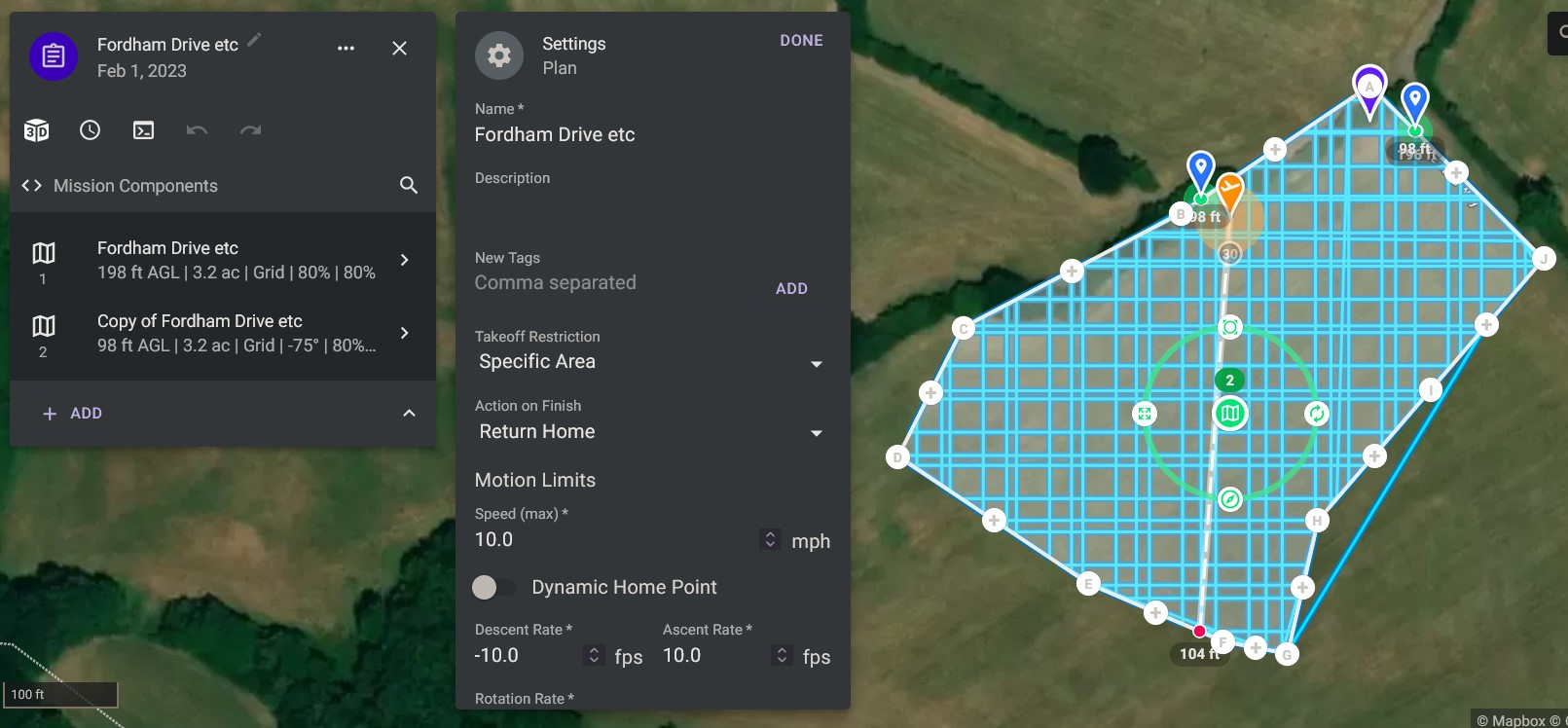
Screenshot of mission

Duration of each Mapping Component

Horizontal Speed Graph
Looking at the Horizontal speed graph, it can be seen that the max speed reached at 198 feet is ~13 MPH, whereas at 98 feet its ~7 MPH, was just curious as to why this is?
The mission is here https://app.dronelink.com/martin-reading/hudson-mapping/plan/dOGkgaQaGY5gJuVXuMK4/TtKqhgzM6zWkia8jOhYn
Comments
8 comments
I thought this might have been because the capture speed was set to distance and, perhaps, at a lower altitude it needed more time. But...playing around with it...it definitely seems to be the altitude that is causing the change.
Maybe it's more worried about trees at 98 ft :)
The map component is solving a multi-variable equation given altitude, max allowed speed, min allowed capture interval, and overlaps given the camera sensor. Since it knows the camera cannot capture faster than 2s (what you have set) and you want a specific altitude and overlaps, the only choice it has is to lower the speed to make the equation solve.
Cheers Jim McAndrew, I thought there was probably a simple/logical reason behind it, and i was right on at least 1 count :)
Cheers for taking a look Barry Houldsworth
Martin Reading
No problem. I was on the right track at least :)
Barry Houldsworth, 👍, it's actually good to know as on other sites I've seen the question get asked about whether the speed should be lowered when lowering the altitude, and taking non nadir photos, and here we have the power of Dronelink doing exactly that for us👍
It is not really a surprise that the speed depends on several parameters (height, ...).
Is it then clear that the speed parameter is an output of DL computation, that the pilot can not change ?
stéphane GARNIER, I've had a play, and you can reduce the max speed of the higher altitude layer, but all this really achieves is making the mission longer, as according to figures in mission summary, the same number of photos are being taken, which makes sense, as all the other parameters (min capture interval, overlaps, altitude, and area of project) are all staying the same
The speed is more like a speed limit, which is why it is labeled as Speed (max). As always, when in doubt, just run a mission preview to see the truth.
Please sign in to leave a comment.