Saving an on the fly Orbit as a mission

Once upon a time in on the fly there used to be 2 methods for flying an orbit:
- The Orbit Function (you can't save anything flown as as a function as a dronelink component/mission)
- A circle mission component that you could save with a given name
Then recently #2 was scrapped and changes made to #1 to incorporate features from #2 so that folk didn't get confused between the 2, however this meant that if you set an orbit up in on the fly you couldn't name and save it in Dronelink, or did it....Well the answer is yes and no.
So let me explain:
If you open up on the fly, and scroll down into the advanced mission plans you'll find one called multiple elements, if you tap on this and then get started, then select orbit following the on screen instructions, then click on none when asked for any more elements, you'll thern get asked to name the mission, job done :)
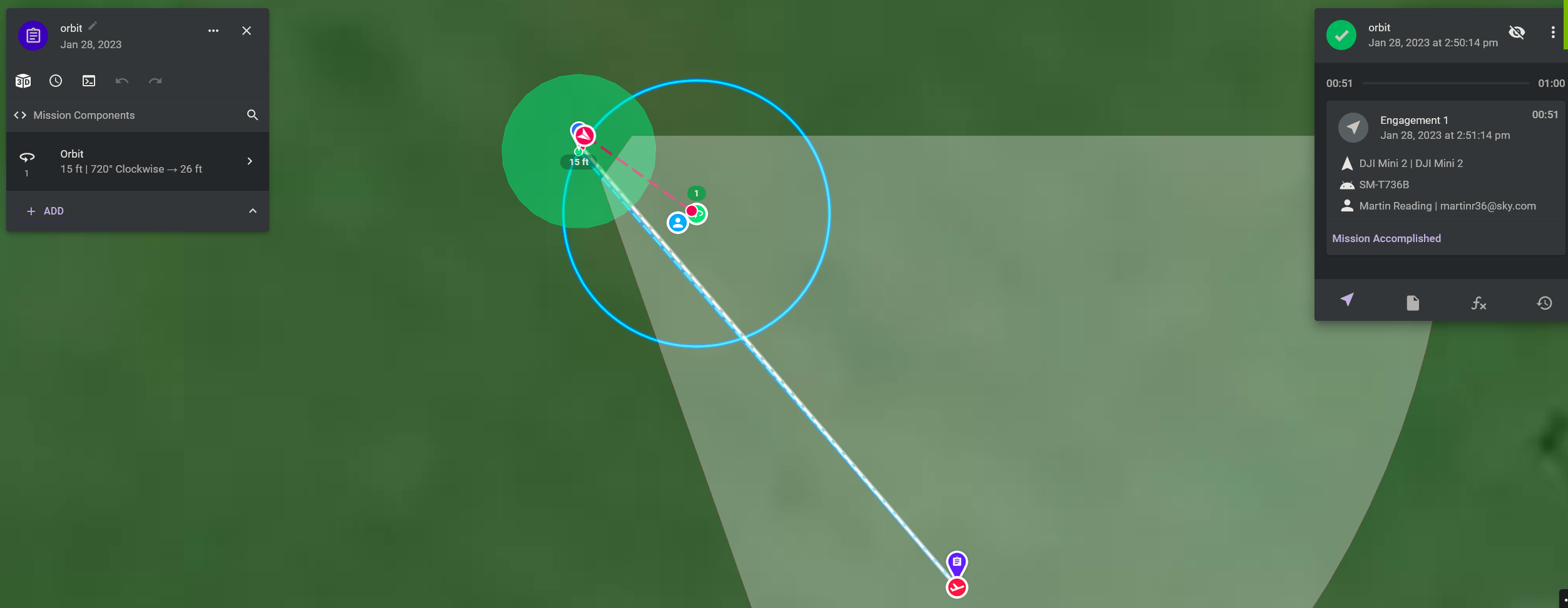
Below is a screenshot of a completed on the fly orbit mission that was set up following this procedure
Comments
3 comments
If you answer no to this advanced input, then you can save it off as well:
Cheers for that clarification Jim McAndrew
I was going to ask the same question since these were changed. Good to know.
Please sign in to leave a comment.