Best flight path for complex terrain Photogrammetry

Hi. I recently did a flight with a Mavic Mini SE, and used WebOM Lightning for photogrammetry. I got some really mixed results: 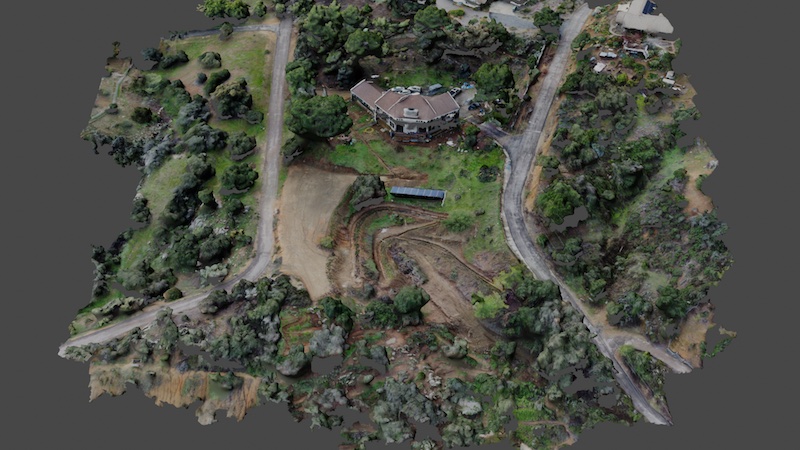
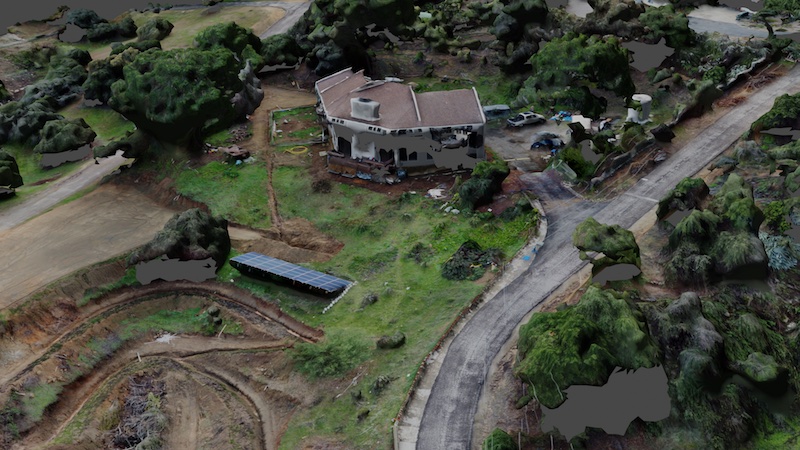
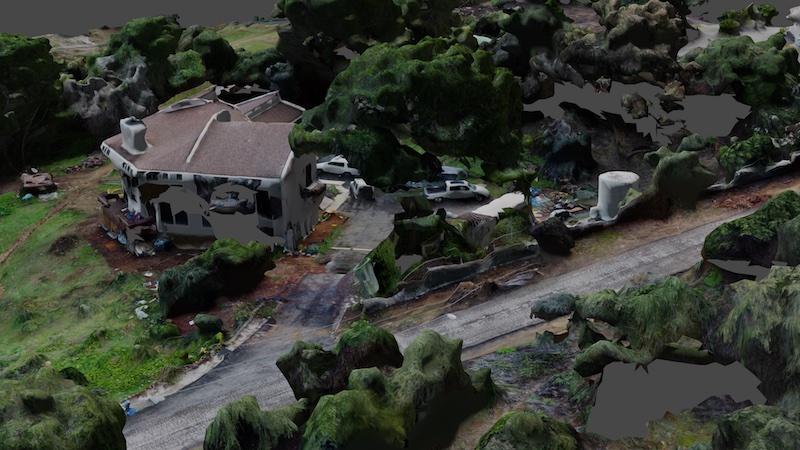
1) The ground textures are beautiful at places 2) the topology is very good 3) The home has lots of holes in the sides 4) The sides of trees often have holes.
I want to be able to simulate walking on this property at human level, so details at eye level are important.
How should I modify my flight path to fix these problems? This is what I used:

Any feedback is appreciated.
Comments
4 comments
Can you share the link to the flight plan please ?
Sure, flight plan is here: https://app.dronelink.com/marco-zirino/my-first-project/plan/24vvE18YSn41OpPHqwjg/ojZVXcKLHbQqrz7ops0P
Hi Marco Zirino, maybe slow down the second map to about 10 MPH, see if that makes any difference, also if you haven't already, ask the same question over on the OpenDroneMap community, they can advise on the best settings for using in WebODM Lightning
An observation or two on the declining orbit. It is almost directly over the house so it cannot see the walls at all. The map will capture some of them since you have set at -75, but maybe not enough. (At least in Google Earth it appears this way.) You might try A) keep the orbit the same radius the whole time, and if possible due to trees, the same altitude. B) Add a POI for it to track on adjusting Altitude offset if needed. C) Make the orbit radius quite a bit larger to allow the drone to better see the walls. I doubt the current orbit is helping to much except maybe the roof.
You can always manually fly the drone to capture the areas that are problematic and just add those photos into the full set.
As they say, Your Mileage May Vary!
Please sign in to leave a comment.