Camera, Drone, Gimbal & Controller Command Lists buried

Earlier on I was looking at putting together a list for some pre flight settings and had trouble finding the lists mentioned in the posts title, I did find them in the end following the path laid out below
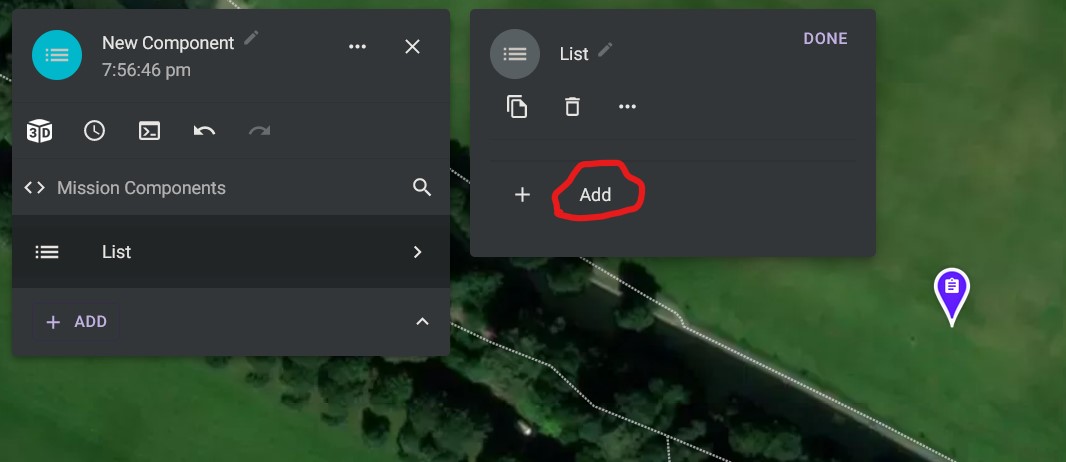
first level menu click on ADD

Second Level Menu (This to me say's it refers to Camera Commands due to the Icon)
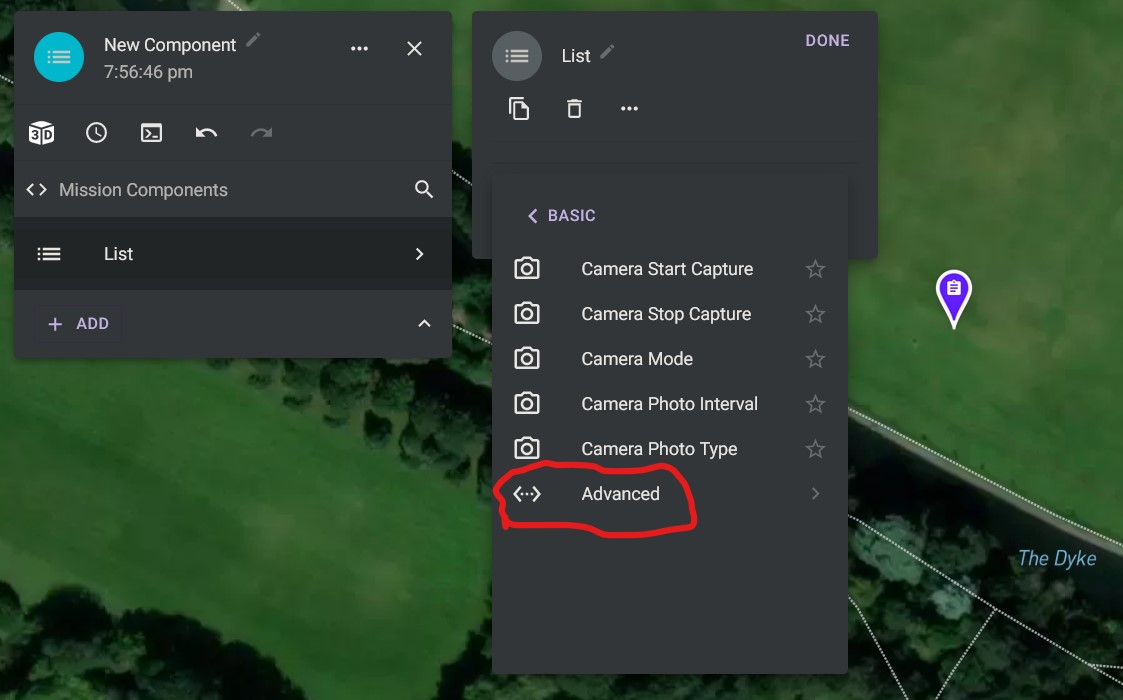
Third Level Menu, clicked on Advanced (We're getting there)
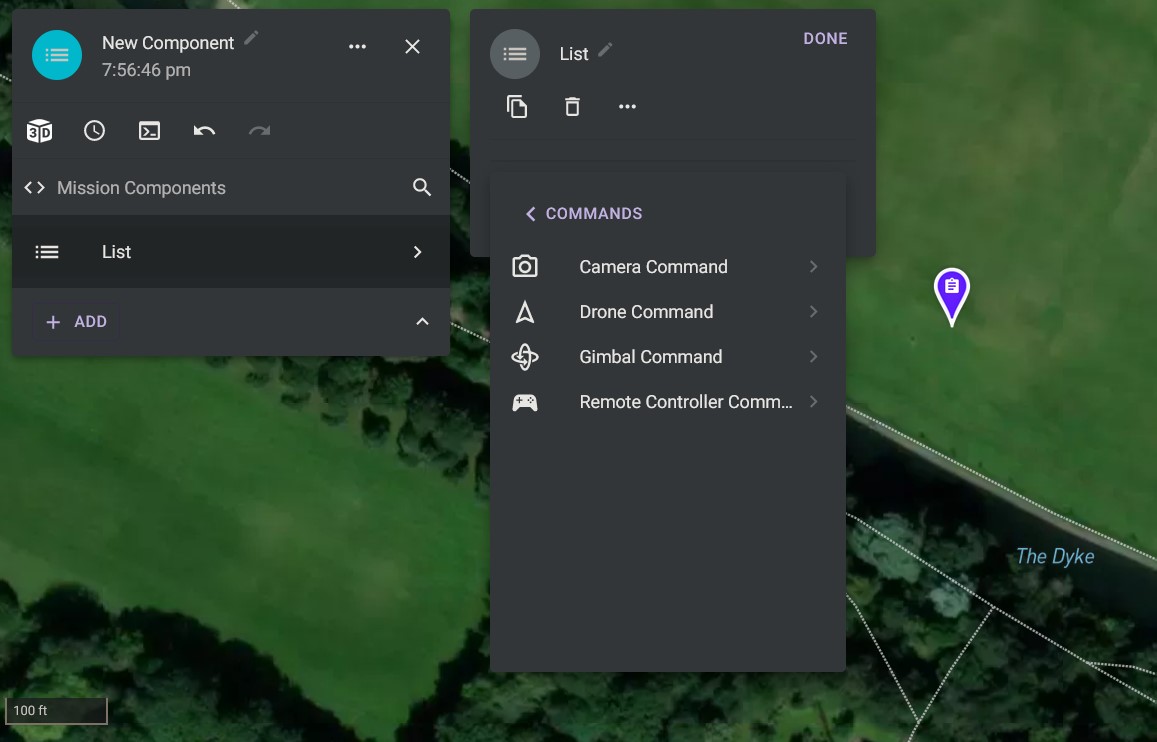
Fourth Level Menu (Yay we've arrived)
So a couple of suggestions to make them easier to find:
- Change the Icon and maybe bring them forward a level so they are under those camera commands
- Put them under the advanced link on the level 2 menu
Comments
8 comments
I believe that’s why they added the ability to add favorites. This way when you click + add your most common (favorite) camera, drone & gimbal commands are right there. Quick access and Works great. 🤙🏼
Cheers for the tip Mike 🤙🏼 just got to find them first to add as favourites...lol ;)
The other option if you know (or have a good idea) of what you are trying to add - when you are at the top of that there is a search box. Type in what you are looking for and things will start to appear as you type:
Here I searched for AEB
Cheers Barry Houldsworth , yet another great tip🤙🏼, that's what I love about this forum, everyone comes up with suggestions of doing various things
One of the "problems" with something as powerful as DL is that there are dozens of ways to do many tasks.
Search is definitely the recommended approach. The problem with moving them up to the second level is new users get completely overwhelmed.
completely understand 🤙🏼
I created several camera component lists a long time ago I don’t need to do much now. Just add from Repo and done. It is handy to have the favorites there if I need to grab one or two particular commands though. 🤙🏼
Please sign in to leave a comment.