Just 2 photos taken during an orbit.

Hi all,
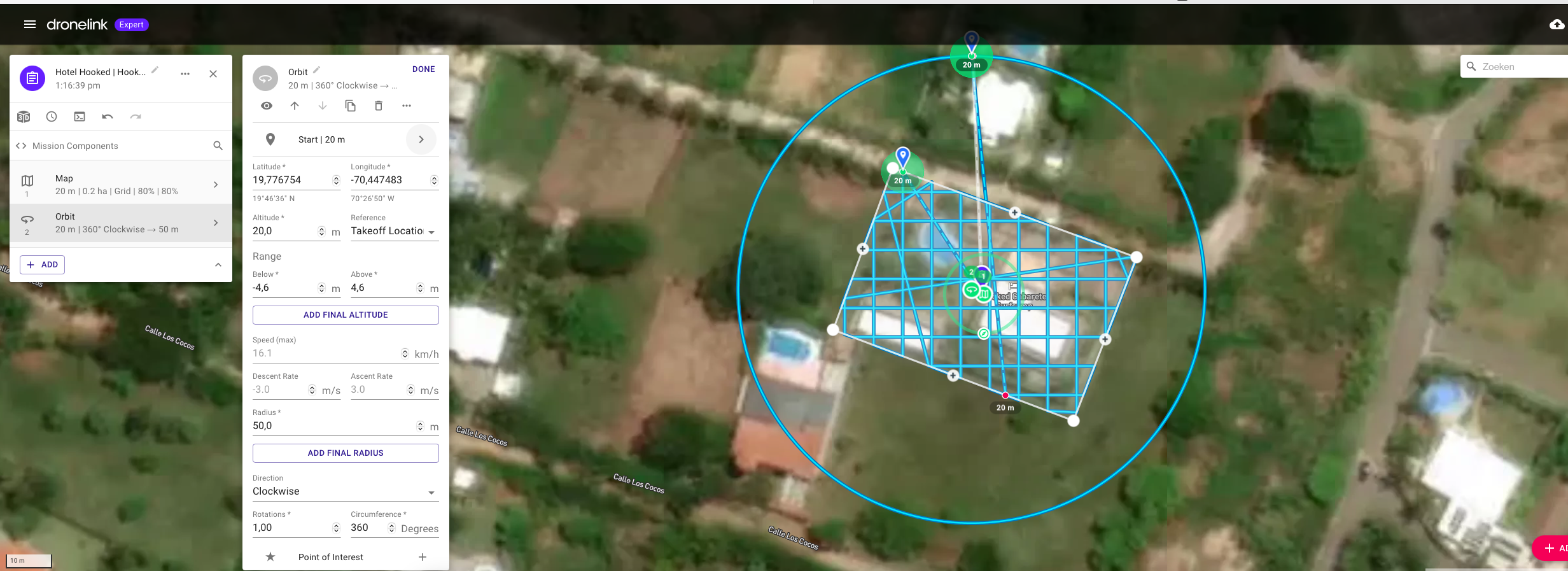
I have a small challenge; during my flight plan, that exists of a map and an orbit, I realized that when the orbit starts my drone (Air 2S) only takes 2 pictures instead of the planned 36.
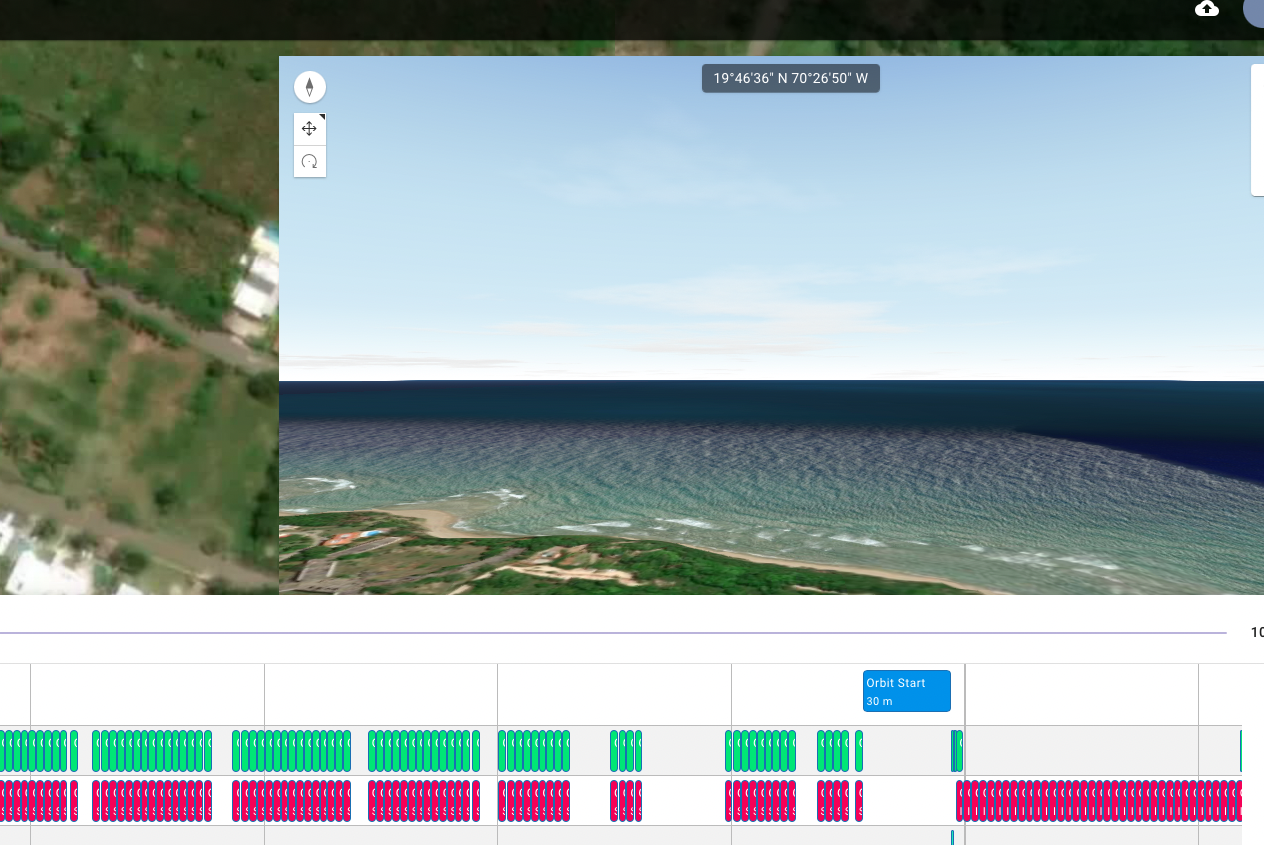
During the orbit, 36 pictures should have been taken (as you can see in the mission prevue) but only 2 are the result. I have experienced this during other flight plans too. Am I doing something wrong or did I forget something in the configuration settings?
Best Regards,
Danny
Comments
19 comments
Please Share the plan. Are you using the most current firmware ?
Yes, I use the latest version of Dronelink.
https://app.dronelink.com/danny-hentenaar/hotels---objects/plan/OdfoLIHMiGpJfUjPSGvo/fM8AAOU2n2ga7A2cojRg
But are you using the latest (unhacked) firmware for the A2S, that's what Mike is asking
I've copied it and will try to fly it with my mini2 at the weekend
Did your SD card run out of space or did you accidentally hit the shutter button on the RC?
Regarding the latest DJI firmware: No, I am still using version 02.04.2040 (downgraded via a hack) so I have the FCC standard output power which is much much much better in range than the European standard.
As far as I can remember this problem wasn't there when I used the previous version of Dronelink 3.4.1.
Best Regards,
Danny
This could be part of your problem, maybe Jim McAndrew could comment
Yep, could be and is always the first thing that a software company shouts.
I know because I used to work for a company that did the same thing although we knew it was a problem of our own software. Have to test it first to make sure but I am convinced that in the previous firmware version this problem was not there. Main thing is that the hacked dji software (v02.04.2040 )stays because if I upgrade that one, I get another ranging problem back which is far worse than this problem. My main objective is that when the this part works on version 3.4.1, it should work on the latest version too.
Danny
To be fair, I don't think Martin was shouting - probably just trying to be helpful.
Can you please answer my questions:
Also, if you are able to reproduce it every time and the two things above were not the cause, I can try flying your exact mission here.
Yeah i was going to give it a try here as well with my mini2 Jim McAndrew, it all looks good in preview
So, finally back from hospital and ready to give a reaction.
First of all: Martin Sorry. It wasn't meant that way and nothing personal. I know you are trying to help.
To answer the 2 questions: No to both. SD card is alway empty when I start and 128GB should be enough. Ik think that I am going to try the older software to find out if this brings any solution.
I'll keep you updated.
Regards,
Danny
👍
No worry's Danny 👍 Might get a chance to try it out here tomorrow with the Mini2
Good morning all.
I think I found the solution; during reading other posts I found an article about orbits e.a.
Tried these settings yesterday (with an orbit and extra commands) and guess what: they work!
So thanks for reacting and your effort.
Regards,
Danny
Danny, can you please share, the plan that worked with those commands in it
If there is a reproducible bug I would still like to know so we can fix it.
Check
https://app.dronelink.com/danny-hentenaar/hotels---objects/plan/9CJzUKchMMEtLpMp3PR3/O8zIW5do5lW1gj5XakYe
regards,
Danny
Ok I flew this, this afternoon, with my mini 2, and got the following results (projected in brackets):
Map 79 (79)
Orbit 15 (35)
Total 94 (114)
So closer than what Danny originally got but still don't tally up
As for the latest link, I'm intrigued with that, as as far as i can see it does nothing as the commands are at the end of the mission, and the orbit has Auto capture set on it, however one thing i noticed is if you look at the photo intervals of the photos in preview, they show as a 2second interval, whereas today while I was flying the mission I observed that it was showing a 5 second interval above the shutter control in the dashboard
The automatic capture does not change the photo interval before starting capture, so the preview / estimate assumes 2 seconds. If you want to ensure a certain interval, you need to add those commands before the component with automatic capture.
We were not able to reproduce this with the original plan.
Please sign in to leave a comment.