Build 4.1.0(226) | kernel 4.1.0 - Autel Evo II (v2)

Mission failed at the first component.
Observation:
- Autel Explorer App had to be closed after DL settings were applied for Evo II support. Noticed Autel Explorer App and DL App cannot both be active as this leads to drone connection issues between remote and DL.
- Mission type: Map
- At the map start point, the drone tries to orient the camera but fails consistently with the error "Drone Home Location Failed" reported. aborted. Snapshot below:
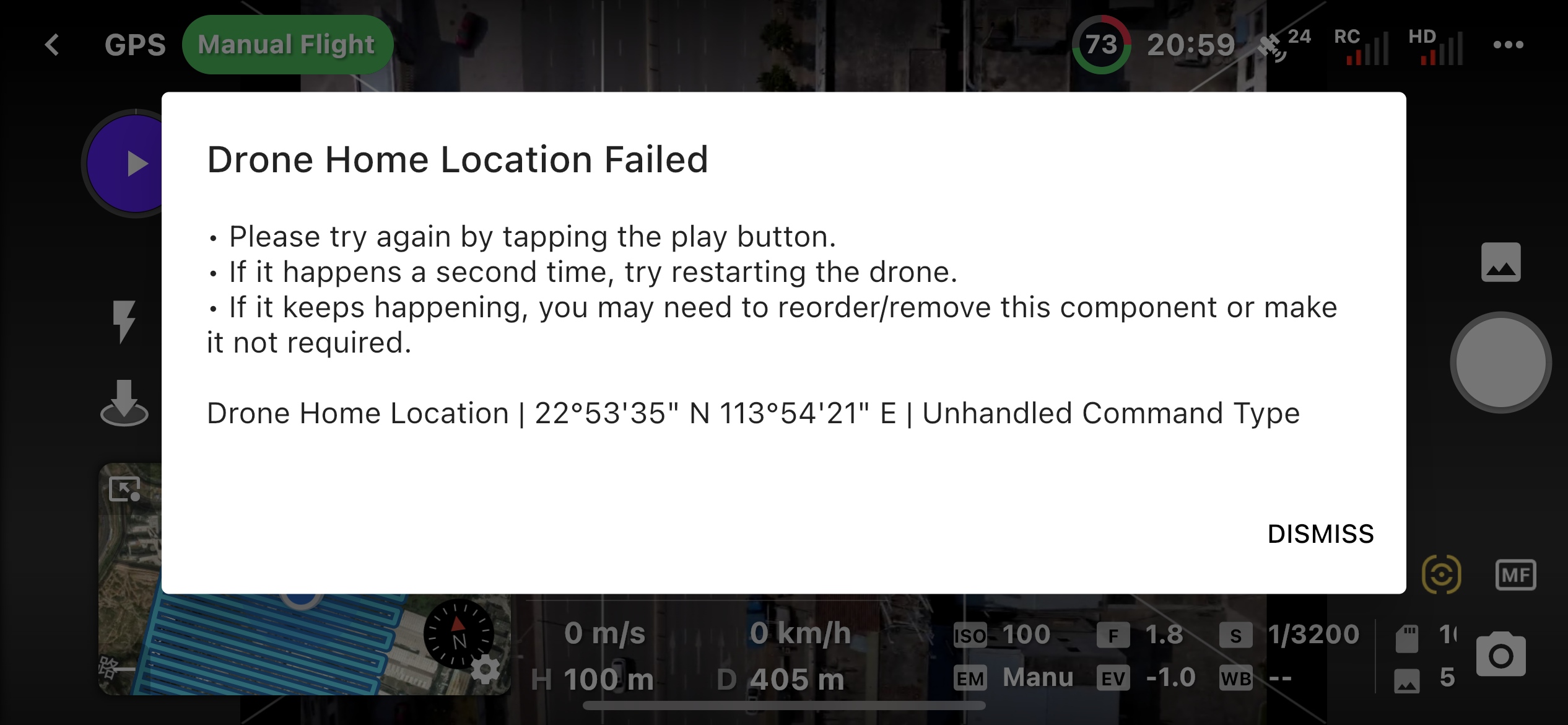
An improvement over my last test with 220/221 is that at least this time the V2 flew to the start of the mission.
Comments
12 comments
This is totally standard, and is the same for DJI drones with DJI Go / Fly.
As the error states, that command type is not supported, so you need to remove it from your mission plan. For the full list of supported commands:
https://support.dronelink.com/hc/en-us/articles/8293359753491-Autel-EVO-II-Series-Support-Overview-and-Limitations
@jim the only component in this mission is the standard Map component that’s been confined to a custom area. If I delete it then there’s nothing in the mission.
Did you enable dynamic home point or something?
Yes. Dynamic Home Point was enabled. So do we need to capture it as part of the Autel Support home page? That must have been the cause. I’ll do another test without that enabled and report back.
On the scenario of leaving the stock app open, I actually didn’t find this the case with DJI. I’m able to leave the DJI App open in the background and use DL just fine. Just a side note. Perhaps best practice to close it. So I’ve note that.
Probably, though very few people use that feature.
I guess you are one of the lucky few.
Am happy to report first successfully DL mapping mission on my Autel Evo II V2. Mission wasn’t exactly complete because I ran out of battery juice, but this time around the mission of 14km was flown with 90% completed in 33 minutes.
Dynamic waypoints was disabled and standard map component was used. I am eager to see a confetti show for the Autel tomorrow when I complete the mission.
🎉🎉🎉
So, i finished the mission successfully and got my confetti show off. I repeated another map mission today, ~13km and successfully completed that too. Confidence rising.
Here are few observations... I hope the logs are help the team to further any improvements.
Observations:
- Still Sluggish turning and jarring localization at corner points. During mapping missions, the drone sometimes loses bearing (even with 22-25Satellites) and either turn around on its axis erratically, several times, or yaw around in circles... quite scary sometimes.
- Also, I noticed that at corner turns, for mapping missions, angles far less than 90 were less problematic. Where the angle was greater than 90 degrees, the drone wanders off sluggishly and tries to correct... most often leading to a "drone off course" notification.
- Also, while breaking is at 100%, it will overshoot points, while at the same time turning which leads to being completely off the mapping mark.
Ongoing test update:
(1) The toilet bowl effect of DroneLink and Autel Evo II captured in screen recording
- https://www.youtube.com/watch?v=LLgxl7FEGC8
(2) I also observed intermittent crashes (at least 3 times during my test today) of the current DL App v 4.1.0 (226).
(3) And then there was also some loss of connection between the App/RC and the Drone when the signal reading was all 5 bars.
(4) And many times, after a battery change, DL stays in "estimating mission" for a long time - today I calculated an ~18-minute wait and 5-minute wait between batteries when there were more than 23 satellites, full internet connectivity on 5G, and the drone and RC had 5 bars for both videos and signal quality. I had to stop and restart DL a couple of times before it worked.
Thanks for continuing to test. Just so you know, the Autel support is out of beta so going forward you should submit separate bug reports and feature requests for each issue.
Guessing this is due to not using the settings described here, or due to high latency / poor signal on the telemetry (given you comments about losing signal).
Try smaller missions (see comments below).
We observed that the Autel SDK reports incorrect signal level sometimes and there isn’t much we can do about it as this is a hardware / environment issue.
You should try splitting your missions into smaller sections. Optimizing performance for large maps is something on the roadmap, but for now, the recommended approach is to plan multiple, smaller missions.
Thanks, Jim!
For the bug reports, I'll bookmark that to ensure the team gets updates accordingly.
For the settings, I've locked them in already in the App so I can confirm they are the recommended settings. I check on each flight if they are the same since I only use DL to run the Autel Evo II.
Please sign in to leave a comment.