Mission Preview - Mission Battery Estimate

This feature request is meant to improve the Smartphone App.
Request:
A user creates a mission plan, say a mapping mission, on desktop or on mobile, and then on a smartphone and generates a 3D preview on the smartphone. Battery-relevant information available on the desktop is missing on the Smartphone. Battery-relevant information such as the "number of batteries" estimated to complete the mission.
In the 3D Preview for the mission (Mission Preview), there are currently Map name, Date, and 3 tabs for - 3D/2D toggle, Mission Estimate, and Generate preview.
- Mission Estimate Summary could include the "Battery estimate" and "Battery change distance".
- Alternately, in "Generate preview", information about the "Mission battery estimate" for the mission, and battery change distance/time.
Comments
5 comments
Hello,
When you are on phone, generate preview and go to landscape mode. At top right corner you will see "graph" icon.
If you want to scroll and see batteries info, you must scroll on column part(Drone,Camera,Gimbal).
Hope i explained enought so you can find it and i hope that is what you are looking for.
Oh now I see it.. not very intuitive and obvious though, but thanks.
It would be good to have it as part of the mission summary just a parametric value for Battery required. This is quick, intuitive, and avoids loading another page.
Dejan, can you post a screenshot of what you mean, as i don't see a graph icon
Edit mission>generate preview>go to landscape mode>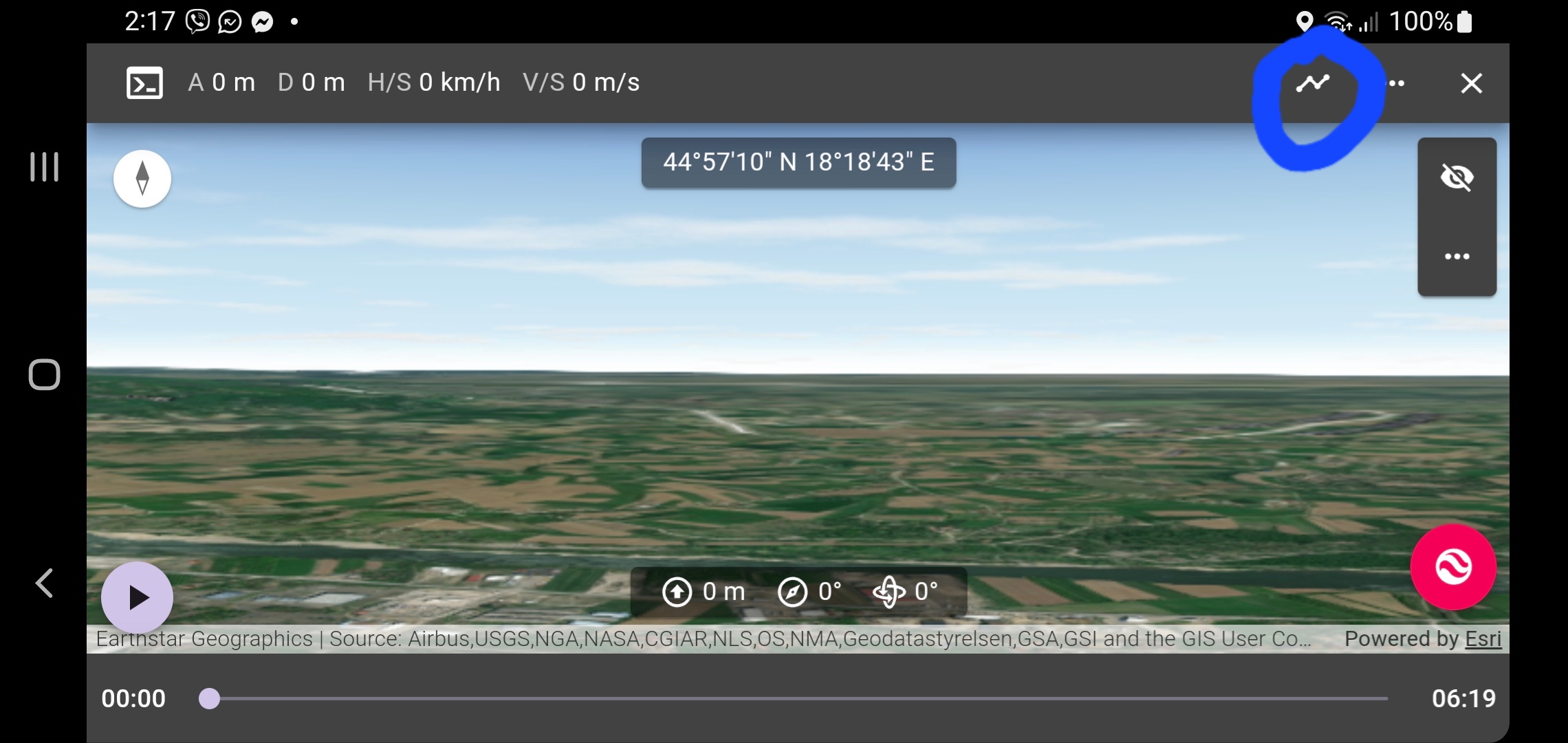
Ok, this as i thought dependent on screen size/resolution, I've got 3 devices I use:
Please sign in to leave a comment.