Setting Dashboard flavour from within the plan settings

Came across this purely by chance earlier today, and it's only one of several settings you can make for the native app from within the plan, to get to these, just click on Add User Interface Settings from within the plan settings
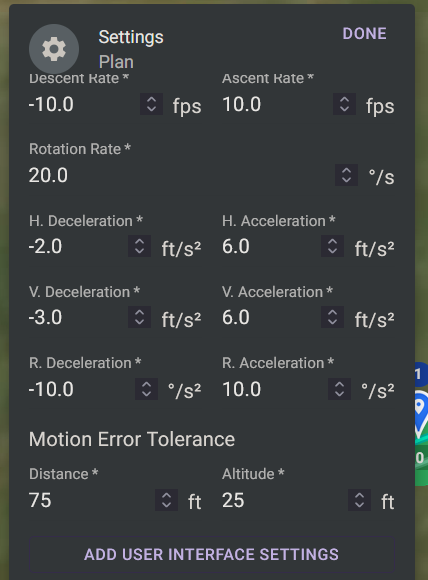
Then pick what you want from the drop down
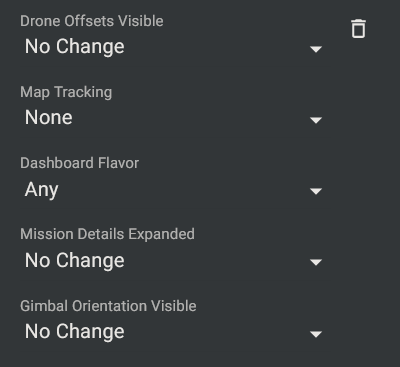
.Leaving the Dashboard flavour on Any, will use the last used Dashboard layout, otherwise you can choose Classic or Modern and the appropriate Dashboard will open when you load the plan
Comments
3 comments
It is present in Business plan, right ?
stéphane GARNIER, I think it's in all plans, I've got Growth
You can access that in the Web app as well. Any is default.
Please sign in to leave a comment.