dashboard

Google Pixel 6, Air2S
When I am in the dashboard, I cannot locate the settings as per instructions:
"Access settings in the flight dashboard by selecting the "..." menu on the top right in the mobile app."
I'd really like to get to drone settings, but can't. Hence, I cannot change max altitude. So, when trying to fly mapping missions at 7000 feet, get "max altitude reached" message and mission stalls.
Otherwise, have flown multiple mapping grid missions without issue, at altitudes up to 5000 feet (usually only 60m above ground surface)
Comments
8 comments
can you post a screenshot of what you see, and let us know what version of Dronelink you've got
Wow, quick response, thanks! I've got the "expert" version and here's what I see on my Pixel 6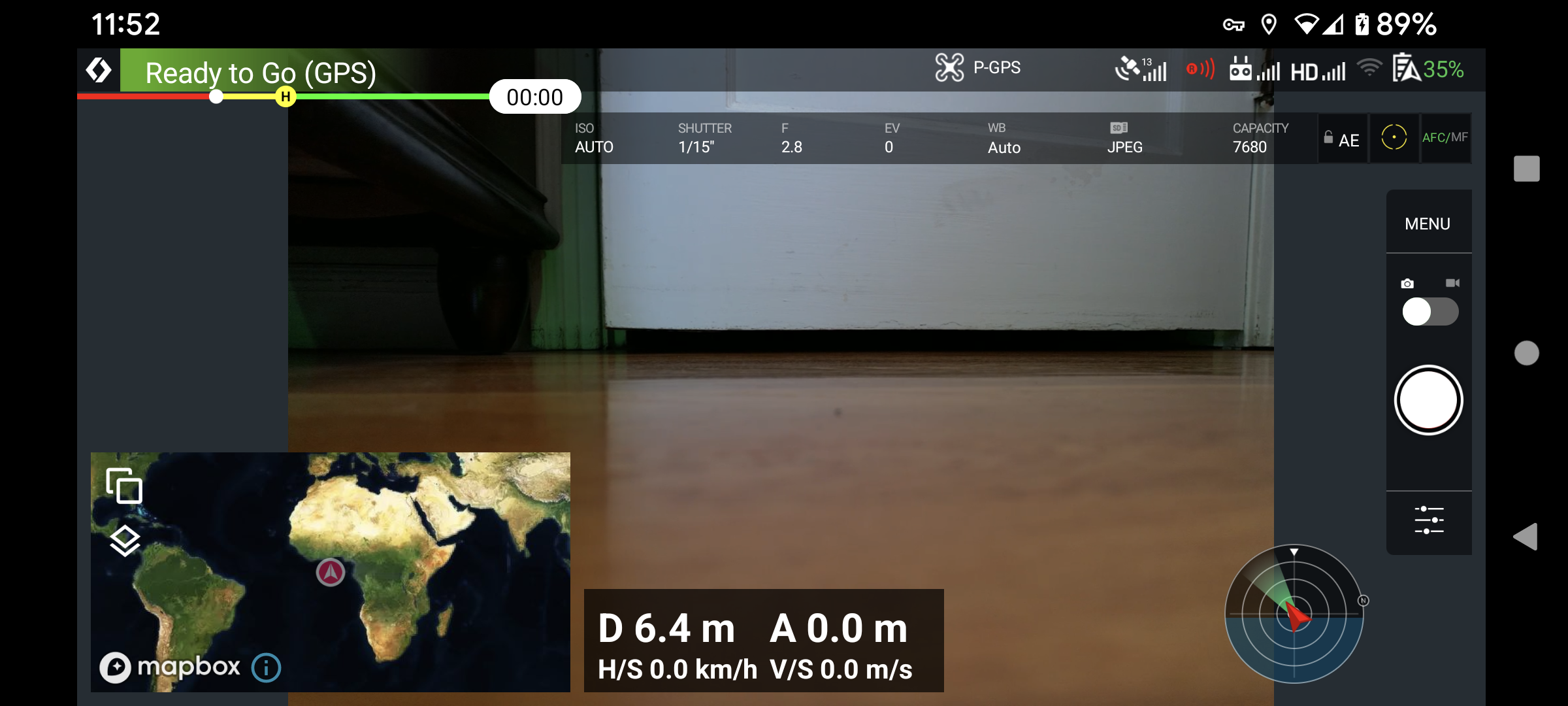
Need to switch to Modern dashboard. You must have the max Altitude set in the DJI App which is not high enough and those settings stick across apps. If you don’t want to use the modern dashboard then change in the DJI App.
Which software version, and as Mike says you need to be in the modern dashboard to see the ... menu in the top right
Thanks y'all. I did go into the DJIfly app and change max altitude, assuming it's relative to ground, since it was way below some of my missions already flown. As for Modern dashboard, when I go back to my homescreen Dronelink App, I do have "Modern" selected.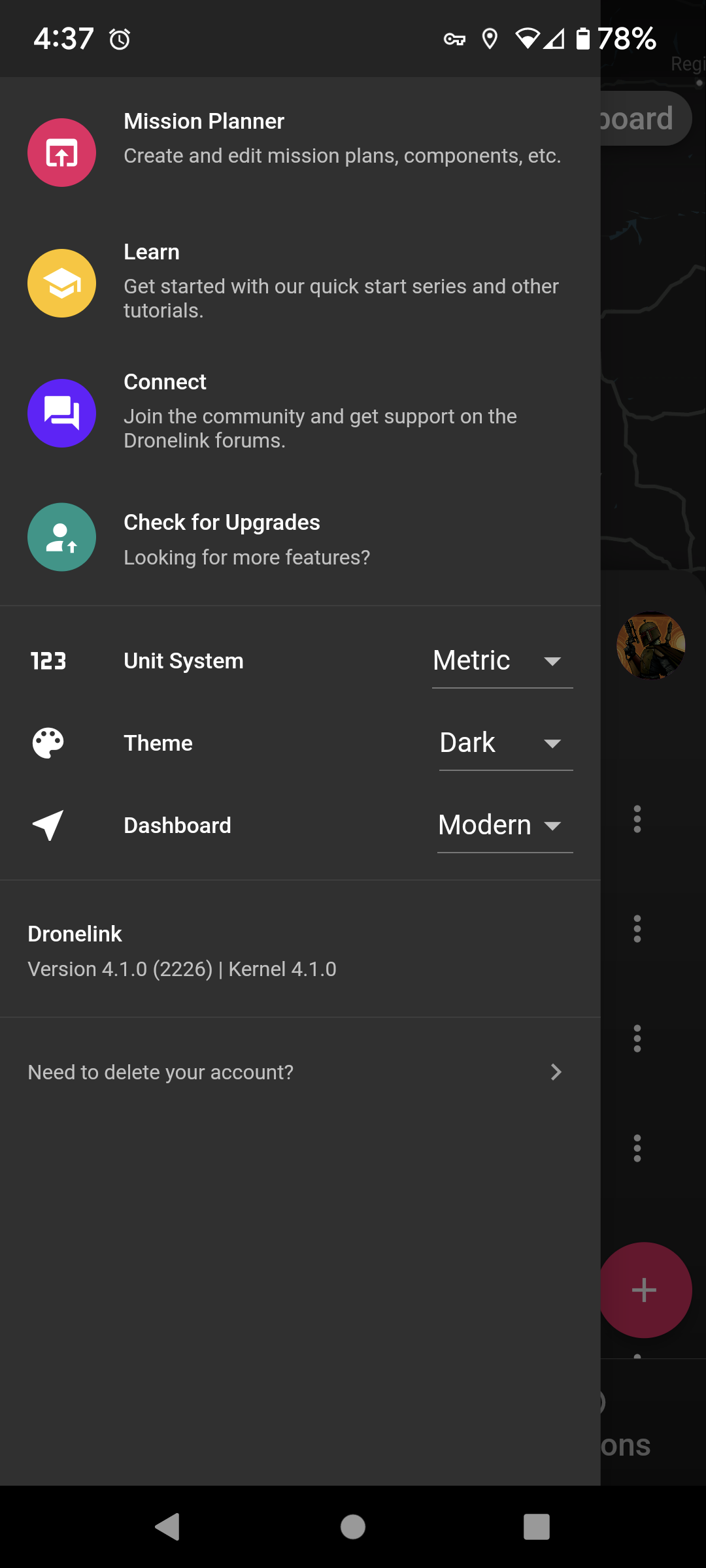
Your earlier screen shot was definitely the classic layout, see mine above for modem
I toggled back and forth from modern to classic and finally got the dashboard that you have. Solved! Thank you for all of your help, Gents!
With gratitude,
Jun
Good to hear that you are sorted
Please sign in to leave a comment.