Can't set a Hover at Waypoint A on a waypoints component

While trying to work out various ways of solving the question asked here I discovered that it is impossible to put a hover on WP A, it actually shows on the timeline before the waypoints component, so in this example mission plan it is actually above the drone launch point even though when placing it on WP A the program says that the waypoints component will be split
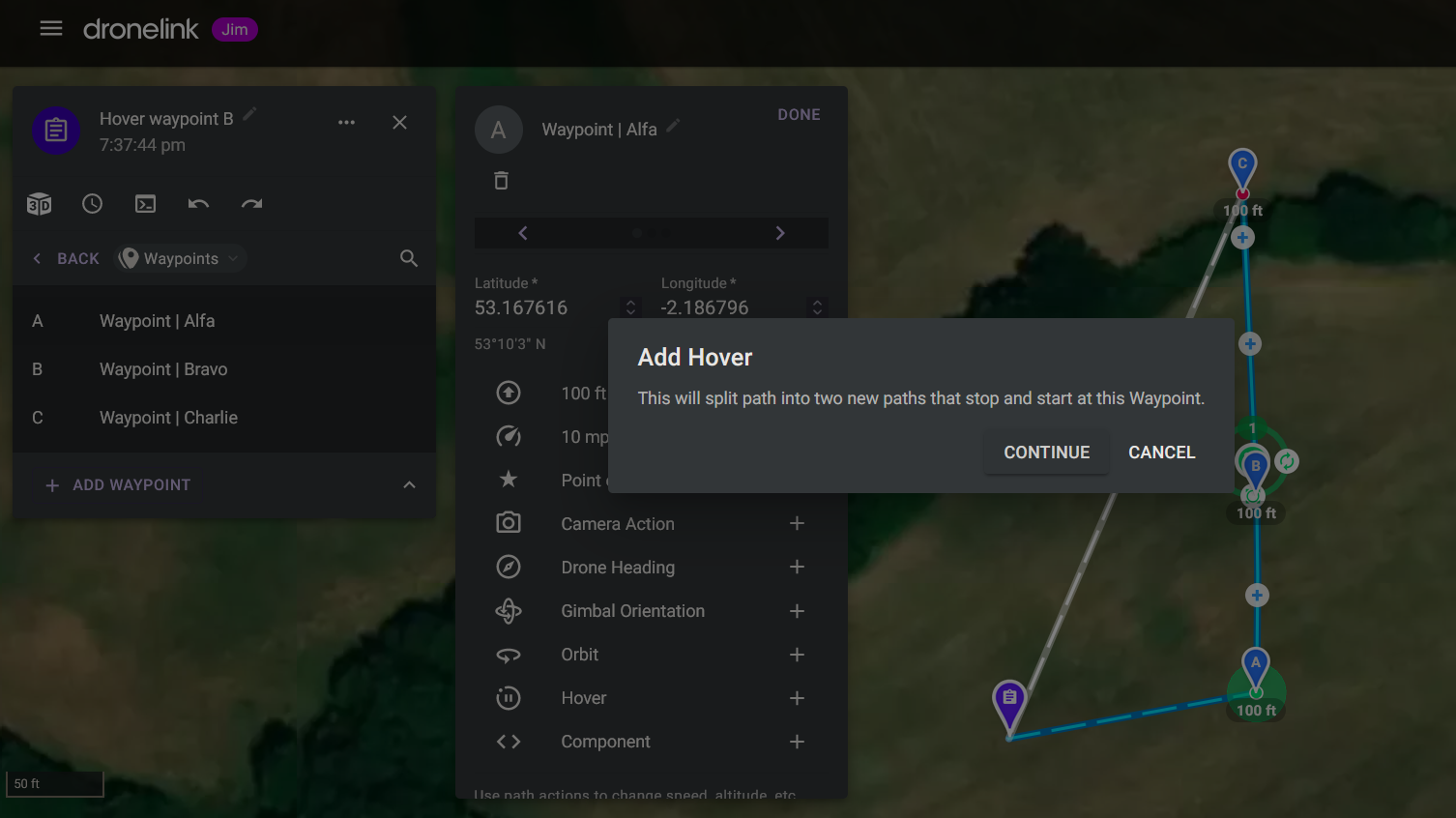

If the hover is applied to WP B then it will appear where its expected as per this mission and can be seen here

Comments
2 comments
Not sure if it’s a bug but I think it’s due to what’s indicated as Waypoint A with the new DL version is a checkpoint/ old destination component from the approach. On this one I just deleted Waypoint B which then turns C into Waypoint B and move it to where you want it to hover. Then move the hover command just after B. Only way I can think if doing it. Then add anything else to the plan as usual. Curious though.
https://app.dronelink.com/wyldwestaz/home-missions/plan/NsWc2gpPsvwilp2gxsem/6Pli56tqFj2wlKjRNaUz
Cheers for the input Mike, yeah it is indeed curious, and I've been having a further play, only other way I've got close to having the hover on WP A is to put a Path Action Just after WP A, drag it as close as possible and then apply the hover to the Path Action rather than the waypoint itself.
For anyone trying to recreate this problem, here's a step by step recipe:
Note that the hover isn't just at the take off location, rather than at the position of WP A, but the drone is still actually on the ground...
Also if you apply the hover to any waypoint other than A then everything behaves as expected
Please sign in to leave a comment.