Pano Mission Component - Works Out of the Box! - How to customize?

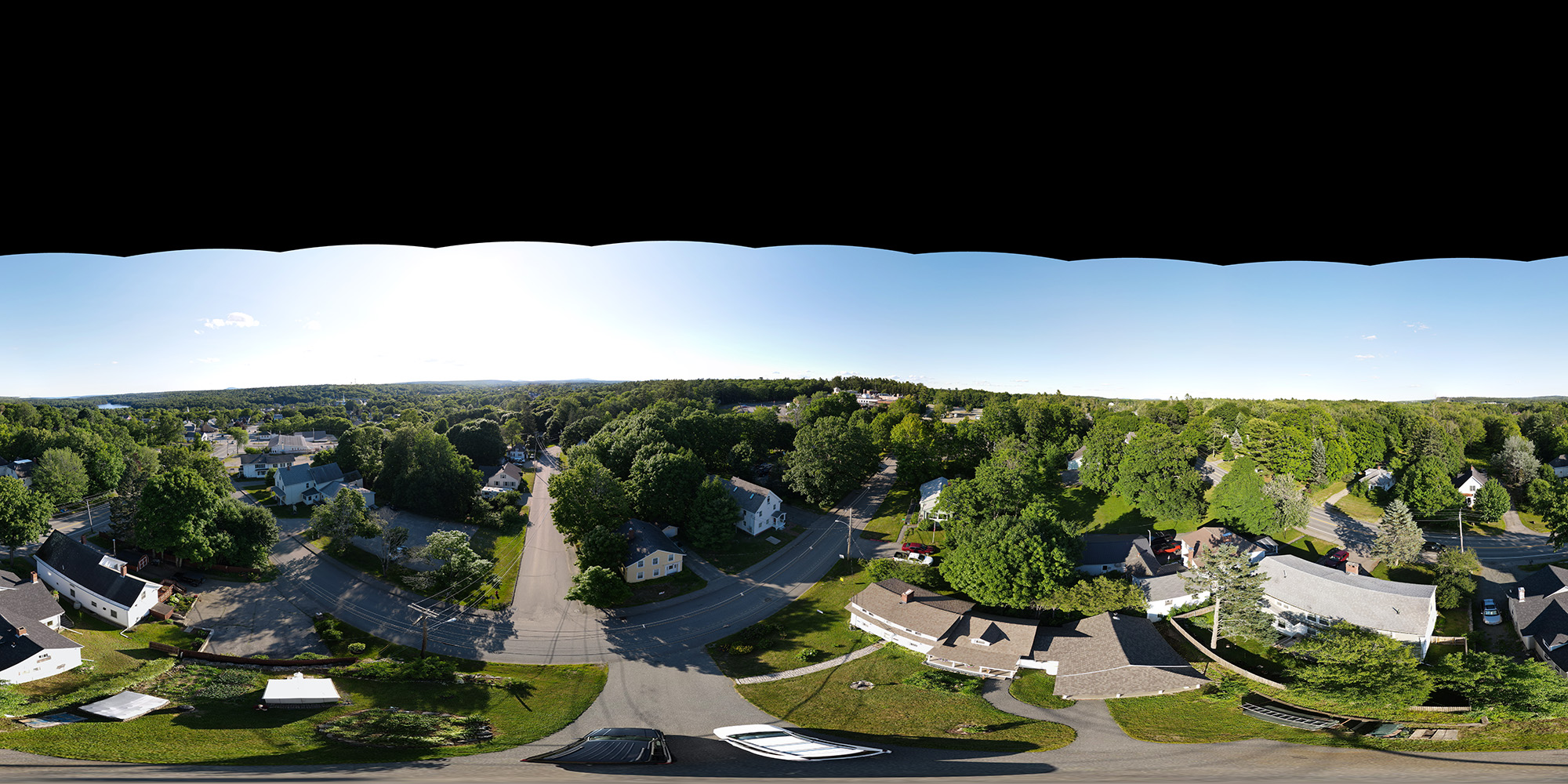
Great job guys, the Pano Mission Component worked for me first crack at it without any major issues.
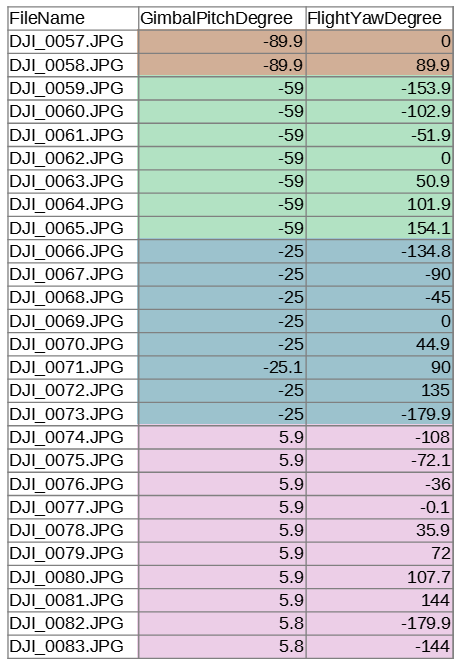
I would like to customize the Pano component; specifically, changing the gimbalPitch and flightYaw to optimal settings for the Mavic Air 2. I would also like to shave as much time off of the intervals between camera captures as is practicable. Is it possible for the user to customize these settings? If not, how difficult would it be to expand upon the available selection of Panoramas?
Comments
6 comments
https://support.dronelink.com/hc/en-us/community/posts/6489901688467/comments/6491878412307
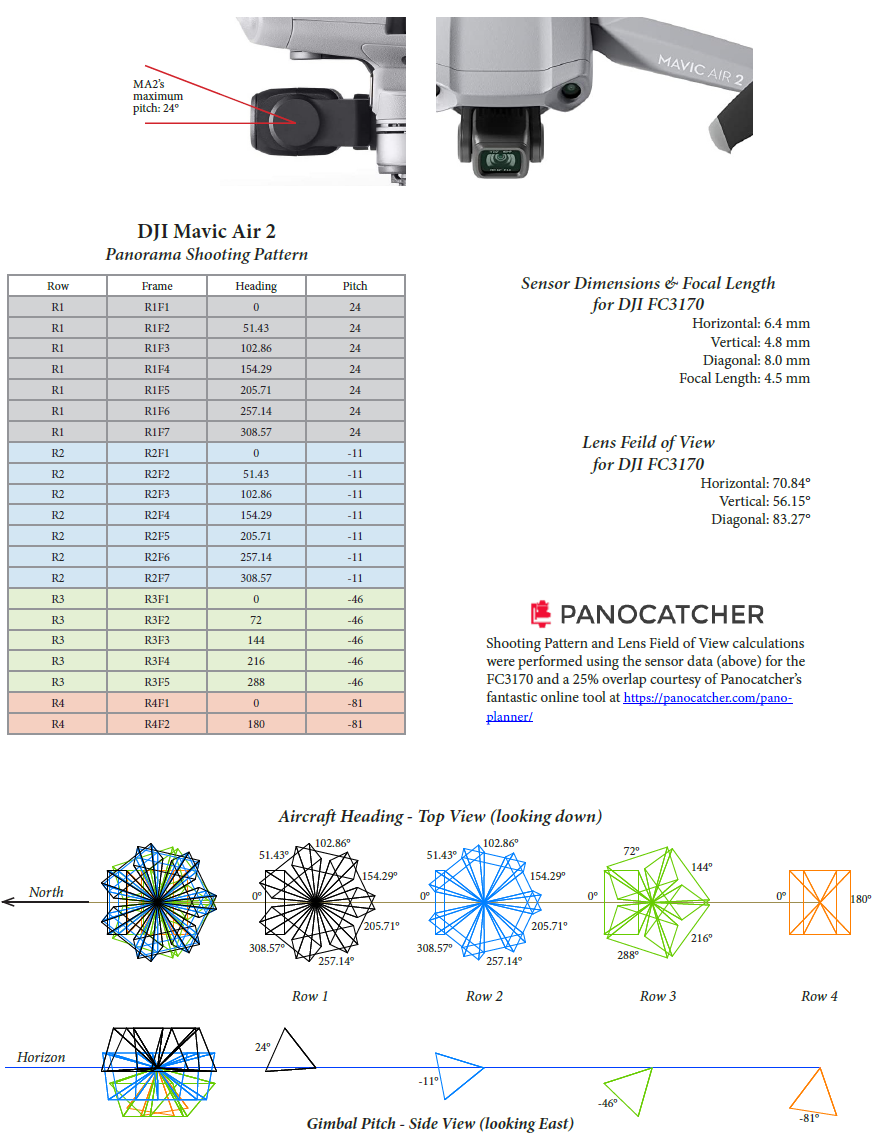
Thanks Jim for the link and for the discussion about Martin's question regarding non-zero° gimbal pitch. In regards to the gimbal pitch at zero°, there should already be sufficient side overlap for good stitching depending on the lens's FOV. Changing only the gimbal pitch to anything other than zero°; i.e., keeping the same number of camera shots/ flightYaw headings per one full horizontal revolution, will only improve the side overlap until at some point, the overlap becomes overkill. Above, I've illustrated this in Row 1 and Row 2.
Before anything else, a look up FOV table for all cameras/ lenses predicated on real focal length and sensor dimensions would allow a tailored match up of the pano plan to the recognized airframe, and of course, each airframe's individual pitch limits. As far as I'm aware, even DJI doesn't even attempt this with their pre-programmed pano as it's approach is a one-size-fits-all; e.g., even their highest pointing 60° pitch still only takes panos at 15°
Part of the reason we created the new Pano component is to be able to perform an overlap-based calculation, similar to the Map component, but that is still on the roadmap. For now you have to calculate it yourself and build it out of more basic components.
That's fine, and thank you for the reply. Any advice on building DroneLink Panos using the most basic components?
The thread I linked as a link to the 360 Photo component in the Dronelink Core repo that should give you a good starting point.
Got it - thanks Jim. That worked pretty good (for my Mavic Air 2) after I deleted the bits in there having to do with camera focus and metering. Thank you for your help!
Please sign in to leave a comment.