Pano over 17U.00 - FAILED; Camera Focus Mode

RE: Mission Planner 2.0 Beta, Pano
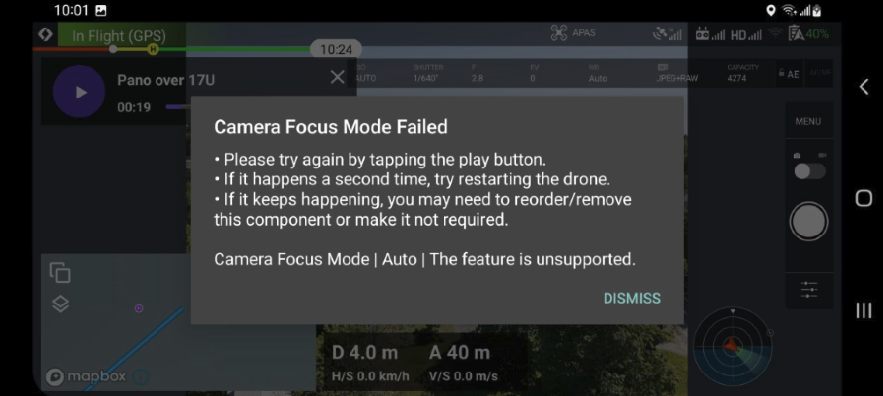
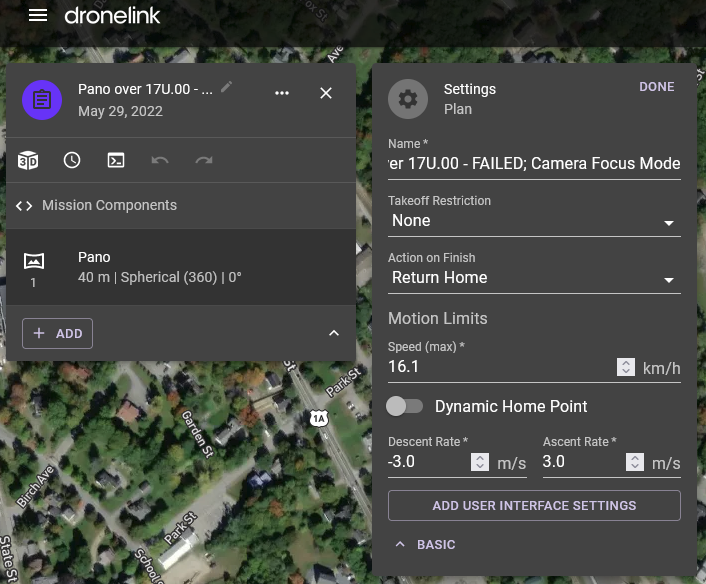
Issue 1.) The aircraft used in this test has a fixed focus and doesn't support Dronelink's Camera Focus Mode component. The tested Pano (2.0) plan's ADVANCED settings had initially included a button to ADD USER INTERFACE SETTINGS, but it doesn't allow any control; i.e., removing the offending component. Switching between repositories and plans, that button to ADD USER INTERFACE SETTINGS, curiously failed to reappear.
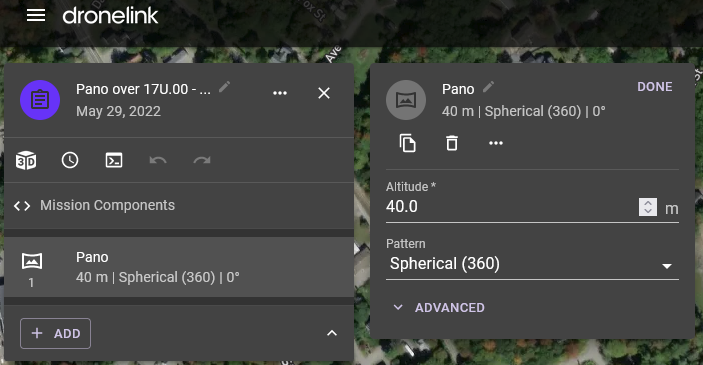
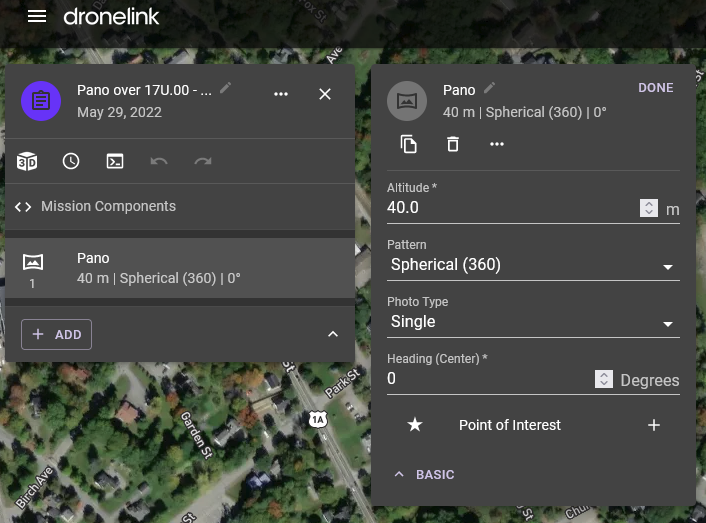
To better understand - To help in understanding what I'm referring to in terms of defining individual rows, headings, and gimbal pitches, checkout Pano Study - Mavic Air 2.pdf Please note that this is just my first study of the subject and that I still have yet to implement the settings into a working Dronelink plan, and moreover, to check and see if the overlap calculations and resulting images satisfy the stitching software. If anybody is interested in helping test these settings, please share your images :)
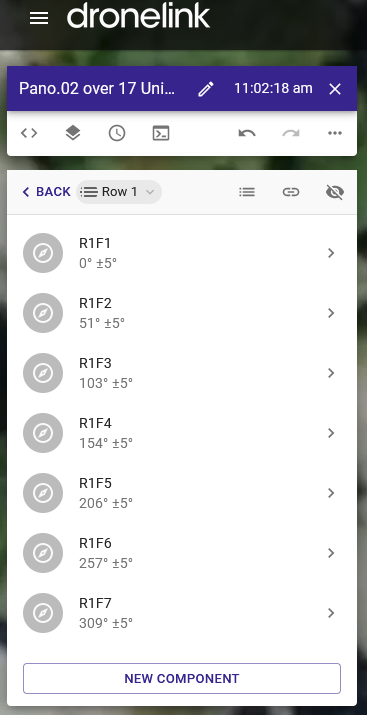
Issue 2.) More broadly, and as best as I can determine, the tested Pano plan (2.0) does not appear to support defining individual rows, headings (initial overall heading notwithstanding), and gimbal pitches like in the production release:
Aircraft: DJI Mavic Air 2; firmware: 01.01.0720
DJI RC; firmware: 04.11.0032
DFI Fly App: version 1.6.1
Mission Plan: Pano over 17U.00 - FAILED; Camera Focus Mode
Public link to Mission Plan: https://dronelink-225116--beta-ii0ns8t9.web.app/vkbellis/mission-planner-2-0-beta/plan/2JAJARwP1OOLM6P2ZdWA
Windows 10, Firefox

Comments
5 comments
We will change the focus command to not required. As for more control, we do plan to add more options over time to the Pano component, but for now if you still want complete control, you just need to do it the old way.
OK, got it. Will updates to the beta version be pushed to those enrolled in testing as they become available? Having camera commands in general, including but not limited to focus, WB, EV, etc., to not be required, might be something to consider.
Actually, what I was expecting to break the mission, and which very well may still happen whenever that time comes for my next test, and that is how the most upward gimbal pitch programmed. For example, DJI Fly app baked-in maximum pitch is 15° irrespective of the aircraft. The MA2 can pitch +24° while the Mini 3 Pro supposedly can go +60°. The Anafi is the only sUAV I can think of that can actually shoot zenith.
I was thinking that maybe (for a minute) with Mission Planner 2.0 Beta, Mission Planner Mode enabled as Expert instead of Normal, more control over such things might be afforded than with Normal. But I see now that while there is indeed additional options when enabled as Expert, it's not nearly the same level as the old way
Expert mode only hides expert level settings if they exist, and in the case of the new Pano component we havent created those settings yet. The old way is just using a combination of a bunch of other components, which the vast majority of users find too complicated and they don’t really mind having no control over the behavior.
Assume you meant that Normal mode hides Expert options.
Thanks for affirming that Jim :)
I'm still wondering: Will updates to the beta version be pushed to those enrolled in testing as they become available?
Yes
Please sign in to leave a comment.