Gimbal Orientation Failed on Mini 4 Pro mission

Mini 4 Pro
RC-N3
Samsung SM-A536U1/DS
DroneLink 5.3.4 (323) Kernel 5.3.1
https://app.dronelink.com/martin-rouser/testing/plan/nRAjLMhCAuAAkJ2TuGEd/fxMJDJFGcuyUPPbCMaXJ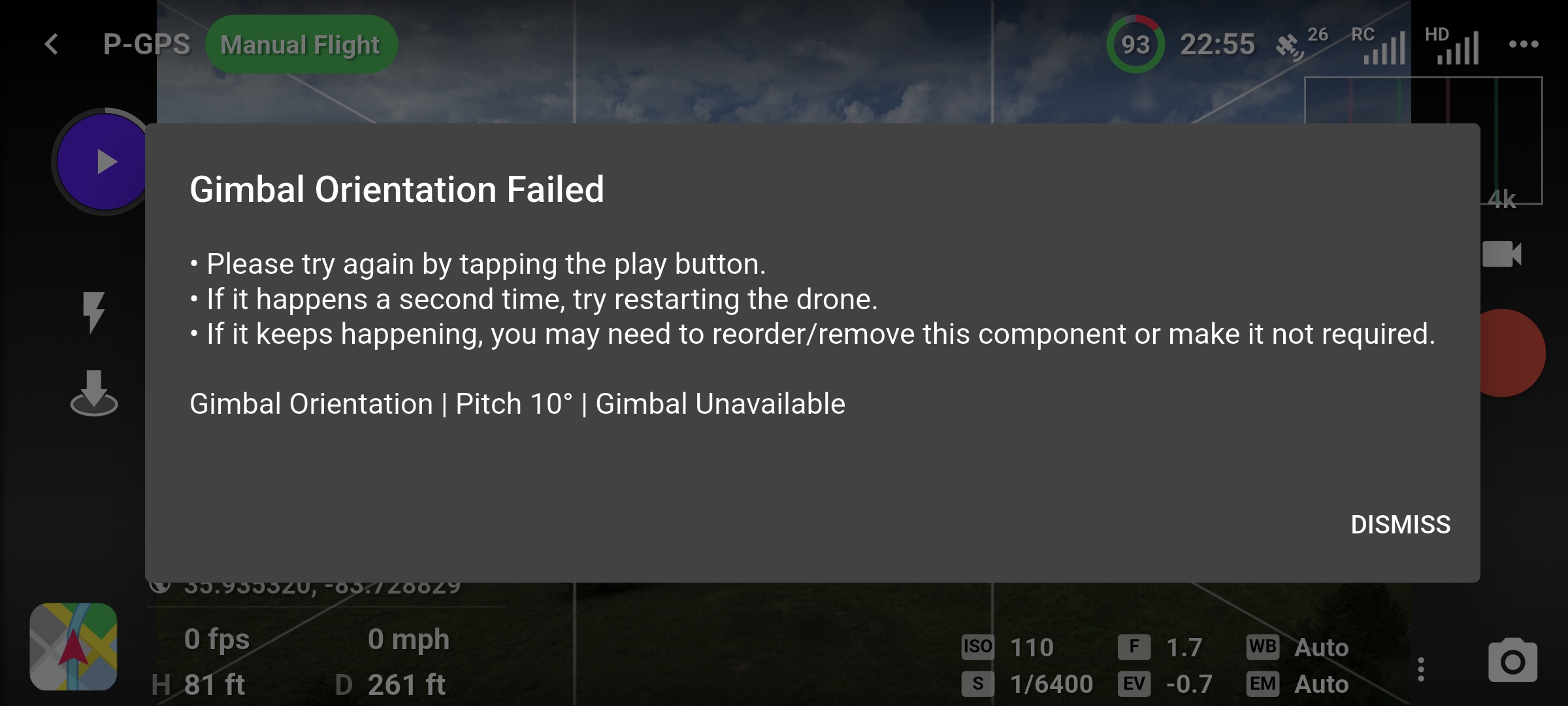 I have tried this on 2 different missions and any gimbal move stops the mission and yields this message.
One of the missions I am fairly sure did not have this issue before the update. When the mission stopped the gimbal still moves normally manually. I also created a mission in the DJI Fly app with gimbal moves and had no issues.
Please let me know if you need additional info.
Martin Rouser
mrouser@rouser.com
865-680-7945
Comments
4 comments
You added a second gimbal Channel which the drone doesn’t have. Deleting that second gimbal channel you added will fix the error.
Also since you’re using AGL on this plan you need to follow the error message indicated in Red and select the take-off restriction as Specific Area. This will ensure the elevations are correct based on the ERSI data from that location.
Mike - You are absolutely correct on both points. Removing the extra gimbal channels made the test mission work perfectly. And, I should have set the Specific Area take off location. Thanks for catching the newbie errors! This was definitely not a bug in this awesome software.
Good to hear. Best to leave everything set to default unless you know how it will affect the mission. It will take time to learn the app because it has so many features. Keep it simple at first. Enjoy.
Please sign in to leave a comment.