Dronelink screen on PC vs Android app

Why would the screens on the left side of Dronelink be different between the PC and my Android mobile device?
The 1st image is from my mobile device that uses the app installed from the Dronelink webpage.
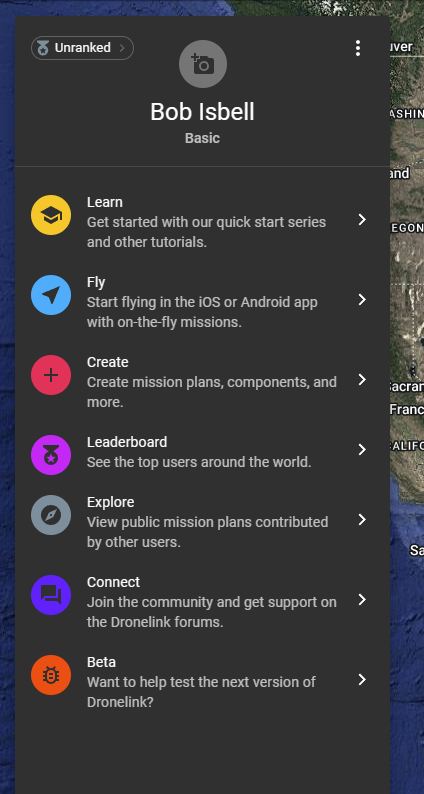
The 2nd image is from my Dronelink account on the computer. There are more options in the menu on the computer than in the app like Fly, Create, Leaderboard, Explore, and Beta.
How am I to access those via the Android app if they are not available?
Comments
2 comments
The native app is primary geared for running missions, while the website is for planning missions. You can plan missions in the native app, but it just opens embedded web-browsers to do the work as the mission planner is a web app.
Jim covered it but I’d use a Web browser like Firefox with a larger screen. It’s not only the best for planing missions but it’s far better than using any smaller screen.
Please sign in to leave a comment.