GSD and Melting Edges

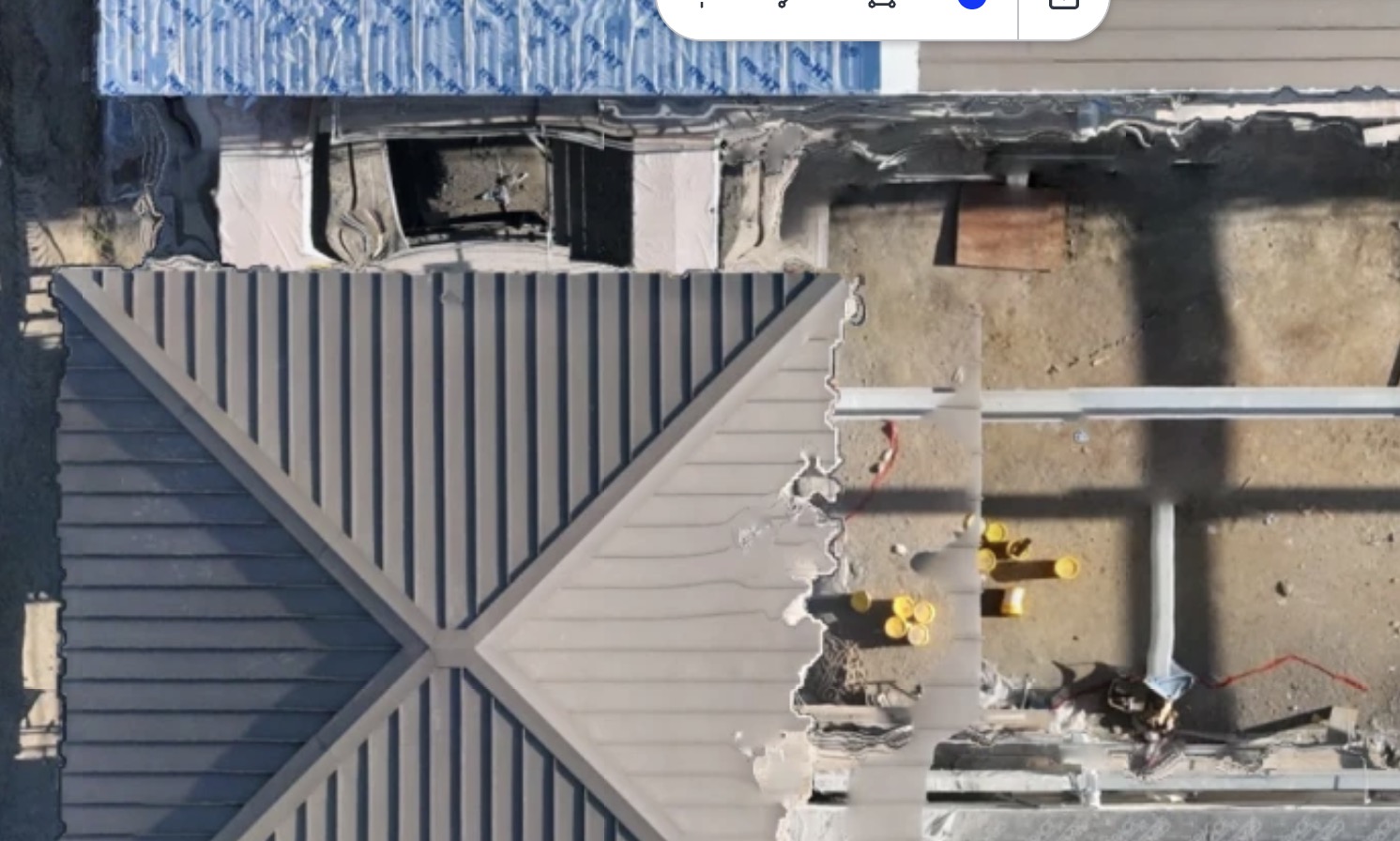
Greetings. I've been doing 2D mapping for a construction client using an Air 2S. As the buildings went up, the processing of the map always resulted in the infamous melting edges (image below). I recently got a new Matrice 4E and was hoping the mechanical shutter would eliminate that issue. But alas, the edges are still melting on the rooflines. My client requires the data to be uploaded to OpenSpace Air, where the map processing is done. Can I help correct this with my settings, or is it purely a function of data processing (which I have no control over)?
This map was flown at 170' AGL with 80x80 overlap at around 12mph.
Second question. I can't seem to find the GSD in my mission setup. I'm obviously looking in the wrong place. Where is it?
Thanks!
Terry
Comments
3 comments
That type of problem often occurs when you have lots of parallel lines in my experience. You can try different levels of overlap to try to improve things - strangely, sometimes less overlap actually helps there.
If you have a test environment you can try removing some of the photos from the set to see if that improves things.
For the GSd you can find that under the overlap when you go into the map component.
Yep. Found it. Thanks, Barry. I'll be flying the site again on Thursday. I'll try a 70 x 70 overlap to see if that helps.
Terry
If you wanted to see if less overlap helps you could take a previous run and remove some of the photos. That might be better than doing a whole shoot and finding the situation didn't change.
It's also very software specific and I'm not familiar with OpenSpace Air so I can't help there much.
Please sign in to leave a comment.