Wallplate Measurement

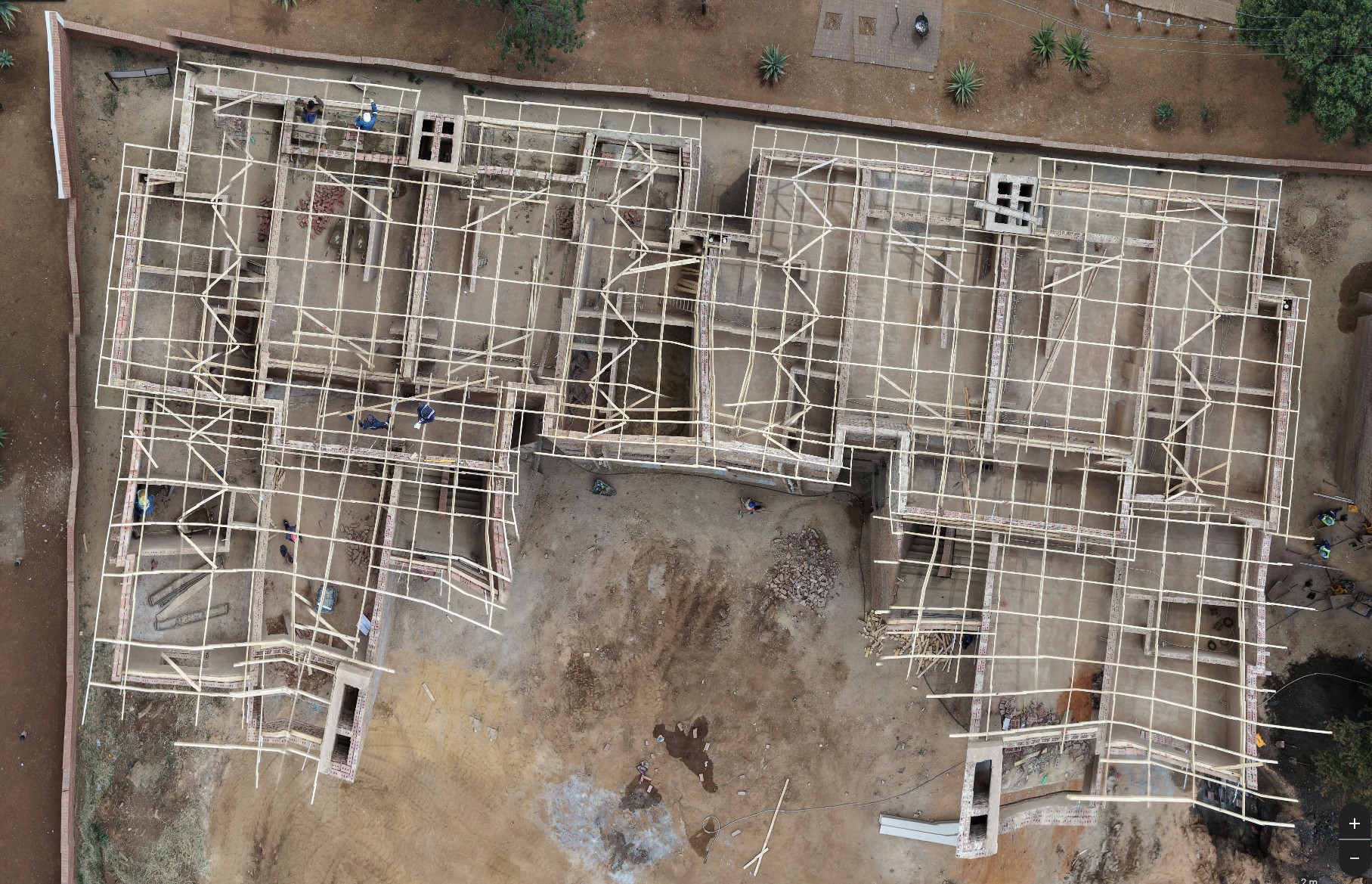
Hi; We have a roofing company that manufactures timber roof trusses for residential and commercial buildings and we need a way to fly the drone over a building which walls are built up to wall plate level and get a top down 90deg image of the walls which we can then scale to size and use to measure the walls etc.
Images.When i import into Pix4Dreact it distorts the image.
Pix4Dreact image.
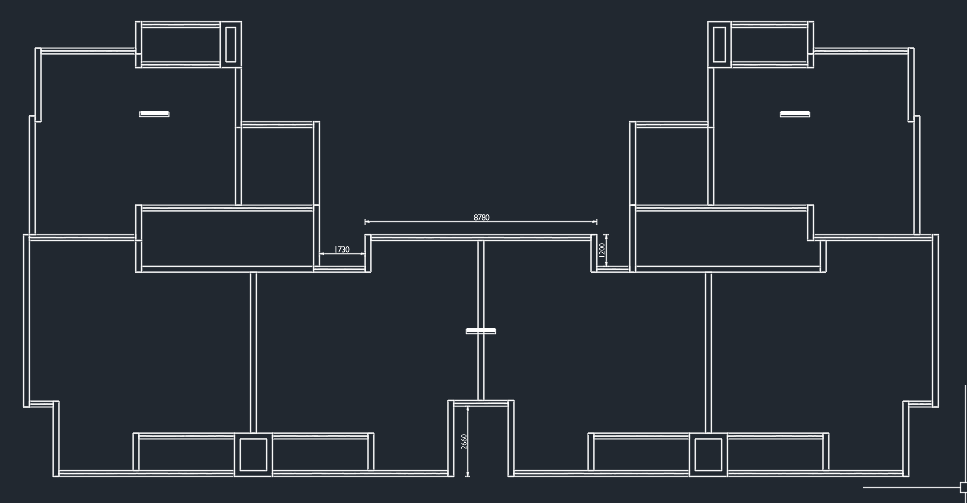
What the walls look like drawn in cad
Comments
4 comments
This is a processing issue, not an issue with Dronelink. You will need to discuss with Pix4D how to correct.
I've had similar issues with other software on sites with a lot of parallel lines - it really confuses the software.
Thanks, I did think there were maybe too many lines for the system to work with. This was flown manually though. set the drone to 1.2m/s and a fixed altitude then flew a couple of passes over the building taking photo's every 5s which is the minimum for the Mini 5 Pro.
The two main issues I'm having is that flying manually doesn't really work very well as the pics are all over the place they don't align nicely in a grid.
Another issue is that these buildings are all new builds i.e.. requiring roofs so generally you cannot navigate to the map and preplan the flight based on the address as its generally blank. Old image on the map. I need a way to create a default grid pattern and when I'm on site load that grid place it over the building and start the flight. any idea how that workflow can be achieved?
This is the view you get on the maps. The building I want to measure is somewhere in the polygon I have created in the top left.
A few things to suggest.
Good luck!
Please sign in to leave a comment.