Creating a com[ponent

can this plan be saved as a component to be reused? If so please direct me to tutorial/how to. Thanks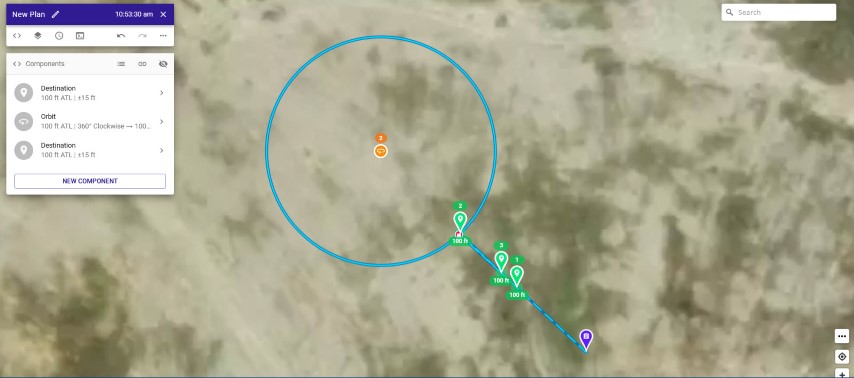
can this plan be saved as a component to be reused? If so please direct me to tutorial/how to. Thanks
<%= block.description %>
<% } %>
Comments
7 comments
At least a couple ways to do it. Create a component list and then make the Orbit as you want. Then it can be added as a component from the Repo list. You should also be able to copy that specific Orbit to the clipboard first. Then create component list and paste it into that component list. Should work either way.
How to create component list?
"List" is just one of the components you can add when you click "New Component". When you add a list and click on the ">" to open it, you can add components to it.
In Web app click “create” then select component. Create your Orbit, path or whatever you want to use in any plan. Once done it will be a component which can be added from the Repo list into any plan.
Same as creating a camera component list which is what I use. Makes it much quicker to add all the camera commands in one click rather then adding each command every time on every plan.
The easiest way to do this is to multi-select the components and click embed in list:
Then select the list, click ..., and choose Add to Repository:
🤙🏼
Thanks all lesson learned
Please sign in to leave a comment.