Gimball moves while mapping(??)

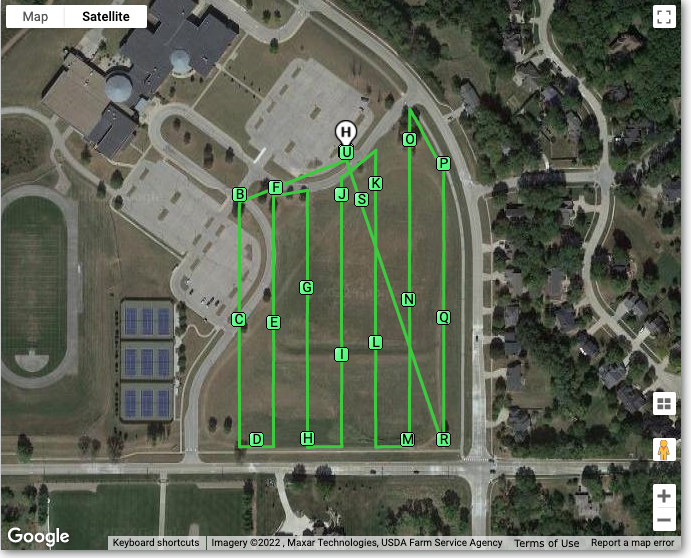
I ran into a little trouble with a mapping mission I made for my drone. (Mavic Air 2). The mission wasn't too long approx 10 minutes with a max speed for the mission set to 12 mph. I am using the stock DJI controller with a TriplTek 8 tablet. After I ran the mission the upload of my mapping photos to 'Maps Made Easy' failed because halfway through the mission The gimbal wasn't pointing straight down (-90 to the horizon). I reviewed the photos that the site listed and it's easy to see that the gimbal is definitely not pointing straight down.... I don't think this is a problem with the map component I am suspecting that while I was waiting for the drone to complete the mission I moved the controller from one hand to the other and hit the jog wheel that moves the gimbal. With that in mind would it be appropriate to add markers to the mapping mission at various intervals that would be set to ensure the gimbal is still pointing straight down? Or should I just consider this a lesson learned and be more careful in future mapping missions?
The AirData log below shows there were no issues during the flight.... That's why I believe this was more of an operator error issue than anything else...
Comments
4 comments
This was actually a new feature request that we implemented.
Jim, Thanks for the reply so quickly. The Gimbal Override is a nice feature for sure, however the feature addresses if you manually/purposefully override the gimbal pitch after the mapping mission has begun. The description of the feature matches what appears to have happened during my mission. The gimbal pitch was changed and never went back to the -90 that was set at the beginning of the mission. The difference here is the gimbal pitch was changed unintentionally/accidentally and was never reset to the -90 degrees that was set at the beginning of the mission. What I am looking for is advice on how (or if it's possible) to set markers along the mapping path at different locations to ensure that the gimbal stays at a -90 degrees, because I don't see markers as a choice when I select New Component when creating a Map mission. The stitching software I use to assemble the photos into the 2D model won't accept any photos that don't have the gimbal facing straight down. If the gimbal is accidentally changed halfway through the mission the whole mission is a waste.
Would this be a better topic for a feature request?
Can’t add markers along a map path. Gimbal is set at beginning as specified in linked article. Your own advise to be more careful is the probably best. 😁 Maybe put a temporary piece of tape over it. Sounds funny but could keep it from accidentally getting bumped.
I changed gears a little and submitted a 'Feature Request' asking if the Manual Gimbal Override could be given an enhancement like adding 'Markers'. @Jim McAndrew kindly replied back that it may be easier to just add a toggle to turn that feature on/off at the operator's discretion rather than adding markers. I thought that was an excellent idea.
Please sign in to leave a comment.