Dronelink DJI 5.2.1 (307) RC-N1 – DJI mini 3 : Absence or delay in video stream

After the connection between the drone and the radio control was turned on,
it took several tens of seconds for the video stream to appear.
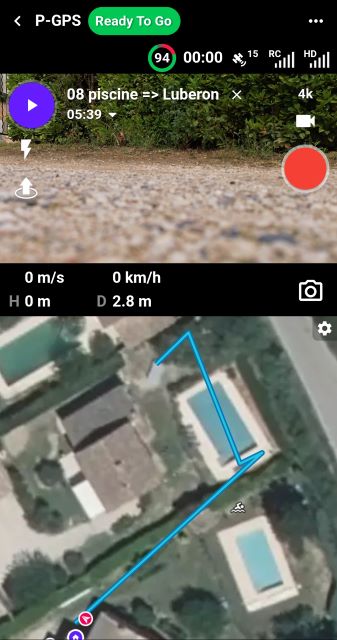
Furthermore, during the mission, the video stream disappeared, as shown in the screenshot below.
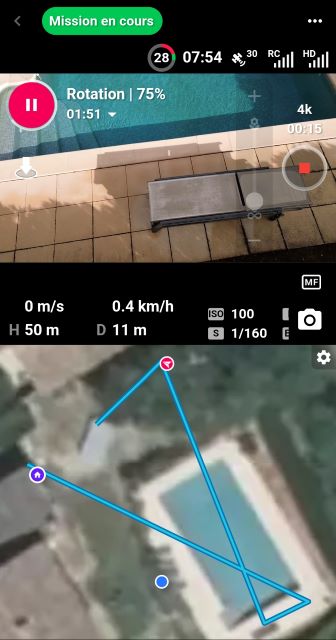
Nevertheless, the mission went smoothly and the video footage was successfully recorded on the SD card.
Back at the workshop, the Samsung smartphone requested firmware updates. Despite these updates, the same dysfunction was observed. Here is a screenshot at 10:50:59, the camera video stream is absent.
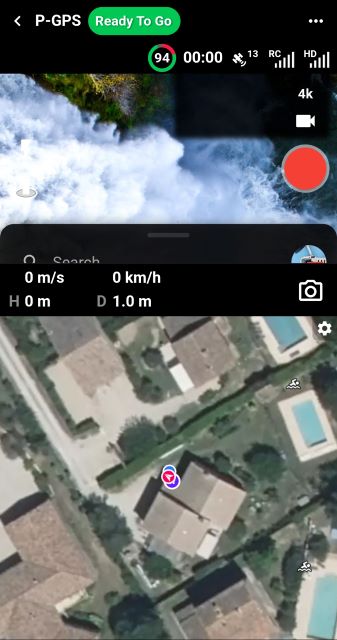
Screenshot at 10:51:22 (more than 23 seconds) the video stream finally arrives.
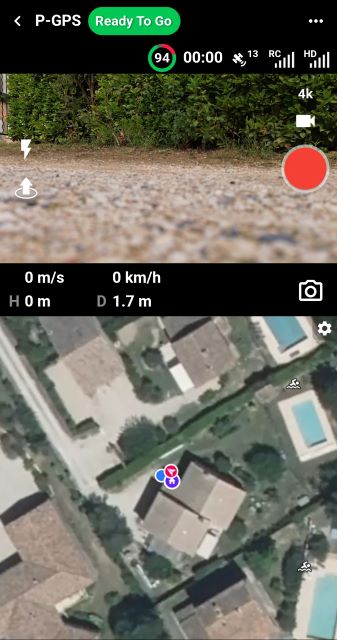
Loading a mission at 10:52:07, the video stream is missing
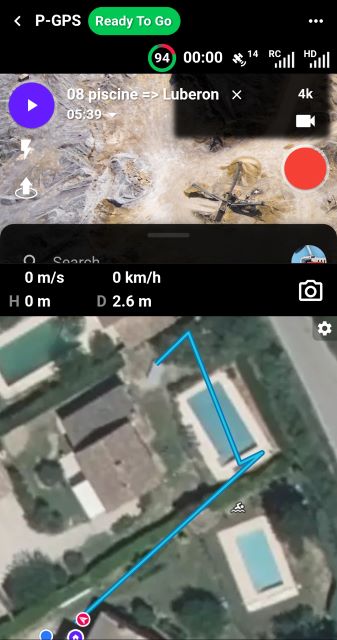
At 10:52:13 (6 seconds) the video stream appears. It was a bit faster.
With DJI Fly, there is no such problem: the video stream is displayed almost instantly.
Hardware and software used
Drone DJI mini 3 ; firmware : v01.00.0500
Remote RC-N1 ; Firmware v04.16.0500
DJI Fly version 1.17.4 (avec un iPhone 11)
DroneLink DJI version 5.2.1 (307) ; Kernel 5.2.0
Android Smartphone :
Samsung Galaxy A34 5G (sans carte SIM) ;
Android 15 ; OneUI 7.0 ;
Comments
51 comments
How do I download build 309?
https://support.dronelink.com/hc/en-us/community/posts/44355505437331/comments/44767898655507
Just download the latest beta APK.
the beta build 309 does not work and the problem comes back
Now when I try any of my older versions of the software beta or release I have the problem. How can I go back to a version that previously worked?
For your information, the DJI Dronelink beta version used is 5.2.2 (308) | Kernel 5.2.0.
On the start screen, BETA is written in the bottom right corner, as shown in the screenshot below.
This beta version has a video stream that works correctly.
Here is a video where this version is used https://www.youtube.com/watch?v=wTmXOTuyRss.
The bug mentioned in this video has been bypassed by placing DL DJI offline.
Hardware and software used
Drone DJI mini 3 ; firmware : v01.00.0500
Remote RC-N1 ; Firmware v04.16.0500
DJI Fly version 1.17.4 (with an iPhone 11)
DroneLink DJI beta version 5.2.2 (308)
Android mobile phone :
Samsung Galaxy A34 5G (without SIM card) ;
Android 16 ; OneUI 8.0 ;
You said that version 308 worked? Can you try that from this link again: https://drive.google.com/file/d/1PkZW83S3Zo5ufZ3pyev_ndAvvxstQGgU/view?usp=sharing
Might be worth saving these APKs locally so you can switch back and forth as these results are getting very confusing to me.
Have you tried the latest (309)? It seems like multiple people are getting different results on all of this and of course, we can't reproduce any of it.
The Dronelink DJI beta 5.2.2 (309) | Kernel 5.2.0 version has just been tested by yours truly.
This beta version had a video stream that worked correctly.
When going offline, the drone's navigation was not disturbed by “Uploading mission data” 😉
The mission that served as a test can be found at:
https://app.dronelink.com/vaclub/share-kn1yu6sibxbbxoddegr2/plan/O9YommS2nhrcRlofx0Jj/6HNT5BQjnL3BnPGOZj0l
A video illustrating this result is currently being edited.
Hardware and software used
Drone DJI mini 3 ; firmware : v01.00.0500
Remote RC-N1 ; Firmware v04.16.0500
DJI Fly version 1.17.4 (with an iPhone 11)
DroneLink DJI beta version 5.2.2 (309) | Kernel 5.2.0
Android mobile phone :
Samsung Galaxy A34 5G (without SIM card) ; Android 16 ; OneUI 8.0 ;
So to be clear, 308 and 309 both work for you?
Hi Jim, thank you for the link. 308 works for me but 309 does not.
To date, the beta 5.2.2 (308) and beta 5.2.2 (309) are functioning correctly, displaying a continuous video stream with the configuration below.
Hardware and software used
Drone DJI mini 3 ; firmware : v01.00.0500
Remote RC-N1 ; Firmware v04.16.0500
DJI Fly version 1.17.4 (with an iPhone 11)
Android mobile phone :
Samsung Galaxy A34 5G (without SIM card) ; Android 16 ; OneUI 8.0 ;
The video for the DJI Dronelink beta 5.2.2 (309) version can be viewed at : https://youtu.be/9VFG2Ebw2qg
It is in x2 accelerated mode. The video taken during the mission is in the background.
I see you are running with no network (airplane mode)? Does it work if you have network?
The version Dronelink DJI beta 5.2.2 (309) also works when connected to the network.
Testing in this situation was cut short to avoid the bug mentioned in the following thread:
https://support.dronelink.com/hc/en-us/community/posts/44976287490451-Dronelink-DJI-beta-5-2-2-308-DJI-mini-3-frequently-occurring-navigation-errors
Has this issue been resolved? I have not received any notifications of app updates.
We are not able to reproduce this issue, and the results from different users in this thread are inconsistent so we don’t have a solution at the moment.
What are the results of your tests with the Dronelink DJI beta version ?
Sadly the drone surveys is only part of the work I do and have not had time to test beta versions. I started to try and see where I can find the beta version though, but it was not outright obvious, so I continued with my other work.
I must say that I have some surveys coming up and I am a little bit concerned.
Please try the latest beta (build 310) which was built with the most recent DJI SDK update (5.17.0).
Since there has been no fix or decent reply, I am cancelling this subscription until this has been sorted.
https://support.dronelink.com/hc/en-us/community/posts/44355505437331/comments/46465241098515
Please sign in to leave a comment.