Mission Preview - Drone Too Far Off Course

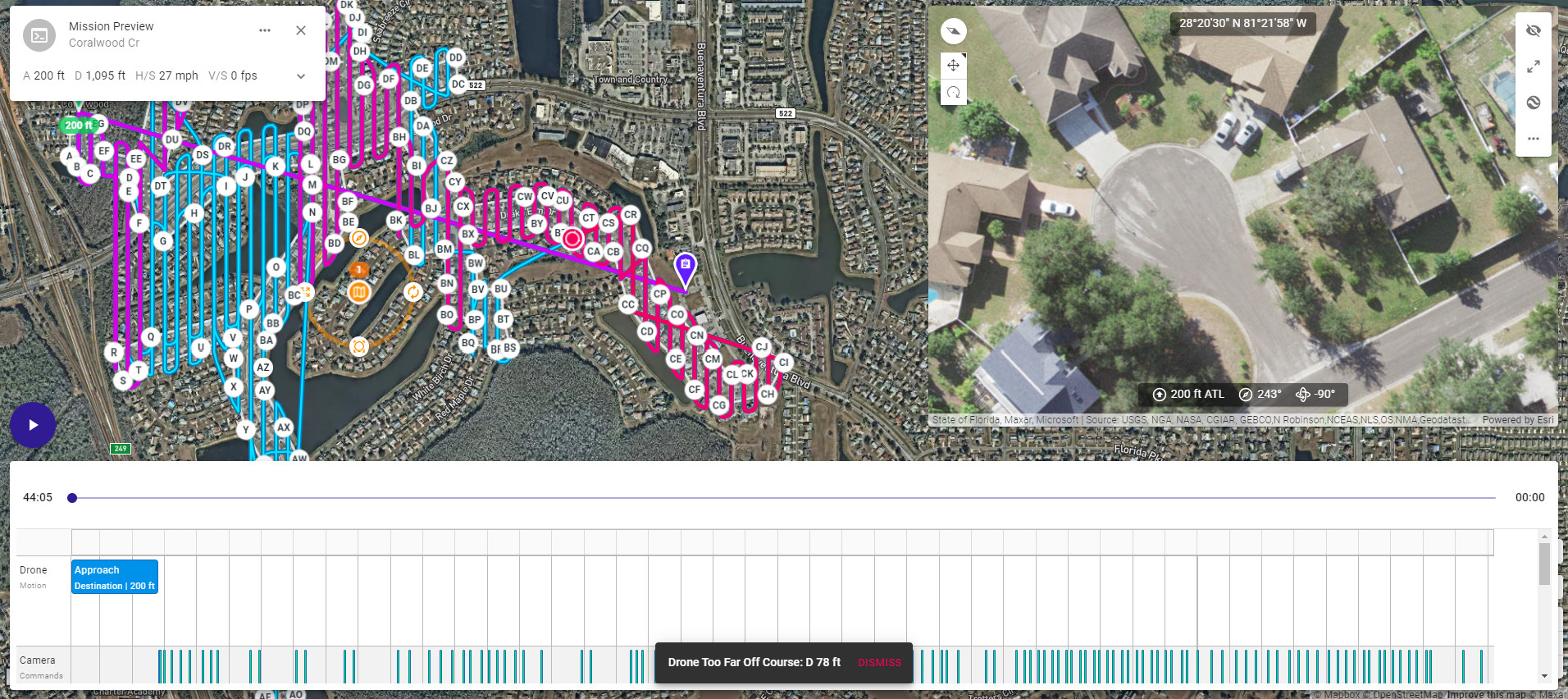
When trying to render a Mission Preview I get a "Drone Too Far Off Course" message and the preview will stop at a point and not finish. This is not during an actual flight, and I'm not sure if it is processing telling me there will be an error with my current settings, or if I'll even see the same error while in flight.
Comments
7 comments
Please share your mission plan.
https://app.dronelink.com/brad-barrett/my-first-project/plan/ntL92aNYc9IXgaOz7yzQ
My guess is it will be an issue in the real world too. There may be a bug but it is hard to tell as this mission plan is very large and that could be causing other problems. You should probably split it into multiple smaller missions. Turning on motion delay allowed will get around the issue, but running a map this large is problematic on all but the fastest mobile devices.
Jim beat me to the punch about smaller mapping missions. My MA2 gets roughly 20 minutes then initiates RTH for a battery swap. Since the A2S has a bit less battery time I’d guess it will take 6 to 7 batteries, maybe more.
Hi, I got the same message trying to mission preview a fairly small flight... Mission preview does not even open, it tries to load than the following message appears at the bottom of the screen
Hi Fpensa. A couple things to change depending what you want. It’s the Mapping component which is causing the issues. You have Capture Priority set to “Time” and it seems be the issue do to either the speed, Length, intervals etc. I’m sure DL can explain that better as I don’t do much mapping.
1. If you turn on High Wind Tolerance the mission preview will run set to “Time” capture.
2. If you switch Capture Priority to “Distance” it will run. Depends on how you want to set it up.
3. I adjusted the max speed to 12 mph and it ran when set to Time capture.
Even if the mission preview runs you may still have an issue actually running the mission depending on the setup. You’ll need to do fly and test. Check those settings and figure out what will work best for you. You may try adjusting the speed, photo intervals etc. to see how it will work with Time Capture. Hope this helps and good luck.
This appears to be a bug. If you look, the last segment of the map is very short and it has to make a straight line back across the main part of the map to get to it. If you want to get around it for now, slightly reshape the map boundary to force the last segment to start from the same side as the end of the second to last segment.
Please sign in to leave a comment.